
Last Updated on July 1, 2026 by Digiinte.com Team
What Is Negative SEO? Negative SEO refers to deliberate attempts by competitors or bad actors to damage your website’s search rankings. To protect your website from negative SEO, you need to monitor your backlinks regularly, set up Google Search Console alerts, use the Disavow tool to neutralise harmful links, and put security measures in place to stop content scraping and fake reviews. The earlier you catch it, the faster and easier it is to fix. |
Most website owners spend months building their SEO. They publish great content, earn quality backlinks and climb the search results. And then one day their rankings drop. Traffic falls. Something feels wrong but they cannot figure out why.
In many cases the answer is negative SEO. Someone, whether a competitor, an unhappy customer or just a malicious actor, is actively working to push your website down the rankings.
- What Is Negative SEO and How Does It Work?
- Warning Signs That You Are Being Hit by a Negative SEO Attack
- How to Protect Your Website from Negative SEO
- Step 1: Set Up Google Search Console Properly
- Step 2: Monitor Your Backlink Profile Weekly
- Step 3: Use Google's Disavow Tool When You Find Harmful Links
- Step 4: Protect Your Content from Scraping
- Step 5: Secure Your Website Against Hacking
- Step 6: Monitor and Protect Your Google Business Profile
- Step 7: Build a Strong, Diverse Link Profile
- Best Tools to Monitor and Protect Against Negative SEO
- How to Recover If You Have Already Been Hit
- Your Monthly Negative SEO Protection Checklist
- Frequently Asked Questions
- Final Thoughts
The frustrating part is that negative SEO is real, it is more common than most people think, and it can seriously damage your visibility if you do not catch it early. The good news is that you can protect your website from negative SEO with the right habits and tools in place.
In this guide we are going to explain exactly what negative SEO is, how to spot it, and the practical steps you can take right now to protect your site in 2026.
What Is Negative SEO and How Does It Work?
Negative SEO is when someone deliberately takes actions designed to hurt your website’s search rankings. Unlike a normal algorithm update where Google decides to rank you differently based on your own content, negative SEO is an external attack. Someone else is pulling the strings.

It happens because search engine rankings are competitive. A business that ranks below you might decide it’s easier to bring you down than to build themselves up. Or a disgruntled former employee, a spammer or even just someone with a grudge might target your site.
The most common negative SEO tactics include:
- Building hundreds or thousands of spammy, low quality backlinks pointing to your site
- Scraping your content and republishing it across the web to trigger duplicate content issues
- Posting fake negative reviews on Google Business Profile to damage your local SEO
- Sending fake removal requests to hosting providers or other sites claiming your content violates their policies
- Using bots to inflate your bounce rate or send fake traffic signals
- Hacking your website to inject hidden spammy content or redirect visitors elsewhere
Not all ranking drops are negative SEO. Most drops come from algorithm updates, technical issues on your own site or competitors simply doing better SEO work. But when you rule those out and something still does not add up, a negative SEO attack is worth investigating.
How Common Is Negative SEO Really? Google’s John Mueller has said that negative SEO is relatively rare compared to the volume of sites Google processes. However, for competitive niches like finance, legal, insurance, health and eCommerce, the risk is meaningfully higher. A 2024 study by Semrush found that nearly 1 in 5 sites that experienced unexplained ranking drops had detectable signs of toxic backlink campaigns pointing at their domain. In high competition markets, this is a real threat worth taking seriously. |
Warning Signs That You Are Being Hit by a Negative SEO Attack
The biggest advantage you can give yourself is catching a negative SEO attack early. Here are the clearest warning signs to watch for:
1. A sudden, unexplained drop in rankings
If your rankings fall sharply and you have not made any major changes to your site or content recently, something external may be at play. Check Google Search Console first to see if there are any manual action notifications. If there are none but rankings are still dropping, look at your backlink profile.
2. A spike in toxic or irrelevant backlinks
Open your backlink profile in Ahrefs, Semrush or Google Search Console. If you suddenly see hundreds or thousands of new links from unrelated, low quality or foreign language sites, especially adult content, gambling or pharmaceutical spam sites, this is a classic negative SEO signal.
3. Your content showing up on other sites
Search for a unique phrase from one of your articles in Google and check whether it appears word for word on other websites that you do not own. Content scraping does not always immediately cause duplicate content penalties, but at scale it can confuse Google about which version is the original.
4. A wave of fake negative reviews
If your Google Business Profile suddenly receives a cluster of 1-star reviews from accounts with no prior review history, particularly ones that mention things that do not match your actual business, they are likely fake and targeted.
5. Traffic from bot sources
Check Google Analytics for unusual traffic patterns. High volume sessions with 100 percent bounce rates coming from locations that do not match your normal audience, especially at unusual hours, can indicate bot traffic campaigns designed to manipulate your engagement signals.
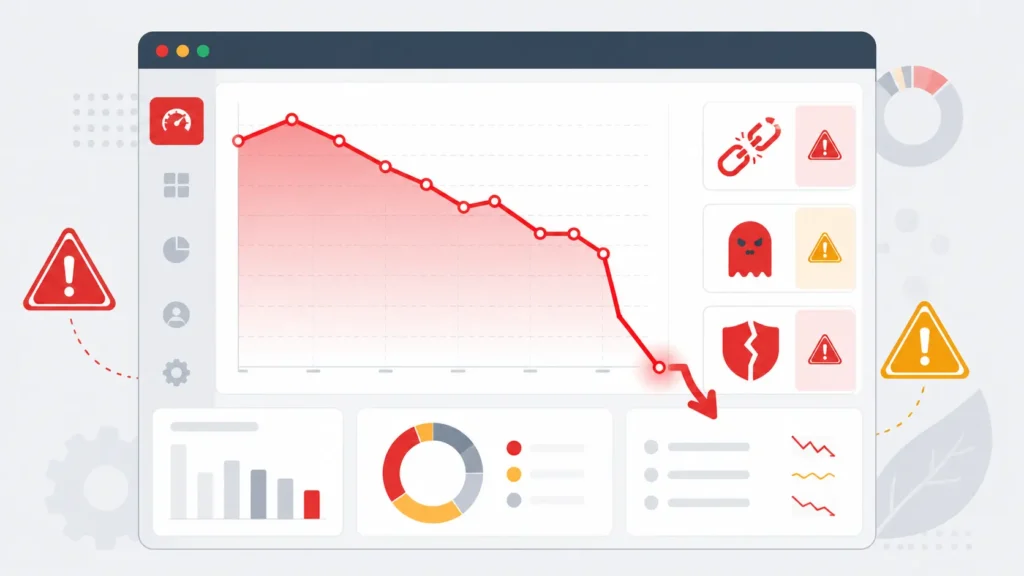
| Warning Sign | What It Might Indicate |
| Rankings drop with no site changes | Toxic link campaign or manual penalty |
| Hundreds of new spammy backlinks | Negative link building attack |
| Content on many other domains | Content scraping at scale |
| Sudden burst of 1-star reviews | Fake review bombing campaign |
| Unusual bot-like traffic spikes | Fake traffic signal manipulation |
| Google manual action notification | Unnatural link profile penalty triggered |
How to Protect Your Website from Negative SEO
Now for the part that actually matters. Here is a practical, step by step protection system you can put in place for your website in 2026.
Step 1: Set Up Google Search Console Properly
If you have not already done this, it is the single most important free tool available for monitoring your site’s health. Google Search Console tells you directly when something is wrong.
In Search Console, go to the Links section and check your top linking sites regularly. This is your first line of defence for spotting unusual backlink activity. Also check the Manual Actions section. If Google has already identified a problem with your backlink profile, you will find a notification here.
Set up email alerts so that Search Console notifications land in your inbox the moment something changes. Go to Settings then Notifications and make sure all critical alerts are turned on.
Step 2: Monitor Your Backlink Profile Weekly
Your backlink profile is the first place a negative SEO attack shows up. You need to check it regularly, not just once when you first set up your site.
Use one or more of these tools to monitor new and lost backlinks:
- Ahrefs Alerts: Set up a backlink alert for your domain and get an email notification whenever new links appear
- Semrush Backlink Audit: Run a weekly audit and filter for toxic links using the Semrush toxicity score
- Google Search Console: Check the Links report and sort by newest to catch new links quickly
- Moz Link Explorer: Use the spam score filter to identify suspicious links in your profile
When you spot suspicious links, note the source domain, the anchor text used and when they appeared. Keep a record. You will need this information if you later need to create a Disavow file.
Pro tip: Look closely at anchor text patterns. If a large percentage of your new backlinks use exact match keyword anchor text (like 100 links all saying ‘buy cheap shoes’) this is a clear manipulation signal that Google’s algorithms are trained to detect.
Step 3: Use Google’s Disavow Tool When You Find Harmful Links
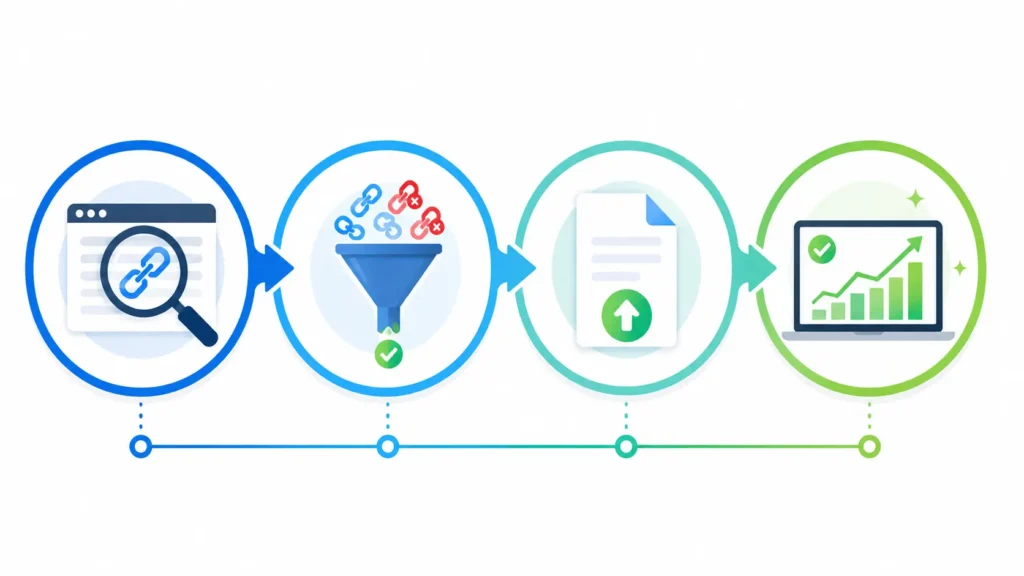
The Disavow tool (found in Google Search Console) lets you tell Google to ignore specific backlinks when assessing your site. It does not remove the links from the internet but it tells Google not to count them as signals for your rankings.
Here is how to use it correctly:
- Compile a list of the harmful URLs or domains you want Google to disavow
- Create a plain text file (disavow.txt) with one URL or domain per line
- For entire domains write: domain:badspamsite.com
- For individual URLs write the full URL on its own line
- Upload the file at search.google.com/search-console/disavow-links
- Wait 4 to 6 weeks for Google to process the file
⚠️ Important: Only disavow links you are confident are harmful. Disavowing good links by mistake can actually hurt your rankings. When in doubt, focus on clearly spammy domains rather than trying to be too granular with individual URLs.
| When NOT to Use the Disavow Tool Do not use the Disavow tool unless you have a real problem. Disavowing everything ‘just in case’ can remove legitimate link equity. Only use it when: you have received a manual action notification from Google for unnatural links, or when you can clearly identify a coordinated spammy backlink campaign that appeared suddenly and is clearly not organic. Google’s algorithms are actually quite good at ignoring low quality links on their own in 2026. The Disavow tool is for serious, coordinated attacks, not for the occasional random bad link that every site naturally attracts. |
Step 4: Protect Your Content from Scraping
Content scraping, where bots copy your articles and republish them elsewhere, is one of the harder negative SEO tactics to prevent entirely. But you can take steps to make sure Google always knows your version is the original.
- Publish content with a clear author name and structured author schema markup so Google can identify you as the originator
- Use the Canonical tag correctly on every page so Google knows which URL is the primary version of your content
- Submit your sitemap to Google Search Console so your pages are indexed quickly. If Google indexes your content before the scraper does, your version is clearly the original
- Set up Google Alerts for unique phrases from your most important articles so you know immediately if they appear elsewhere
- Use Copyscape (copyscape.com) to run regular checks for duplicate versions of your content across the web
If you find scraped copies of your content, you can submit a DMCA takedown request through Google’s Remove Outdated Content tool or directly to the hosting provider of the offending site.
Step 5: Secure Your Website Against Hacking
A hacked website can be devastating for SEO. Hackers inject hidden spam content, redirect visitors to malicious sites and trigger manual penalties from Google that can take months to recover from.
Basic security steps every site owner should take:
- Use a strong, unique password for your WordPress admin, hosting account and domain registrar
- Enable two-factor authentication everywhere it is offered
- Keep WordPress core, themes and plugins updated at all times. Outdated plugins are the number one entry point for hackers
- Install a security plugin like Wordfence, Sucuri or iThemes Security
- Run regular malware scans using Sucuri SiteCheck (sitecheck.sucuri.net) which is free
- Set up automated daily backups stored off-site so you can restore quickly if something goes wrong
Step 6: Monitor and Protect Your Google Business Profile
If you have a local business, your Google Business Profile is a target for fake negative reviews. Here is what to do:
- Log in to your Google Business Profile dashboard regularly and check for new reviews
- If you find fake reviews, flag them using the report button. Include as much detail as possible about why they are fake
- Respond professionally to all negative reviews, both real and suspected fake ones. This shows Google and real customers that you are engaged and credible
- Build a steady stream of genuine positive reviews from real customers. A healthy review volume makes fake review attacks less damaging
- Set up Google Alerts for your business name so you are notified immediately when it appears in new content
Step 7: Build a Strong, Diverse Link Profile
The best long term defence against negative SEO is a backlink profile that is so healthy and diverse that a handful of bad links cannot move the needle. Sites with thousands of high quality, diverse backlinks are significantly more resistant to negative link campaigns than newer or thinner sites.
Focus consistently on earning real editorial backlinks from trusted sources in your industry. Guest posts, original research, data-driven content, expert quotes and genuine PR outreach all build the kind of link profile that absorbs negative attacks without buckling.
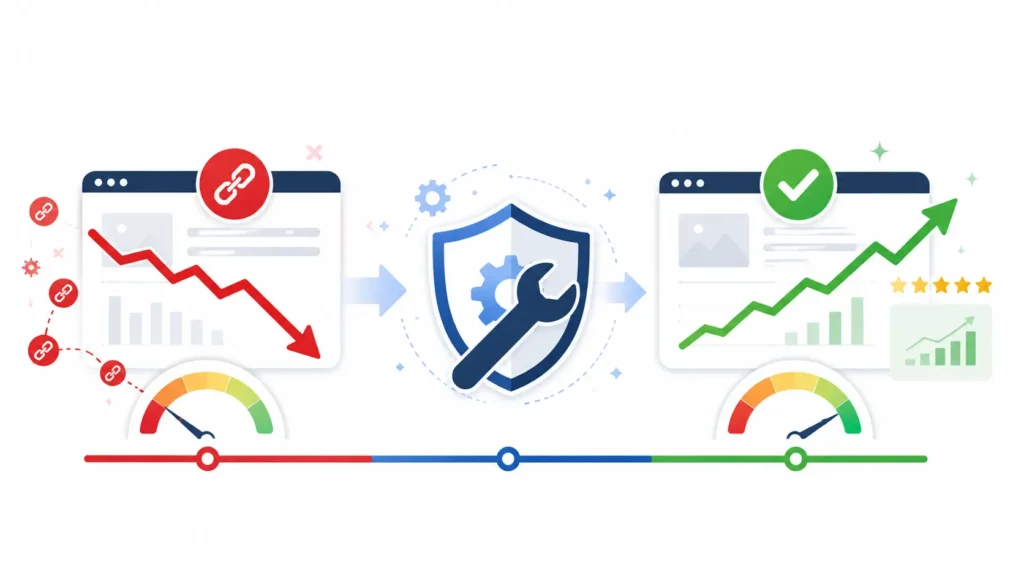
Best Tools to Monitor and Protect Against Negative SEO
| Tool | Best For | Cost |
| Google Search Console | Backlink monitoring and manual action alerts | Free |
| Ahrefs Alerts | Real time new backlink notifications | From $129/mo |
| Semrush Backlink Audit | Toxicity scoring and disavow file creation | From $129/mo |
| Moz Link Explorer | Spam score analysis and link filtering | From $99/mo |
| SE Ranking | Affordable backlink monitoring for SMBs | From $55/mo |
| Copyscape | Detecting scraped and duplicate content | From $0.05/page |
| Sucuri SiteCheck | Free website malware and hack detection | Free |
| Google Alerts | Brand mention and content scraping alerts | Free |
| Wordfence | WordPress security and malware protection | Free and paid |
| Ahrefs Site Audit | Technical SEO and security issue detection | From $129/mo |
How to Recover If You Have Already Been Hit
If you are reading this after noticing a ranking drop and you think negative SEO may be the cause, here is your recovery plan:
- Run a full backlink audit using Semrush or Ahrefs. Export all backlinks and sort by toxicity score
- Identify the clearly harmful links — look for clusters of links from the same low quality network, or sudden spikes of links with suspicious anchor text
- Check Google Search Console for any manual action notifications — go to Security and Manual Actions in the left sidebar
- Try to remove links first by contacting webmasters of the linking sites. This step is often skipped but it is worth attempting for the worst offenders
- Create and submit a Disavow file for links you cannot get removed and are confident are harmful
- Submit a reconsideration request through Search Console if you received a manual action and have now addressed the issue
- Continue publishing high quality content and earning new legitimate links during the recovery period to rebuild your profile strength
- Monitor rankings and backlinks weekly during recovery — Google can take 4 to 12 weeks to fully process a disavow file and reassess your site
Realistic Negative SEO Recovery Timeline Week 1 to 2: Identify and document all harmful links. Submit Disavow file if needed. Week 2 to 4: File a reconsideration request with Google if there was a manual action. Week 4 to 8: Google processes the Disavow file. Rankings begin stabilising. Week 8 to 12: Full recovery for algorithmic penalties. Manual action recovery can take longer. Ongoing: Continue monitoring. A recovered site is sometimes retargeted. Stay vigilant. |
Your Monthly Negative SEO Protection Checklist
Run through this every month to keep your site protected:
- ☑️ Check Google Search Console for manual action notifications
- ☑️ Review your backlink profile for new or unusual links
- ☑️ Check for anchor text patterns that look manipulative or keyword stuffed
- ☑️ Run a Copyscape or Google search for unique phrases from your key articles
- ☑️ Review your Google Business Profile for fake or suspicious reviews
- ☑️ Run a Sucuri SiteCheck malware scan on your website
- ☑️ Review your Google Analytics for unusual traffic spikes or bot-like sessions
- ☑️ Update all WordPress plugins, themes and core to the latest versions
- ☑️ Verify your sitemap is current and all key pages are indexed in Search Console
- ☑️ Check for any brand mentions using Google Alerts that look off or suspicious
Frequently Asked Questions
Final Thoughts
Negative SEO is not something to be paranoid about every day. For most website owners it will never be a serious issue. But for anyone in a competitive space, or anyone who has already built meaningful rankings worth protecting, putting a basic monitoring and protection system in place is just good sense.
The foundation is simple. Set up Google Search Console and actually check it. Monitor your backlinks regularly using a tool that alerts you to spikes. Secure your WordPress site with updated plugins and two-factor authentication. Check your content for scraping occasionally. Respond to suspicious reviews quickly and professionally.
Do all of that consistently and you have removed most of the risk that negative SEO poses to your site. And if you do ever get hit, you will catch it early enough that the recovery is straightforward rather than catastrophic.
Your SEO is an asset worth protecting. Treat it like one.
Ready to Protect Your Website? Start today with these three free steps: 1. Log in to Google Search Console and check the Manual Actions and Links sections right now 2. Set up a free Google Alert for your website name and a unique phrase from your most important page 3. Run a free Sucuri SiteCheck scan at sitecheck.sucuri.net to verify your site is clean If you found this guide useful, share it with another website owner who might not know about negative SEO. Have questions about your specific situation? Drop a comment below and we will help you work through it. |
🔗 Related Reads:
• Best Rank Tracking Tools for 2026 (Tested and Reviewed)
• How to Add FAQ Schema in Shopify
• How to Improve Shopify Store Speed
• How to Remove Unused Apps and Scripts from Your Shopify Store

Behind every post at digiinte.com is a team of experienced SEO analysts and digital growth specialists. Our insights are backed by real data, industry research, and hands-on campaign experience — so you get advice that actually moves the needle.