
Last Updated on July 7, 2026 by Digiinte.com Team
SaaS SEO tools are software platforms that help software companies improve search rankings, discover low-competition keywords, audit websites, monitor backlinks, and track competitor strategies. The best SaaS SEO tools combine keyword research, rank tracking, and content optimization to help teams scale organic traffic without depending on paid ads.
Why Most SaaS Websites Struggle to Rank
Here is a hard truth. The majority of SaaS websites get almost no organic traffic. Not because the product is bad. Not because the content is poorly written. But because the teams behind those sites are targeting the wrong keywords, missing critical technical errors, and have no idea what their competitors are doing in search.
- Why Most SaaS Websites Struggle to Rank
- Key Takeaways
- What Are SaaS SEO Tools and Why Do They Matter
- How SaaS SEO Is Different From Traditional SEO
- Top 10 SaaS SEO Tools: Full Breakdown
- Complete Comparison: All 10 SaaS SEO Tools at a Glance
- Which SaaS SEO Tools to Use at Each Growth Stage
- How to Run Your First SaaS SEO Competitor Analysis
- Common SaaS SEO Mistakes and How to Avoid Them
- Mistake 6: Using Too Many Tools Without Acting on Any
- Expert Tips for Getting Maximum ROI From Your SaaS SEO Tools
- Frequently Asked Questions
- Conclusion: Build Your SaaS SEO Tool Stack and Start Growing
SEO for SaaS is genuinely different from traditional website SEO. Your buyers search across multiple intent stages, from awareness to evaluation to decision. Your sales cycle is longer. And the keywords that drive real signups are often buried three or four pages deep in a keyword research tool, behind all the high-volume terms that every competitor is already fighting over.
The right SaaS SEO tools change that entirely. They show you which keywords your competitors rank for that you do not. They flag the technical issues quietly blocking your pages from indexing. They tell you whether your content is structured the right way to beat what is already ranking. And they update you the moment your positions shift.
According to data published by leading SaaS SEO agencies, companies that invest consistently in organic search see a 702% ROI on average. Organic search accounts for more than half of total revenue for SaaS brands that get their SEO right. That is not a channel you can afford to ignore.
This guide covers the 10 best SaaS SEO tools in 2026 in serious depth: what each one does, what it does better than anything else, who it is built for, how to get started, and how to combine them into a tool stack that matches your current growth stage.
Key Takeaways
- SaaS SEO tools cover five core functions: keyword research, rank tracking, backlink analysis, technical auditing, and competitor intelligence. You need at least one tool for each function.
- Semrush and Ahrefs are the strongest all-in-one platforms. Screaming Frog is the top choice for technical audits. SpyFu wins on competitor research at an affordable price. Google Search Console is mandatory and free.
- You do not need all ten tools. Most SaaS teams run a stack of two to three platforms that cover their biggest gaps without duplicating effort or overspending.
- Early-stage SaaS companies should prioritize low-difficulty keywords (KD under 20) and fix technical issues before targeting competitive head terms.
- Bottom-of-funnel keywords such as alternatives, versus comparisons, and pricing pages drive 40 to 60 percent of organic SaaS conversions and should be targeted first, not last.
- Content quality and keyword targeting strategy matter more than the specific tool you choose. The best tool is the one you actually use consistently.
What Are SaaS SEO Tools and Why Do They Matter
SaaS SEO tools are software platforms specifically designed to help software companies research the right keywords, monitor their positions in Google, identify and fix technical errors, analyze competitor link profiles, and measure the return on their content investment over time.
The difference between a generic SEO tool and one built for SaaS needs is nuance. SaaS products have layered pricing pages, comparison landing pages, use-case pages, integration pages, and long-form blog content all competing for visibility at the same time. The best tools understand search intent at every stage of the buyer journey and surface data that is actually actionable for a lean SaaS marketing team.
Without proper tools, SaaS SEO becomes guesswork. You write content and hope it ranks. You check Google Search Console once a month and notice traffic dropped without knowing why. You publish ten blog posts and only two get any traction. SaaS SEO tools replace the guesswork with data, patterns, and clear priorities.
How SaaS SEO Is Different From Traditional SEO
Understanding what makes SaaS SEO unique helps you choose the right tools and the right keyword strategy. There are four key differences worth knowing.
1. The Buyer Journey Is Multi-Stage
A SaaS buyer rarely finds a product and signs up in the same session. They research the problem first, then explore categories of solutions, then compare specific tools, then look for pricing and reviews. Your SEO strategy needs content targeting each stage, and your tools need to surface keywords across all of them, not just the high-volume awareness terms at the top.
2. Bottom-of-Funnel Keywords Drive the Most Revenue
The keywords that look boring in a keyword research tool often drive the highest conversion rates. Searches like “Semrush alternatives,” “best CRM for startups,” or “HubSpot pricing 2026” come from buyers who are ready to make a decision. Industry data consistently shows that these transactional and commercial intent keywords drive 40 to 60 percent of organic SaaS conversions despite having far lower search volume than informational terms.
3. Technical SEO Is More Complex
SaaS platforms often generate thousands of dynamic URLs, have user portal subdomains, serve different content to logged-in versus logged-out visitors, and use JavaScript-heavy interfaces that search engines struggle to crawl. These technical realities make site auditing tools especially critical for SaaS, not optional extras.
4. Content Compounds Over Time
The single biggest advantage of investing in SaaS SEO is that the returns compound. A blog post you publish today continues to drive traffic in 12, 24, and 36 months without any incremental cost. That compounding effect is what makes organic search the highest-leverage marketing channel available to a SaaS company, and the right tools help you identify which content topics will compound fastest.
Top 10 SaaS SEO Tools: Full Breakdown
1. Semrush: The Best All-in-One SaaS SEO Platform
Semrush is the most comprehensive SEO platform available today, and for good reason. It covers every major SEO function from a single dashboard: keyword research, rank tracking, backlink analysis, site auditing, competitor research, content optimization, and PPC intelligence. The database behind it spans over 25 billion keywords across 142 geographic regions.
For SaaS teams specifically, two features stand above everything else. The Keyword Magic Tool lets you search any topic and filter results by search intent, keyword difficulty, search volume, and SERP features. This means you can instantly separate the informational keywords that attract curious readers from the commercial and transactional keywords that attract buyers ready to sign up.
The Keyword Gap tool is where competitive research gets genuinely useful. You enter your domain alongside three or four competitors, and Semrush highlights every keyword they rank for that you do not. For a SaaS content team, that is a ready-made editorial calendar. Instead of brainstorming topics and hoping they perform, you are targeting proven search demand that competitors have already validated.
Semrush also includes a full content marketing platform. The SEO Content Template analyses the top-ranking pages for any keyword and gives you a structure recommendation before you write. The SEO Writing Assistant scores your content against competitors in real time as you edit. These features make Semrush particularly powerful for SaaS teams running high-volume content operations.

Pro Tip: Use Semrush’s Organic Research tool to check the top 5 pages for your primary keyword target. Look at their estimated monthly traffic. If the top result drives 500 or fewer visits per month, that keyword is probably not worth a major content investment. Look for keywords where the top result drives 1,000 or more visits.
- Best for: SaaS companies that need a complete platform for content, keyword research, competitor tracking, and site health monitoring.
- Starting price: $165 per month (Starter plan). Pro plan at $229 per month adds historical data and advanced features.
- Free option: Limited free searches without an account. 7-day free trial available.
- Standout features: Keyword Gap tool, Keyword Magic Tool with intent filtering, and the SEO Content Template for brief generation.
2. Ahrefs: The Gold Standard for Backlink and Content Research
Ahrefs built its reputation on the strength of its backlink index, and that reputation is well earned. Its crawler is the second most active on the internet after Google, and the backlink database refreshes every 15 to 30 minutes. For SaaS companies running active link building campaigns, that freshness matters. When a competitor earns a high-value link from a major publication, you see it almost in real time and can target the same publication.
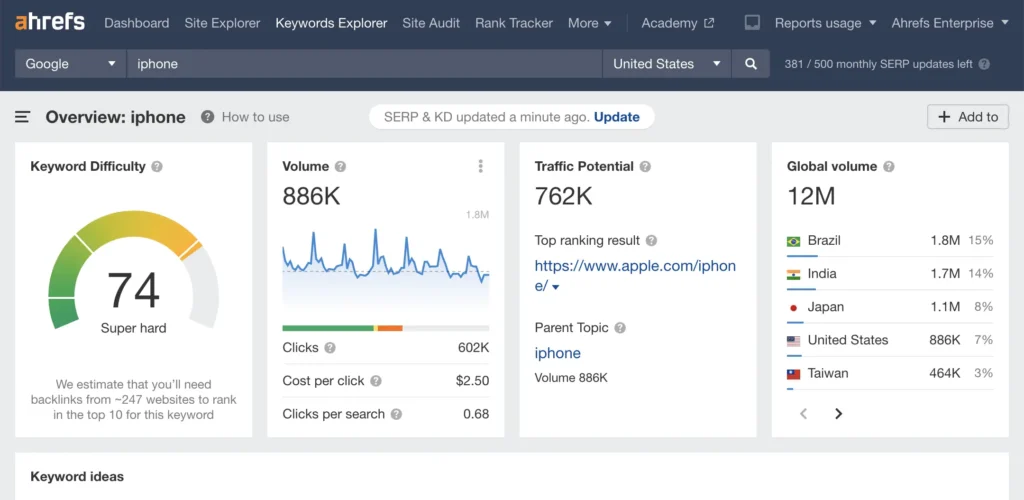
The Site Explorer is the tool you will spend most of your time in. Enter any domain, including your own or a competitor’s, and you get a complete breakdown of organic traffic, keyword rankings, top pages by traffic, referring domains, and anchor text distribution. The depth of data is exceptional. You can filter organic keywords by page, by keyword difficulty range, by search intent, and by traffic contribution.
Content Gap is Ahrefs’ version of competitor keyword analysis and it is excellent. You enter up to ten competitor domains and Ahrefs finds every keyword they rank for in the top 10 that your site does not appear for at all. For SaaS content strategy, this is one of the most actionable reports available in any tool.
The Traffic Potential metric deserves special mention. Rather than showing you how much traffic a keyword’s top result gets, Traffic Potential estimates how much total traffic you could earn by ranking for that keyword and all its closely related variants. This is a smarter way to prioritize content investment than looking at individual keyword volume in isolation.
Ahrefs Webmaster Tools is completely free for your own verified domain. It covers basic keyword tracking, backlink monitoring, and site health auditing at no cost, making it an excellent starting point for early-stage SaaS companies before committing to the paid plans.
Pro Tip: In Ahrefs Site Explorer, filter your organic keywords to show only positions 4 through 15. These are your quick win opportunities. Your pages are close to the top but not quite there. A title tag update, internal link addition, or content refresh often moves these into the top 3 within 30 to 60 days.
- Best for: SaaS teams focused on link building, content gap research, and in-depth competitive keyword analysis.
- Starting price: $129 per month (Lite plan). Standard plan at $249 per month adds more data history and features.
- Free option: Ahrefs Webmaster Tools for your own verified domain, covering keyword tracking and basic backlink monitoring.
- Standout features: Fastest-refreshing backlink index in the industry, Traffic Potential metric, and Content Gap tool.
3. Google Search Console: The Non-Negotiable Free Foundation
If you run only one SaaS SEO tool, make it Google Search Console. It is free, it provides first-party data directly from Google, and it tells you things about your website that no third-party tool can fully replicate. Every SaaS team regardless of budget or stage should have this set up and monitored weekly.
The Performance report is where you will spend most of your time. It shows every search query your website appeared for, how many times each query triggered an impression, how many users clicked through, your average position for each term, and your click-through rate. This is not estimated data. It is the actual data Google has recorded for your domain.
For SaaS SEO specifically, there is one workflow in Search Console that most teams overlook. Filter your queries by impressions in descending order and look for keywords where you have more than 500 impressions per month but a click-through rate below 3 percent. These are pages that Google already considers relevant for those searches but your title tag or meta description is not compelling enough to earn the click. Improving those two elements costs almost nothing and can double or triple traffic to existing pages without any new content creation.
Search Console also surfaces indexing issues, crawl errors, Core Web Vitals performance data, mobile usability problems, and manual actions. These are issues that silently suppress your rankings and you would never know about them without the tool. Check the Index Coverage report every two weeks to catch problems before they escalate.
Common Mistake: Many SaaS teams set up Google Search Console and forget about it. Make it a habit to check the Performance report every week. A sudden drop in impressions for a cluster of keywords is often an early warning of a ranking loss you can act on before traffic falls significantly.
- Best for: Every SaaS company at every stage. This is mandatory infrastructure, not optional.
- Price: Completely free.
- Standout features: First-party Google data on impressions, clicks, CTR, and average position for every query your site appears for.
4. Screaming Frog SEO Spider: The Best Technical SEO Tool for SaaS
Screaming Frog is a desktop application that crawls your entire website the same way Google does. It identifies every technical issue that prevents your pages from ranking: broken internal links, redirect chains, pages blocked from indexing, missing or duplicate title tags and meta descriptions, slow-loading resources, orphaned pages with no internal links pointing to them, and much more.
SaaS websites have particular technical complexity that makes Screaming Frog especially valuable. Dynamic URL parameters, JavaScript-rendered content, app subdomain versus marketing site separation, and thousands of automatically generated pages all create technical debt that accumulates quietly. Screaming Frog surfaces all of it in a single crawl that you can schedule to run monthly.
The custom extraction feature is worth highlighting specifically. You can configure Screaming Frog to extract any data point from any page during the crawl: specific schema markup, structured data, H1 tags, canonical URLs, or custom CSS selectors. For SaaS companies with complex pricing pages, feature comparison pages, or localized content, this level of custom auditing is invaluable.
Integration with Google Search Console and Google Analytics means you can overlay traffic and indexing data directly onto the crawl results. Pages with high organic impressions and technical errors get flagged together, helping you prioritize fixes by actual impact rather than theoretical severity.
- Best for: Technical SEO audits, website migrations, identifying crawl budget issues, and finding structural problems at scale.
- Price: Free for up to 500 URLs. Paid licence is approximately $259 per year for unlimited crawls.
- Standout features: Comprehensive site crawl, custom extraction rules, and integration with Search Console and Analytics.
5. SpyFu: The Smartest Competitor Intelligence Tool for SaaS
SpyFu was designed entirely around competitive intelligence. The product does one thing better than any other tool on this list: it shows you exactly what your competitors are doing in both organic search and paid advertising, with historical data stretching back years.
Enter any competitor domain into SpyFu and you immediately see every keyword they have ever ranked for organically, every Google Ad they have run, the ad copy they tested, the landing pages those ads point to, and how their keyword strategy has evolved over time. For SaaS companies trying to understand a competitive landscape quickly, that historical depth is uniquely valuable.
The keyword volume discrepancy between SpyFu and other tools is real and worth understanding. SpyFu often surfaces significantly more keywords per domain than Semrush or Ahrefs for certain types of sites. This is because its crawling and data sourcing methodology differs, not because one tool is more accurate. Using SpyFu alongside either Semrush or Ahrefs gives you a more complete picture of what competitors rank for.
For SaaS companies running Google Ads alongside content marketing, SpyFu’s PPC intelligence is exceptional. The Google Ads Advisor feature recommends specific paid keywords based on what your closest competitors are bidding on, ranked by commercial intent and estimated cost efficiency. This alone saves hours of paid keyword research every month.

Pro Tip: In SpyFu, search for your top competitor’s domain and filter their organic keywords by the ones that recently moved up in ranking. These are terms they have actively invested in. If the topic fits your product, it is a signal that search interest in that area is growing and worth your attention now rather than later.
- Best for: SaaS teams running combined SEO and PPC strategies and companies that need deep competitive keyword intelligence at an affordable price.
- Starting price: $39 per month, making it the most affordable full-featured competitor research tool on this list.
- Free option: Limited free domain and keyword searches with no account required.
- Standout features: Multi-year historical keyword data, PPC competitive intelligence, and ad copy analysis.
6. Surfer SEO: The Content Optimization Tool That Removes the Guesswork
Surfer SEO operates on a simple but powerful idea. If you want to outrank the current top results for a keyword, you need to understand exactly how those pages are structured. Surfer analyses every ranking page for your target keyword and reverse-engineers the structural and semantic patterns that correlate with high positions.
The Content Editor is where most SaaS writers and content managers spend their time. Once you set a target keyword, Surfer generates a real-time content score that updates as you write. It recommends word count ranges based on the average of top-ranking pages, specific terms and phrases to include based on NLP analysis, optimal heading structure, number of images, and paragraph density. The score is a helpful guide, not a rigid rule, but it removes the guesswork from on-page optimization entirely.
The Keyword Research feature inside Surfer groups related terms into topic clusters automatically. For a SaaS content team building out a pillar-and-cluster content architecture, this saves significant time. Instead of manually grouping hundreds of keywords by topic, Surfer does it algorithmically and shows you which clusters represent the highest opportunity based on volume and difficulty.
Surfer’s Grow Flow feature is worth mentioning for growing SaaS teams. It analyses your existing site weekly and surfaces specific, actionable recommendations: add this term to this page, improve the word count on this post, create a new article targeting this keyword. It functions like a lightweight SEO to-do list generated from real data.

- Best for: SaaS content teams producing four or more articles per month who need to optimize efficiently at scale.
- Starting price: $89 per month for the Essential plan.
- Free option: No free tier, but a 7-day trial is typically available.
- Standout features: Real-time Content Score in the editor, NLP-based term recommendations, and automated keyword clustering.
7. Moz Pro: The Most Beginner-Friendly SaaS SEO Platform
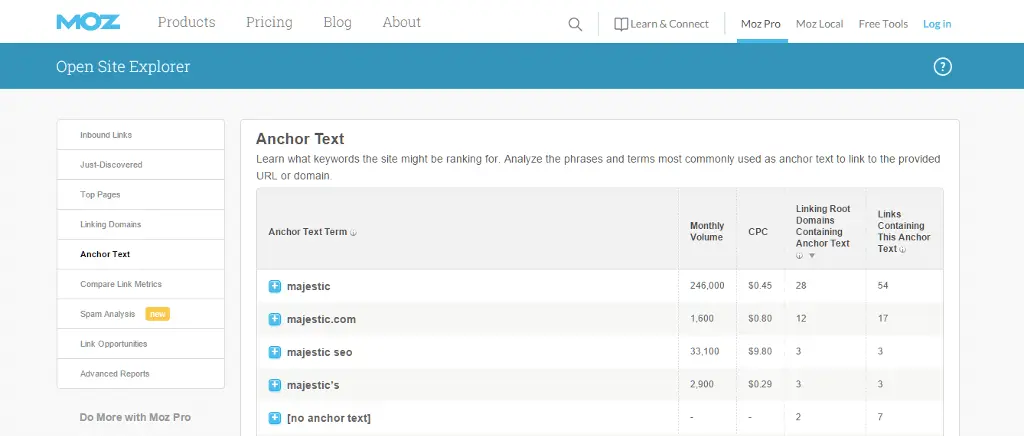
Moz Pro has been one of the most respected names in SEO for over a decade. It earned that reputation partly by pioneering Domain Authority, the 0 to 100 score that estimates a website’s overall ranking strength based on the quality and quantity of its backlink profile. Today Domain Authority is an industry standard reference metric used by virtually every SEO tool and professional.
For SaaS teams new to SEO, Moz strikes a balance that more complex platforms like Semrush and Ahrefs can struggle with: the data is deep enough to be genuinely useful, but the interface is clean and intuitive enough that you do not need to spend weeks learning how to navigate it.
The Keyword Explorer tool gives access to over 1.25 billion keyword suggestions. Each keyword shows difficulty, expected monthly volume, organic click-through potential, and priority score. The priority score combines volume, difficulty, and CTR data into a single number that helps you pick the best keywords without building your own scoring model.
Moz’s rank tracking is reliable and clearly presented. Campaign dashboards show weekly position changes for tracked keywords, visual charts of ranking trends over time, and comparison against up to three competitors. For SaaS founders or marketers reporting SEO progress to leadership or investors, Moz’s clean reports are easier to present than the more complex dashboards in Semrush or Ahrefs.
The MozBar browser extension is free and useful even if you never buy a Moz Pro subscription. It shows Domain Authority, Page Authority, and spam score for any page you visit in Google search results, giving you a quick competitive read without opening a separate tool.
- Best for: SaaS startups, founders managing their own SEO, and teams new to SEO who need clean data without a steep learning curve.
- Starting price: $99 per month for the Standard plan.
- Free option: MozBar browser extension is free. Free Moz tools are available at moz.com/free-seo-tools.
- Standout features: Domain Authority metric, beginner-friendly interface, and clean rank tracking dashboards.
8. SE Ranking: The Best Full-Stack SaaS SEO Tool Under $100
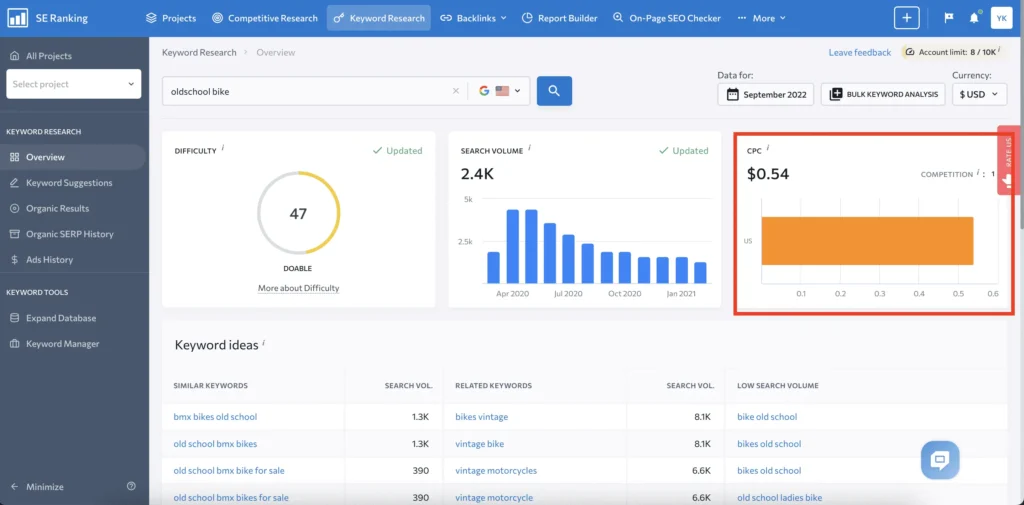
SE Ranking deserves significantly more attention than it typically gets in tool comparisons. It offers a genuinely full-featured SEO platform, including keyword research, rank tracking, site auditing, backlink monitoring, competitor analysis, and white-label reporting, at a price point that sits well below both Semrush and Ahrefs.
The rank tracking is where SE Ranking genuinely stands out. It updates daily, tracks rankings on desktop and mobile separately, supports multiple search engine regions, and sends automatic alerts when tracked keywords shift beyond a threshold you set. For SaaS companies running keyword-specific content campaigns, this level of tracking precision lets you measure whether a content update actually moved the needle within days rather than waiting for a monthly report.
The Competitive Research module is robust. You can analyse any competitor domain, see their estimated organic traffic, top keywords, traffic trends, and backlink profile side by side with your own. The Keyword Gap feature works similarly to Semrush and Ahrefs equivalents and surfaces the overlapping and unique keyword opportunities across multiple domains in one view.
Multi-project management is built into SE Ranking’s core design rather than added as an enterprise feature. This makes it particularly practical for SaaS companies that manage a main product site, a help centre, a community, and potentially a second-market landing page all under one plan. Agencies and growth teams managing multiple SaaS brands also find SE Ranking considerably more cost-effective than enterprise tools.
- Best for: Mid-sized SaaS companies, growth teams, and agencies that need comprehensive SEO capabilities without the enterprise price tag.
- Starting price: Approximately $65 per month for the Essential plan.
- Free option: 14-day free trial. No permanent free tier.
- Standout features: Daily rank tracking with mobile and desktop splits, comprehensive competitor analysis, and excellent multi-project management.
9. LowFruits: The Specialist Tool for Finding Keywords You Can Actually Win
LowFruits solves a specific problem that most SaaS SEO tools handle poorly: identifying keywords where the pages currently ranking are genuinely weak and therefore beatable by a site with modest domain authority.
Most keyword research tools show you keyword difficulty scores calculated primarily from the backlink strength of the pages currently ranking. The problem is that a keyword can have a low difficulty score but still be dominated by pages from high-authority domains. Conversely, a keyword can have a medium difficulty score but the actual ranking pages are thin, outdated forum posts or low-quality articles that a well-written SaaS blog post could displace easily.
LowFruits analyses the actual SERP for every keyword in your list and flags the exact spots where weak pages are holding positions. It colour codes each keyword in a cluster: green for keywords where weak pages are ranking and your site has a realistic chance, yellow for mixed competitive signals, and red for keywords dominated by high-authority sites you cannot beat yet. This visual SERP weakness analysis is unique to LowFruits and changes how you approach keyword selection entirely.
The pricing model is also different. Rather than charging a flat monthly subscription, LowFruits uses a credit-based system. You buy credits and spend them on keyword cluster analyses. For early-stage SaaS companies that do keyword research in focused sprints rather than continuously, this is more cost-effective than paying $100 or more per month for a platform you use four times a year.
Pro Tip: Export your full keyword list from Semrush or Ahrefs, then run it through LowFruits to filter for the weakest SERP opportunities. This combination gives you the keyword data from a premium tool and the competitive opportunity analysis from a specialist one, at a fraction of the cost of trying to do both in a single premium platform.
- Best for: Early-stage SaaS companies with domain authority under 30 that need to find low-competition keyword opportunities they can realistically rank for within 90 days.
- Pricing: Credit-based system. Entry packages start from approximately $25 for 2,000 keyword analyses. No expensive monthly subscription required.
- Standout features: SERP weakness analysis with colour-coded opportunity scoring, affordable credit-based pricing, and compatibility with keyword lists exported from other tools.
10. Ubersuggest: The Most Accessible Entry Point for SaaS SEO
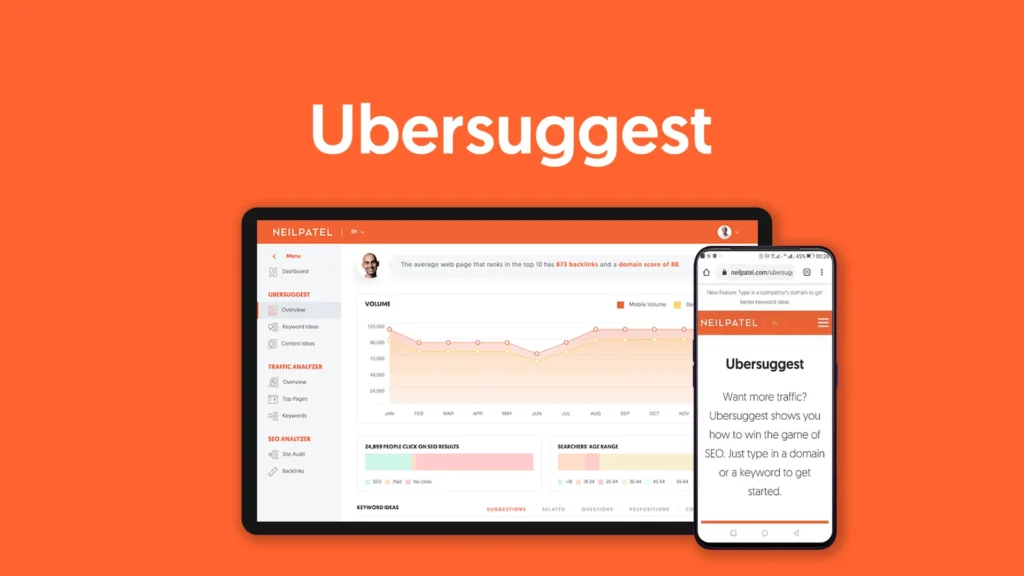
Ubersuggest started as a simple keyword suggestion tool built around Google Autocomplete data and has evolved into a genuinely capable full SEO platform. Neil Patel built it with an explicit goal: professional-grade SEO data accessible to anyone, regardless of budget.
The keyword research tool surfaces ideas based on your seed keyword, groups related terms, and shows search volume, keyword difficulty, CPC, and seasonal trend data. The competitor analysis section lets you enter any domain and see its top organic keywords, estimated traffic, and best-performing pages. The site audit identifies technical issues sorted by severity. For small SaaS teams doing their own SEO without a dedicated specialist, Ubersuggest covers all three of these functions adequately at minimal cost.
The Chrome extension is a particularly practical feature. It overlays keyword data directly into Google search results pages so you can see volume and difficulty information while you browse without switching between tabs. For SaaS founders who want to research keywords during normal browsing sessions, this passive integration saves significant time.
The free plan has daily search limits that will feel constraining for active keyword research. But the paid plans start at $29 per month, making Ubersuggest the most affordable full-featured option on this list by a meaningful margin. For a bootstrapped SaaS startup that is not yet ready to commit $100 or more per month to an SEO platform, Ubersuggest is the obvious choice.
- Best for: Bootstrapped SaaS founders, solo marketers, and very early-stage companies that need solid keyword and competitive data before investing in a premium platform.
- Pricing: Free plan with daily limits. Paid plans from $29 per month.
- Standout features: Affordable price point, Chrome extension for in-SERP keyword data, and a clean interface for keyword research, competitor analysis, and site auditing in one place.
Complete Comparison: All 10 SaaS SEO Tools at a Glance
| Tool | Best For | Starting Price | Free Option | Top Feature | Skill Level |
| Semrush | All-in-one platform | $165/month | Limited searches | Keyword Gap Tool | Intermediate |
| Ahrefs | Backlinks and content gaps | $129/month | Webmaster Tools | Traffic Potential metric | Intermediate |
| Google Search Console | Organic diagnostics | Free | Fully free | First-party Google data | Beginner |
| Screaming Frog | Technical SEO audits | $259/year | Up to 500 URLs | Full site crawl | Intermediate |
| SpyFu | Competitor intelligence | $39/month | Limited searches | PPC and organic history | Beginner |
| Surfer SEO | Content optimization | $89/month | Trial only | Real-time Content Score | Intermediate |
| Moz Pro | Beginners and DA tracking | $99/month | MozBar extension | Domain Authority metric | Beginner |
| SE Ranking | Full-stack at low cost | $65/month | 14-day trial | Daily rank tracking | Beginner |
| LowFruits | Low-competition keywords | From $25 credits | Limited credits | SERP weakness analysis | Beginner |
| Ubersuggest | Budget-conscious SaaS teams | $29/month | Daily free searches | Chrome extension | Beginner |
Which SaaS SEO Tools to Use at Each Growth Stage
Choosing the right tool is not just about features and price. It is about matching the tool to where you are right now in your growth journey. Here is a practical breakdown by stage.
Early-Stage SaaS (Domain Authority Under 20, Traffic Under 1,000 Monthly Visits)
Your priority at this stage is building topical authority on topics where you can actually rank. Chasing high-volume, high-difficulty keywords before you have the domain strength to compete is a waste of time and content budget.
Recommended stack:
- Google Search Console (free): Set it up on day one. Monitor indexing health and catch crawl issues early.
- Ahrefs Webmaster Tools (free): Track your own backlinks and keyword positions for your domain at no cost.
- LowFruits (credits from $25): Find the specific keywords where weak pages are ranking and you have a realistic shot within 60 to 90 days.
- Screaming Frog free tier (up to 500 URLs): Run a technical audit monthly to fix issues before they compound.
- Ubersuggest ($29/month if needed): Add this if you want keyword research beyond what the free tools provide.
Focus on keywords with a difficulty score under 20, search volume between 100 and 1,000 per month, and strong commercial or transactional intent. Target five to ten new content pieces per quarter with clear keyword targets. Measure progress in Search Console weekly.
Growth-Stage SaaS (Domain Authority 20 to 40, Traffic 1,000 to 10,000 Monthly Visits)
At this stage you have enough authority to compete for medium-difficulty keywords and the content output justifies more sophisticated tooling.
Recommended stack:
- Google Search Console (free): Still mandatory, still checked weekly.
- Ahrefs or SE Ranking ($65 to $129/month): Run keyword gap analysis quarterly. Track 50 to 100 keywords daily. Monitor competitor ranking changes.
- Screaming Frog ($259/year): Run a full site audit monthly. Catch redirect issues, duplicate content, and crawl budget problems as your site scales.
- Surfer SEO ($89/month, optional): Add this if your content team writes more than four articles per month and wants to optimize each one efficiently.
At this stage, systematically build out content clusters. Pick five to ten core topics relevant to your SaaS product, create a pillar page for each, and surround it with 10 to 20 supporting articles targeting related long-tail keywords. Internal linking between pillar pages and supporting articles passes authority through the cluster and helps every page rank higher.
Scaling SaaS (Domain Authority Above 40, Traffic Above 10,000 Monthly Visits)
You have enough authority to compete for head terms, enough content to need systematic content auditing, and enough budget to invest in comprehensive tooling.
Recommended stack:
- Semrush ($165 to $229/month): At this scale, the all-in-one depth of Semrush matches the complexity of your SEO operation. Content auditing, competitor monitoring, and site health tracking all in one place.
- Ahrefs ($129/month): Run in parallel for backlink analysis. The index freshness and depth of backlink data in Ahrefs is worth maintaining as a dedicated link-focused tool.
- Google Search Console (free): Still mandatory.
- Screaming Frog ($259/year): Schedule monthly crawls automatically and integrate with Search Console for priority-based issue flagging.
- SpyFu ($39/month): Add for PPC competitive intelligence if paid search is part of your growth strategy.
How to Run Your First SaaS SEO Competitor Analysis
One of the highest-impact activities you can do with these tools is a competitor keyword gap analysis. Here is how to do it step by step.
- Identify your top 3 organic competitors. Go to Ahrefs or Semrush, enter your domain, and look at the Competing Domains report. These are the sites that rank for similar keywords to yours and represent your most direct organic competition.
- Run a Keyword Gap analysis. In Semrush, go to Keyword Gap and enter your domain plus your top three competitors. Filter the results to show keywords where all three competitors rank in the top 20 but your site does not appear at all. These are your biggest missed opportunities.
- Filter by commercial and transactional intent. In the results, look for keywords that include words like best, top, alternatives, versus, pricing, reviews, or software. These indicate buyer intent and drive higher conversion rates than pure informational searches.
- Score each keyword by difficulty versus potential. Target keywords with a difficulty score under 40 and estimated search volume above 300 monthly searches. These are realistic targets for a site with moderate domain authority.
- Group the keywords into content topics. Most keyword opportunities cluster naturally around product categories, use cases, or comparison angles. Group them and plan one content piece per cluster rather than writing separate articles for every individual keyword.
- Create your editorial calendar. Prioritize transactional and commercial intent keywords first. Publish two to four well-researched articles per month. Refresh and improve existing content that is ranking between position 5 and 20 before creating entirely new content.
- Track and iterate. Set up rank tracking in SE Ranking or Semrush for every keyword you target. Review positions every two weeks. A content piece that ranks between position 8 and 15 within 60 days is working. One that does not appear in the top 50 after 90 days needs a technical audit or content rethink.
Common SaaS SEO Mistakes and How to Avoid Them
Even teams using the best tools get these wrong. Knowing about these pitfalls in advance saves months of wasted effort.
Mistake 1: Targeting Keywords by Volume Alone
High search volume is attractive but it almost always comes with high competition. A keyword with 500 monthly searches and a difficulty score of 18 is far more valuable to a growing SaaS site than a keyword with 10,000 monthly searches and a difficulty score of 75 that you have no realistic chance of ranking for. Filter your keyword lists by difficulty first, volume second.
Mistake 2: Skipping Technical SEO
Content will not rank if Google cannot crawl and index it properly. Broken internal links, pages blocked by robots.txt errors, duplicate content across pagination, and slow Core Web Vitals scores all suppress rankings silently. Schedule a Screaming Frog crawl every month and treat technical issues as urgent fixes, not backlog items.
Mistake 3: Ignoring Bottom-of-Funnel Keywords
The keywords that look boring in your research tool often drive the most signups. Searches that include your competitor’s name plus alternatives, best CRM for startups, or project management pricing 2026 come from buyers who have already decided they need a solution and are evaluating their options. Write dedicated pages for these terms before you invest heavily in informational content.
Mistake 4: Publishing Without Optimizing Existing Content First
Before creating new content, audit your existing pages in Search Console. Any page ranking between position 5 and 20 for a relevant keyword is a quick win waiting to happen. A fresh internal link from your pillar page, an improved title tag, or 300 additional words covering a related subtopic can move that page into the top 5 within weeks. Always improve before you publish.
Mistake 5: Measuring SEO Progress Monthly Instead of Weekly
Monthly check-ins miss ranking changes that happen in the first two to three weeks after you publish or update content. Set up weekly rank tracking alerts in SE Ranking or Semrush. If a keyword drops sharply the week after a site migration or template change, catching it in week one means you can fix it before organic traffic falls. Catching it in month two means four weeks of missed traffic you cannot get back.
Mistake 6: Using Too Many Tools Without Acting on Any
Tool overload is real. Subscribing to five platforms and spending three hours per week reviewing dashboards without writing content or fixing issues is a trap. Pick two or three tools, build a simple weekly workflow around them, and act on the data every sprint. Execution beats insight every time.
Expert Tips for Getting Maximum ROI From Your SaaS SEO Tools
- Run a keyword gap analysis every quarter, not just once: Competitor keyword strategies shift. A new competitor may have entered your space, or an existing one may have started ranking for topics you have overlooked. Set a quarterly calendar reminder to refresh your gap analysis and update your content plan accordingly.
- Use Search Console to find your best quick wins every month: Filter queries by impressions over 500 and CTR under 3 percent. Update the title tag and meta description for every page that meets those criteria. This is the highest-leverage, lowest-cost activity in your entire SaaS SEO workflow.
- Combine LowFruits with Surfer SEO for maximum content efficiency: LowFruits identifies the keyword opportunities you can realistically win. Surfer tells you exactly how to write the content to outrank the weak pages currently holding those spots. Together they remove almost all the uncertainty from content creation.
- Set rank tracking alerts for your 20 most important keywords: Do not just track positions. Set up alerts that notify you when any tracked keyword moves more than three positions in either direction. Gains tell you what is working. Drops tell you where to focus urgent attention.
- Track competitor content publishing frequency: In Ahrefs or Semrush, monitor when competitors publish new content and which keywords they are targeting. If a competitor starts aggressively publishing content in a topic cluster you have not covered yet, that is an early signal of a strategic shift you can respond to before they build an unbeatable head start.
- Use internal linking as a free ranking signal: Every time you publish a new article, add internal links from your five highest-traffic existing pages to the new one. This passes authority from pages that already rank well and helps new content index and rank faster. Most SaaS teams skip this step and leave significant ranking potential on the table.
- Build content clusters around your core product features and use cases: Create a pillar page for each primary feature and use case your SaaS product covers. Write 10 to 20 supporting articles per pillar targeting related long-tail keywords. Link everything back to the pillar page. This hub-and-spoke architecture is the content structure Google rewards most consistently in 2026.
Frequently Asked Questions
Conclusion: Build Your SaaS SEO Tool Stack and Start Growing
Organic traffic is the most sustainable growth channel a SaaS company can build. It does not reset to zero when you cut a budget. It does not spike and fall with algorithm changes when your content is genuinely helpful. And it compounds: the authority you build this quarter makes every piece of content you publish next quarter rank faster.
The 10 SaaS SEO tools covered in this guide address every part of that growth engine. Keyword research with Semrush, Ahrefs, or LowFruits. Technical auditing with Screaming Frog. Rank tracking with SE Ranking or Semrush. Content optimization with Surfer SEO. Competitor intelligence with SpyFu. And the non-negotiable free foundation of Google Search Console that ties all of it together with real data from Google itself.
You do not need all ten. Pick two or three tools that match your current stage and budget. Set up a simple weekly workflow: check Search Console on Monday, review rank tracking changes mid-week, publish or update one content piece by Friday. Do that for 90 consecutive days and your organic traffic trajectory will look completely different.

Behind every post at digiinte.com is a team of experienced SEO analysts and digital growth specialists. Our insights are backed by real data, industry research, and hands-on campaign experience — so you get advice that actually moves the needle.