
Last Updated on September 1, 2026 by Digiinte.com Team
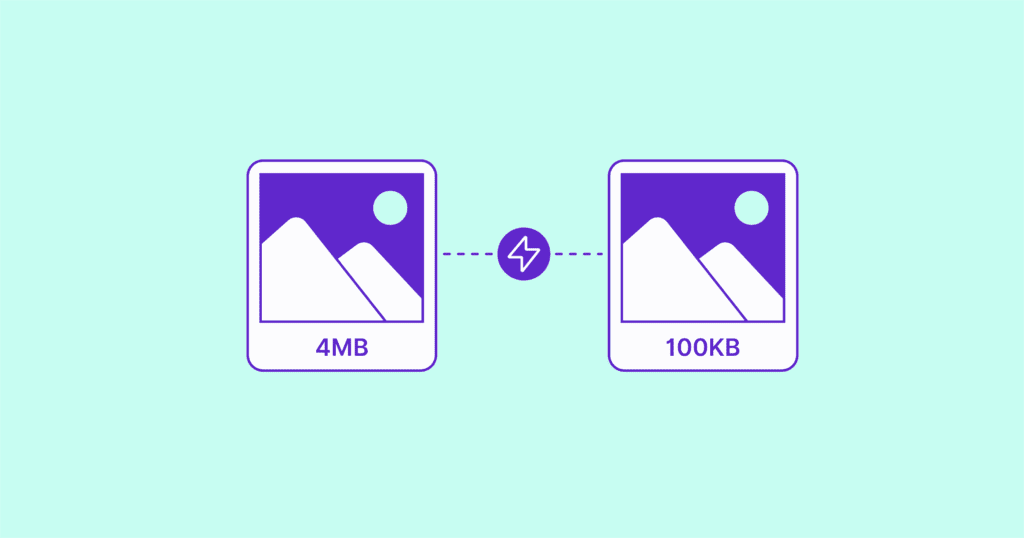
Images make up the majority of most page weight on the average WordPress site, often well over half of everything a browser has to download before a page finishes loading. That single fact explains why so many otherwise well built sites still fail Google’s Core Web Vitals checks. Fixing it is not just about shrinking file sizes, it is about compression, modern format conversion, and delivery timing working together. This guide compares the plugins that actually move the needle, based on what each one does differently rather than a repeated feature list copied from every other roundup.
- Key Takeaways
- Why Image Optimization Actually Affects Your Rankings
- The Three Problems a Good Plugin Actually Solves
- Comparison Table
- ShortPixel Image Optimizer
- Imagify
- EWWW Image Optimizer
- Smush
- Optimole
- Do You Actually Need a Plugin?
- Should You Run More Than One at Once?
- How to Choose the Right One
- Frequently Asked Questions
- Conclusion
Key Takeaways
- Image optimization is not just compression, the plugins that genuinely help Core Web Vitals also handle format conversion and delivery timing
- ShortPixel and Imagify lead on compression quality and next generation format support, including WebP and AVIF
- EWWW Image Optimizer is the strongest choice if you want on server processing without sending images to a third party
- Smush is the easiest genuinely free option for smaller sites that do not want to think about settings
- Optimole handles optimization through a CDN in real time rather than processing your media library upfront
- You do not always need a plugin, manual tools like TinyPNG work fine for very small sites, but they do not scale
- Running more than one image optimization plugin at the same time usually causes conflicts rather than better results
Why Image Optimization Actually Affects Your Rankings
Google’s Core Web Vitals measure real user experience, and Largest Contentful Paint, commonly called LCP, is the metric most directly affected by unoptimized images. LCP measures how long it takes the largest visible element on the screen to render, and on most pages that element is an image, often a hero image or featured image near the top of the page. A single oversized, unoptimized image sitting above the fold can single handedly push a page from a passing LCP score into a failing one, regardless of how fast everything else on the site is.
Beyond LCP specifically, heavier image files increase total page weight, which slows down every visitor on a slower connection or an older device, increases hosting bandwidth costs, and in aggregate affects Cumulative Layout Shift if images load without proper dimension attributes set.
The Three Problems a Good Plugin Actually Solves
A common misconception is that image optimization just means compression. In reality, the plugins that meaningfully improve real world performance address three separate problems at once.
- File size, reduced through lossless or lossy compression, ideally with modern format conversion to WebP or AVIF
- Delivery timing, through lazy loading that delays offscreen images without breaking the visible hero image at the top of the page
- Dimension handling, ensuring images are served at the actual size they display at, rather than a browser scaling down an oversized original
A plugin that only compresses files without addressing the other two is solving roughly a third of the actual problem.
Comparison Table
| Plugin | Processing Location | Free Tier | Next Gen Formats | Best For |
| ShortPixel | Cloud | Limited monthly credits | WebP, AVIF | Sites needing granular compression control |
| Imagify | Cloud | Limited monthly credits | WebP, AVIF | Balanced automatic optimization |
| EWWW Image Optimizer | Local server | Unlimited, local processing | WebP | Sites avoiding third party image transfer |
| Smush | Local server | Unlimited, no image cap | WebP | Simple, beginner friendly setup |
| Optimole | Real time CDN | Limited monthly visits | WebP, AVIF | Sites wanting zero upfront processing |
ShortPixel Image Optimizer
ShortPixel is built around giving users real control over the compression process rather than a single automatic setting, which makes it a favorite among developers managing larger, more complex media libraries.
Key Features
- Multiple compression levels, from lossless to aggressive lossy, adjustable per image type
- Optimizes images outside the standard Media Library, including custom folders and gallery plugins like NextGEN
- WebP and AVIF conversion with automatic browser detection for serving the right format
- Bulk optimization for existing image libraries, including large ones
Performance Notes Since ShortPixel processes images in the cloud, your server does not bear the compression workload, which keeps local resource usage low even on shared hosting. The tradeoff is that the free tier operates on a monthly image credit limit rather than being fully unlimited.

Imagify
Imagify, built by the same team behind WP Rocket, focuses on making optimization essentially automatic while still offering enough control for sites with specific quality requirements.
Key Features
- Three compression modes, Normal, Aggressive, and Ultra, letting you balance quality against file size
- Automatic WebP and AVIF conversion that serves the right format based on browser support
- Backup of original images, so any compression can be reversed with a single click
- Support for PNG, JPG, GIF, and PDF files, alongside standard image formats
Performance Notes Imagify pairs particularly well with caching plugins, since compression alone does not address delivery timing. When paired with a caching solution, the combination addresses both file size and delivery in one setup rather than requiring a third tool.

EWWW Image Optimizer
EWWW takes a fundamentally different approach by processing images locally on your own server rather than sending them to a third party cloud service, which matters for sites with strict data handling requirements or ongoing concerns about external dependencies.
Key Features
- On server compression that does not require sending images to an external API
- Unlimited free local processing, with an optional paid CDN tier for sites with heavier traffic
- WebP conversion alongside standard compression
- Bulk optimization for existing media libraries at any scale
Performance Notes Local processing means EWWW’s performance depends partly on your own server’s resources, which can matter on lower tier shared hosting during large bulk optimization jobs. For sites with adequate server resources, this tradeoff is minor, and the benefit of not depending on an external service’s uptime or credit limits is significant for some site owners.

Smush
Smush prioritizes accessibility and ease of use above all else, aiming to make image optimization something a non technical site owner can set up correctly without reading documentation first.
Key Features
- No image limit on bulk optimization, with background processing that continues even if you close the browser
- Automatic optimization on upload, requiring no ongoing manual work
- Built in lazy loading, addressing delivery timing alongside compression
- WebP conversion included in the free tier, though AVIF requires the paid version
Performance Notes Smush’s free tier is genuinely usable rather than a limited trial, which is part of why it remains one of the most installed plugins in this category. It is a strong starting point for smaller sites, though larger, image heavy sites may eventually want the more granular control ShortPixel or Imagify offer.

Optimole
Optimole works differently from the other options on this list by optimizing images in real time through a CDN, rather than processing and storing optimized copies in your Media Library upfront.
Key Features
- Real time optimization and resizing based on each visitor’s actual device and screen size
- Automatic WebP and AVIF delivery without manual configuration
- No bulk processing required, since optimization happens on demand as pages are viewed
- Built in lazy loading as part of the same delivery pipeline
Performance Notes Since Optimole handles everything through its CDN rather than storing multiple optimized copies locally, it avoids the storage bloat that comes with keeping several format versions of every image. The tradeoff is a dependency on Optimole’s own infrastructure and a monthly visit limit on the free tier.

Do You Actually Need a Plugin?
For a very small site with a handful of images, manually running files through a tool like TinyPNG before upload can work fine, and free tiers on tools like this typically allow a limited number of images per batch. This approach falls apart quickly once you are publishing regularly or managing a media library with hundreds or thousands of images, since manual compression does not scale and does not handle format conversion or lazy loading on its own. For anything beyond a handful of static pages, a plugin handling this automatically is worth the setup time.
Should You Run More Than One at Once?
No. Running two image optimization plugins simultaneously typically causes conflicts, since both will attempt to hook into the same upload and compression processes, sometimes resulting in double compressed images, failed optimizations, or unpredictable behavior. Choose one plugin that fits your specific needs and deactivate any others before activating a new one.
How to Choose the Right One
- If you want maximum control over compression settings, choose ShortPixel.
- If you want strong automatic optimization with minimal configuration, choose Imagify.
- If you want to avoid sending images to a third party service, choose EWWW Image Optimizer.
- If you want the simplest possible free setup, choose Smush.
- If you want optimization handled entirely through a CDN with zero local processing, choose Optimole.
Whichever plugin you choose, confirm the actual impact using a tool like Google PageSpeed Insights before and after activation. For a broader look at free tools worth having in your workflow beyond just image optimization, our guide on the top 20 free SEO tools covers PageSpeed Insights and GTmetrix in more depth.
Frequently Asked Questions
Conclusion
The right image optimization plugin depends on how much control you want, whether you are comfortable sending images to a third party service, and how large your media library already is. ShortPixel and Imagify lead on genuine compression quality and next generation format support, EWWW is the strongest local processing option, Smush remains the easiest genuinely free entry point, and Optimole’s real time CDN approach suits sites that would rather not manage a growing local media library at all. Whichever you choose, confirm the real world impact with an actual performance test rather than assuming every plugin behaves identically on your specific site.

Behind every post at digiinte.com is a team of experienced SEO analysts and digital growth specialists. Our insights are backed by real data, industry research, and hands-on campaign experience — so you get advice that actually moves the needle.