

Last Updated on July 29, 2026 by Digiinte.com Team
The default WordPress editor works fine for straightforward posts, but the moment you want a custom landing page, a pricing table, or pixel-perfect control over spacing and layout, you hit its limits fast. A page builder fills that gap, letting you design visually without touching code.
This guide compares the 7 best page builders for WordPress in 2026, what each one actually does well, its genuine pricing, and honest pros and cons, so you can pick based on your actual skill level and performance needs rather than whichever one has the loudest marketing.
Key Takeaways
- Elementor remains the most widely used page builder, with a huge template library and the gentlest learning curve for beginners.
- Divi functions as a complete design system rather than just a plugin, appealing to designers who want to live inside one consistent tool.
- Bricks and Oxygen both prioritize clean code output and performance, aimed squarely at developers comfortable with more technical control.
- Beaver Builder has a reputation for producing stable, clean markup that rarely breaks on updates, valuable for long-term client work.
- Brizy focuses on simplicity and speed of use, a genuinely fast on-ramp for anyone who finds Elementor overwhelming.
- Spectra extends the native Gutenberg editor rather than replacing it, delivering strong performance and clean, semantic HTML.
- No single builder is universally best. The right choice depends on your technical comfort, project type, and how much you prioritize raw performance.
What Actually Matters When Choosing a Page Builder
Beyond the feature checklist, four things genuinely determine whether a page builder serves you well over time. The quality of its code output affects both site speed and long-term SEO, since search engines increasingly favor clean, semantic HTML over bloated, deeply nested markup. Your own technical comfort determines how steep a learning curve you can realistically handle. How the project will be maintained, by you alone or handed off to a team, shapes how much you should value stability and clean code over flashy features. And your performance requirements matter enormously, since a heavier builder can quietly work against the same page speed improvements covered in our guide on website speed testing tools and how to fix slow load times.
1. Elementor
Elementor has become the default starting point for most WordPress users building their first custom page, and its scale reflects that, it holds a commanding share of the page builder market and powers a huge number of active WordPress sites. Its combination of an intuitive visual interface and an enormous template library means a genuine beginner can build a professional-looking page within an hour, without ever opening a code editor.
What It Does: Provides a live, drag-and-drop visual editor where changes appear instantly on the page as you make them, along with a large widget library covering forms, buttons, image galleries, and more, plus a full theme builder for headers, footers, and archive templates.
Key Features:
- Extensive pre-built template and block library
- Live, real-time visual editing with no separate preview step
- Full theme builder for headers, footers, and dynamic templates
- Large ecosystem of third-party addons and integrations
Pricing:
- Free plugin – core widgets and the basic visual editor
- Essential plan – around $59/year, 1 site, theme builder and popup builder included
- Advanced and Expert plans – scale up to more sites, WooCommerce builder, and additional features
Pros:
- Extremely gentle learning curve for beginners
- Massive template library speeds up initial design work
- Huge community and documentation for troubleshooting
Cons:
- Can produce heavier page weight and more scripts than leaner alternatives
- Pro version required for many genuinely useful features
- Some advanced users find its code output less clean than developer-focused builders
Why choose it? If you want to go from a blank page to a polished, professional-looking site with the least friction possible, Elementor’s template library and live editing genuinely deliver on that promise faster than any other builder on this list. Just keep an eye on page speed as you add more widgets and sections, since our guide on signs your website has a technical SEO problem covers how a heavier builder can quietly contribute to slower load times over time.
Best for: Beginners and small businesses who want the fastest path from idea to a finished, professional-looking page.

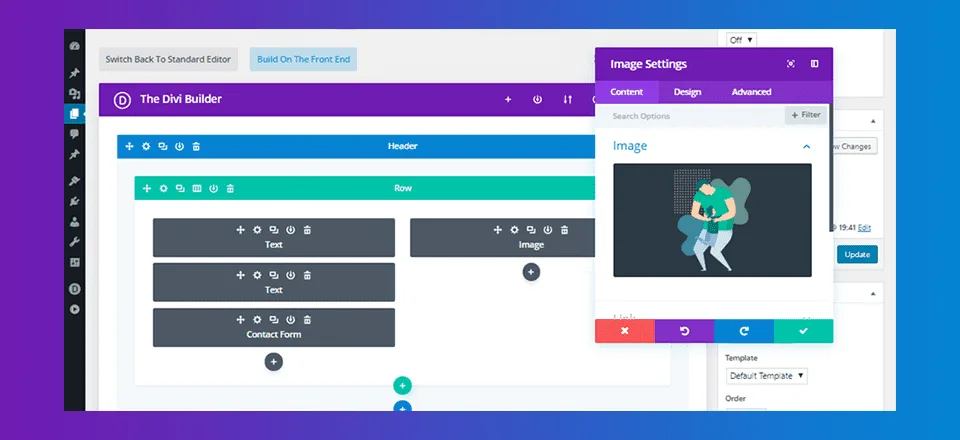
2. Divi
Divi takes a fundamentally different approach than a typical plugin-based builder, positioning itself as a complete website building system with its own visual editor, its own theme, and an enormous library of pre-made layouts designed to work together as a cohesive whole. Its recent ground-up rebuild modernized what was already one of the most established names in this space, refining the editing experience considerably.
What It Does: Combines a visual builder with a matching WordPress theme, giving you dozens of content modules, forms, pricing tables, countdown timers, image galleries, each with deep styling control over typography, spacing, borders, and animation.
Key Features:
- Unified theme and builder working together as one system
- Extensive built-in module library covering most common page elements
- Global styling presets for maintaining visual consistency site-wide
- Large library of pre-made layout packs for common page types
Pricing:
- Yearly Access plan – around $89/year, unlimited sites, all features included
- Lifetime Access plan – a one-time payment, typically around $249, covering unlimited sites permanently
Pros:
- Deep, consistent styling control across an entire site
- Lifetime pricing option avoids ongoing subscription costs
- Extensive layout library reduces design time significantly
Cons:
- Steeper learning curve than more minimal builders
- Being a full theme replacement makes switching away from Divi later more involved
- Can output heavier code than performance-focused alternatives
Why choose it? Designers and agencies who want one consistent, deeply integrated system for building an entire site rather than combining separate tools.
Best for: Designers and agencies who want one consistent, deeply integrated system for building an entire site rather than combining separate tools.
3. Bricks
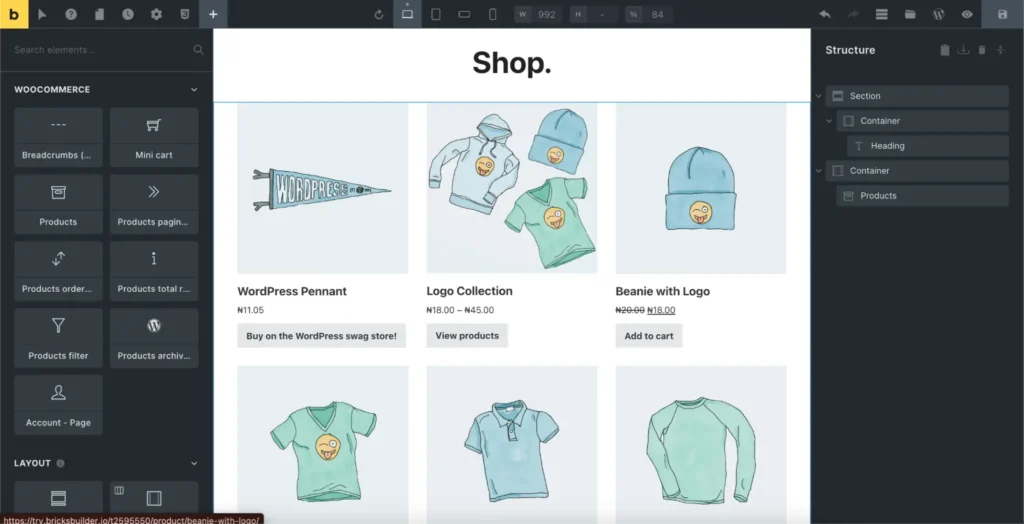
Bricks has built its reputation specifically around clean code output and genuine performance, appealing to developers who found other visual builders too bloated for professional client work. Rather than trying to be everything for everyone, it focuses tightly on giving technical users precise control while keeping the resulting markup lean.
What It Does: Provides a visual, structure-based editor where you build using nested elements with fine-grained control over classes, custom CSS, and dynamic data, producing notably lighter output than many template-heavy competitors.
Key Features:
- Clean, semantic HTML output with minimal bloat
- Native dynamic data integration without needing separate plugins
- Full custom CSS and class-based styling control
- Query builder for dynamically listing and filtering content
Pricing:
- Basic license – around $99/year, 1 site
- Unlimited license – around a higher annual rate, unlimited sites, or a lifetime option covering unlimited sites permanently
Pros:
- Genuinely clean code output that supports strong page speed
- Fine-grained control appeals directly to developers and technical users
- Active, fast-growing community and plugin ecosystem
Cons:
- Meaningfully steeper learning curve than Elementor or Divi
- Smaller template library compared to more established competitors
- Less beginner-friendly out of the box without some CSS familiarity
Why choose it? Developers and technical users who prioritize clean code and performance over a large pre-built template library.
Best for: Developers and technical users who prioritize clean code and performance over a large pre-built template library.
4. Beaver Builder
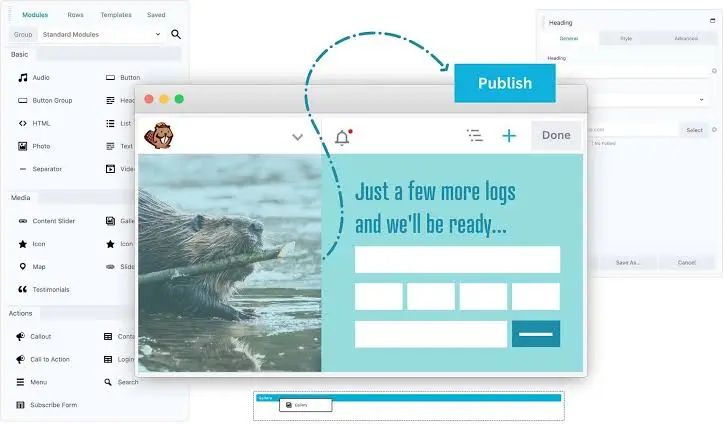
Beaver Builder has earned a quiet but strong reputation among developers specifically for producing some of the cleanest, most stable code of any builder on this list, code that tends to keep working reliably through years of WordPress core and plugin updates without breaking.
What It Does: Offers a straightforward drag-and-drop, front-end visual editor with a focused set of core modules, prioritizing stability and clean markup over an enormous feature checklist.
Key Features:
- Clean, lightweight code output that ages well through updates
- Simple, front-end live editing interface
- Reliable multisite and white-label support for agencies
- Solid backward compatibility across WordPress versions
Pricing:
- Standard plan – around $99/year, 1 site
- Pro plan – around $199/year, unlimited sites, white-label option
- Agency plan – around $399/year, adds additional agency-focused tools
Pros:
- Genuinely stable, clean code that rarely breaks on updates
- Straightforward interface without an overwhelming settings list
- Strong reputation specifically for long-term client site maintenance
Cons:
- Smaller template and module library than Elementor or Divi
- Design flexibility is more limited compared to more feature-dense builders
- Less suited to highly custom, design-heavy projects
Why choose it? Developers and agencies building client sites meant to be handed off and maintained reliably for years.
Best for: Developers and agencies building client sites meant to be handed off and maintained reliably for years.
5. Brizy
Brizy was built around a specific frustration many users have with heavier builders, feeling overwhelmed by sidebar panels and settings just to make a simple edit. Its contextual, inline editing approach removes much of that friction, letting you click directly on an element and see its controls appear right where you are working.
What It Does: Provides inline, contextual editing where clicking any element brings up its relevant controls immediately, rather than routing you through a separate settings panel, alongside global style tokens for consistent colors and typography.
Key Features:
- Inline, contextual editing directly on the canvas
- Global style system linking colors and typography site-wide
- Optional Brizy Cloud for hosting landing pages outside WordPress entirely
- Fast, modern interface with minimal learning curve
Pricing:
- Personal plan – around $49/year, limited sites
- Freelancer and Agency plans – scale up in price for more sites and white-label options
Pros:
- Genuinely fast to learn, even for complete beginners
- Contextual editing feels more intuitive than sidebar-heavy competitors
- Fast, modern interface with minimal lag while editing
Cons:
- Lacks some of the deep, granular CSS control found in more technical builders
- Smaller ecosystem and community compared to Elementor
- Less suited to highly complex, custom layouts
Why choose it? Anyone who finds Elementor or Divi overwhelming and wants the fastest, most intuitive path to a simple site or landing page.
Best for: Anyone who finds Elementor or Divi overwhelming and wants the fastest, most intuitive path to a simple site or landing page.
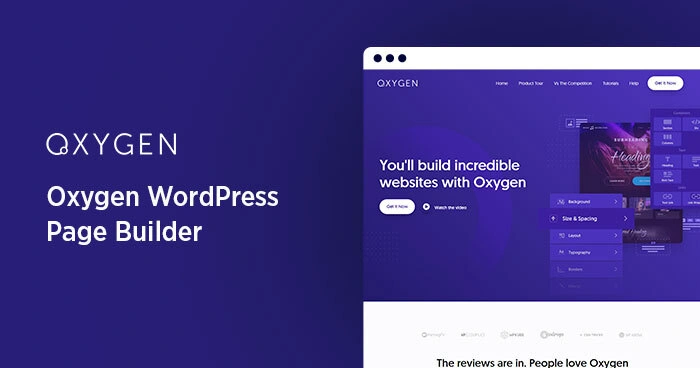
6. Oxygen
Oxygen takes the most developer-first approach of any builder on this list, replacing the WordPress theme layer entirely and handing you complete control over the resulting output, with a philosophy built around minimal, efficient code rather than convenience features.
What It Does: Gives full control over structure and templates by replacing your active theme, outputting lightweight HTML with reduced front-end assets and minimal script loading, aimed at developers who want precise control over every element.
Key Features:
- Full theme replacement architecture for complete structural control
- Minimal, efficient code output with reduced script loading
- Deep integration with custom CSS and reusable structural components
- Strong performance benchmarks compared to template-heavy builders
Pricing:
- Basic license – a one-time payment, typically around $129, for a single site
- Higher tiers – one-time payments scaling up for unlimited sites and additional features
Pros:
- Among the lightest, cleanest code output of any visual builder
- One-time pricing avoids ongoing subscription costs
- Excellent performance benchmarks for demanding, high-traffic sites
Cons:
- Steep learning curve, genuinely requires technical comfort to use well
- Replacing your theme entirely makes it a bigger commitment to adopt
- Minimal built-in templates compared to more beginner-oriented builders
Why choose it? Experienced developers who want maximum performance and complete structural control, and are comfortable with a steeper learning curve.
Best for: Experienced developers who want maximum performance and complete structural control, and are comfortable with a steeper learning curve.
7. Spectra
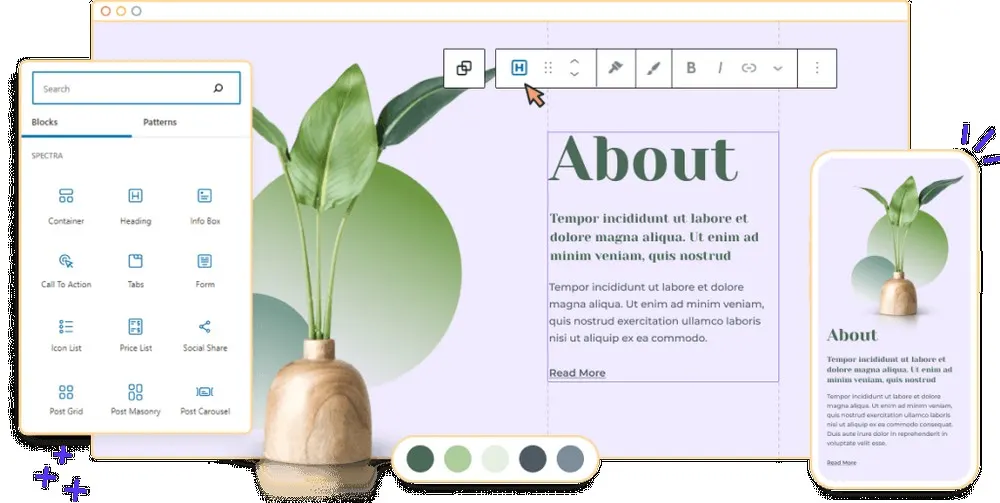
Spectra takes an entirely different philosophy than the other six builders on this list, rather than replacing or sitting alongside the native WordPress editor, it extends Gutenberg directly, adding design options and additional blocks while keeping you inside the block editor you already know.
What It Does: Adds extra blocks, styling options, and pre-built sections directly into the native WordPress block editor, rather than loading a separate builder interface, keeping the underlying code close to WordPress’s own native, semantic HTML output.
Key Features:
- Lives directly inside the native Gutenberg editor, no separate interface
- Extra blocks and sections beyond WordPress’s default set
- Minimal code bloat thanks to native styling conventions
- Strong Core Web Vitals performance out of the box
Pricing:
- Free plugin – core blocks and design options
- Pro plan – around $69/year for additional blocks, templates, and features across a set number of sites
Pros:
- Excellent page speed and Core Web Vitals performance
- No separate interface to learn beyond the native block editor
- Clean, semantic HTML output favorable for technical SEO
Cons:
- Less design flexibility than dedicated visual builders like Elementor or Divi
- Smaller template library compared to more established competitors
- Better suited to simpler layouts than highly complex, custom designs
Why choose it? Performance and SEO-focused site owners who want extra design flexibility without leaving the native WordPress editor.
Best for: Performance and SEO-focused site owners who want extra design flexibility without leaving the native WordPress editor.
Quick Overview
| Builder | Core Strength | Free Version | Best For |
| Elementor | Ease of use and templates | Yes, core features | Beginners and small businesses |
| Divi | Unified design system | No | Designers and agencies wanting one integrated tool |
| Bricks | Clean code and control | No | Developers prioritizing performance |
| Beaver Builder | Stability and clean markup | No | Long-term client site maintenance |
| Brizy | Simplicity and speed of use | Limited free | Beginners wanting minimal friction |
| Oxygen | Maximum performance | No | Experienced developers wanting full control |
| Spectra | Native block-based speed | Yes, core blocks | Performance and SEO-focused sites |
How to Choose the Right Page Builder
Match the builder to your actual situation rather than the one with the biggest marketing budget.
- If you are a complete beginner wanting the fastest path to a finished page, start with Elementor or Brizy.
- If you want one unified design system rather than combining separate tools, Divi is built exactly for that.
- If performance and clean code matter more than a large template library, Bricks or Oxygen are worth the steeper learning curve.
- If you are building client sites that need to survive years of maintenance without breaking, Beaver Builder’s stability is hard to match.
- If you want extra design flexibility without ever leaving the native WordPress editor, Spectra is the closest fit.
Common Page Builder Mistakes
Even with the right builder chosen, a few habits undermine performance and long-term maintainability.
- Running two page builders or theme builders simultaneously, creating conflicting styles and unnecessary code bloat.
- Installing dozens of unused addons for a single feature you needed once, rather than a lightweight, purpose-built solution.
- Never testing page speed after building a heavily designed page, only to discover months later that it is dragging down performance.
- Choosing a builder based purely on its template library without considering long-term code quality and maintainability.
- Ignoring mobile responsiveness settings and assuming the desktop layout will translate cleanly on its own.
If you want to confirm your chosen builder is not quietly working against your site’s performance, our top 20 free SEO tools roundup covers several tools worth running after any major page builder project.
Frequently Asked Questions
Conclusion
There is no single best page builder for every situation, only the best fit for your skill level, project type, and performance priorities. Elementor and Brizy suit beginners wanting speed and simplicity, Divi appeals to designers wanting one unified system, Bricks and Oxygen serve developers chasing clean code and maximum performance, Beaver Builder earns its place on long-term client work, and Spectra fits anyone who wants to stay inside the native WordPress editor.
- 6 Best Website Speed Testing Tools and How to Fix Slow Load Times
- 8 Signs Your Website Has a Technical SEO Problem
- Top 20 Free SEO Tools Every Website Owner Should Use
- 9 Best WordPress Security Plugins to Protect Your Site
- 7 Best Backup Plugins for WordPress Beginners in 2026
Whichever you choose, test a real page for speed before committing your whole site to it, and remember that a page builder is a long-term relationship with your site’s codebase, not just a design tool.
Ready to decide? Install the free version of your top pick from this list today, build one real page with it, and check its load speed before committing further.

Behind every post at digiinte.com is a team of experienced SEO analysts and digital growth specialists. Our insights are backed by real data, industry research, and hands-on campaign experience — so you get advice that actually moves the needle.