
Last Updated on May 21, 2026 by Digiinte.com Team
Key Takeaways
- Canva Free gives you beautiful graphics without any design skills.
- Buffer free plan lets you schedule posts on up to 3 channels.
- Meta Business Suite is the official free tool to manage Facebook and Instagram.
- Google Trends helps you find trending topics before your competitors do.
- ChatGPT free version saves hours of content writing every week.
- All 5 tools together cost zero dollars and can replace multiple paid subscriptions.
Managing social media in 2026 is not what it used to be. Algorithms change overnight. Trends pop up and disappear in hours. Audiences expect fresh, engaging content every single day. And all of this pressure lands on the shoulders of the social media manager.
- Tool 1: Canva Free – Design Like a Pro Without Paying a Penny
- Tool 2: Buffer Free Plan – Schedule Your Posts and Reclaim Your Time
- Tool 3: Meta Business Suite – Your Official Free Command Center for Facebook and Instagram
- Tool 4: Google Trends – Find What People Are Actually Searching For
- Tool 5: ChatGPT Free Version – Your AI Writing Partner That Never Sleeps
- How to Use These 5 Tools Together
- Final Thoughts
- Frequently Asked Questions
The good news? You do not need to spend a fortune on expensive software to do the job well. Some of the most powerful tools available today are completely free. Whether you are a freelancer managing a few client pages, a small business owner handling your own content, or part of a marketing team looking to cut costs, these free tools will make your work faster, smarter, and more effective.
In this blog, we are going to walk through the 5 best free tools for social media managers in 2026. These are tools that real professionals use every day. They are easy to learn, deeply useful, and best of all, they will not cost you a single rupee or dollar.
Tool 1: Canva Free – Design Like a Pro Without Paying a Penny
What is Canva?
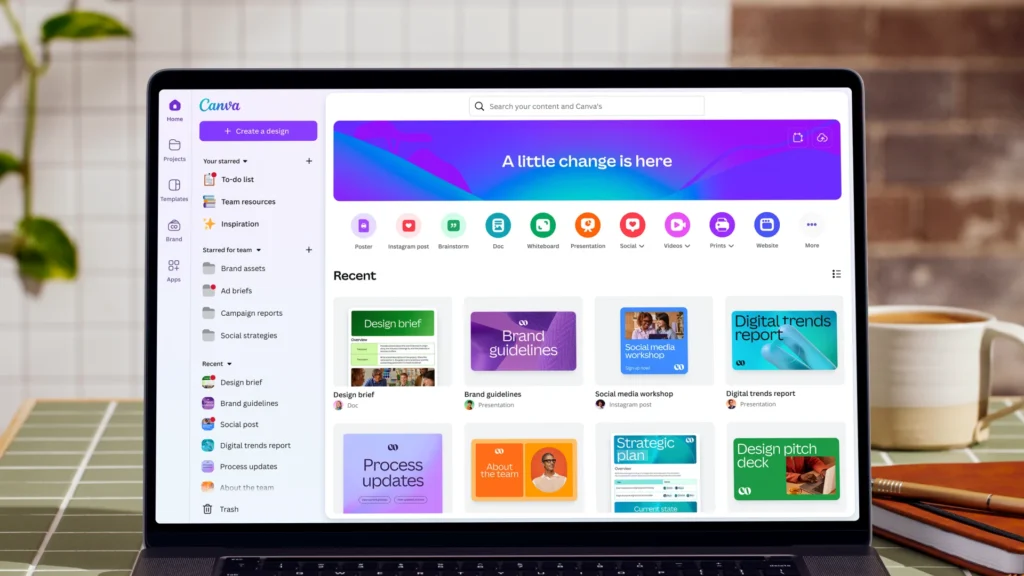
Canva is a free online graphic design tool that has completely changed the way social media content is created. Before Canva came along, you needed Photoshop skills and hours of time to create a simple social media post. Now, anyone can design professional-looking graphics in minutes.
Why Every Social Media Manager Needs It
In 2026, visual content gets up to 3 times more engagement than plain text posts. Your graphics need to look good. Canva makes that possible even if you have zero design experience.
Top Free Features
- 250,000 plus free templates for Instagram posts, Stories, YouTube thumbnails, Facebook covers, and more
- Drag and drop editor that anyone can master in under an hour
- Free image library with millions of stock photos
- Brand kit to save your logo, fonts, and colors
- Download in PNG, JPG, or PDF for free
Pro Tip
Use Canva’s free “Resize” feature sparingly on the free plan. To get one-click resizing across all platforms, you would need Canva Pro. But on the free plan, you can simply duplicate a design and manually adjust the size, which only takes a minute.
Canva is without question the number one free tool for social media managers. If you are not using it already, start today.
Tool 2: Buffer Free Plan – Schedule Your Posts and Reclaim Your Time
What is Buffer?
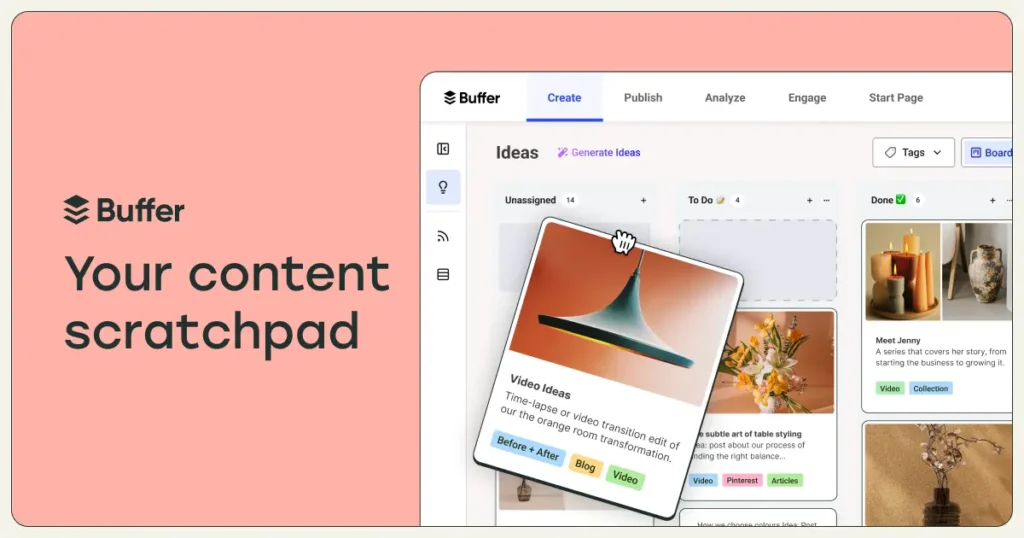
Buffer is a social media scheduling tool that lets you plan and publish content across multiple platforms from one place. Instead of logging into Instagram, then Facebook, then LinkedIn, then Twitter separately every day, you can schedule everything from a single dashboard.
Why Scheduling Matters in 2026
Consistency is the secret to growing on social media. The algorithm rewards accounts that post regularly. But posting manually every day at the right time is exhausting. Buffer solves this problem completely.
What You Get for Free
- Connect up to 3 social media channels
- Schedule up to 10 posts per channel at a time
- A clean, simple content calendar view
- Basic analytics to see how your posts perform
- Works with Instagram, Facebook, Twitter, LinkedIn, Pinterest, and TikTok
How to Use It Effectively
Block one or two hours every Monday morning. Plan your content for the entire week, write your captions, upload your graphics from Canva, and schedule everything in Buffer. Then you are free to focus on community engagement, replying to comments, and monitoring your analytics for the rest of the week.
This simple workflow alone can save you 5 to 10 hours every week.
Tool 3: Meta Business Suite – Your Official Free Command Center for Facebook and Instagram
What is Meta Business Suite?
Meta Business Suite is Facebook’s own free tool for managing your Facebook page and Instagram account together. It is completely free and it is made directly by Meta, which means it has features and data access that third-party tools simply cannot match.
Why Use the Official Tool?
Many third-party scheduling tools have limited access to Instagram’s API, which means your posts might not publish correctly or your analytics might be incomplete. Meta Business Suite has full access to everything because it is made by the same company.
Key Features That Are Completely Free
- Schedule posts and Stories for both Facebook and Instagram from one place
- Full inbox management so you can reply to comments and DMs from both platforms together
- Detailed insights and analytics including reach, engagement, follower growth, and best posting times
- Audience demographics to understand exactly who is following you
- Ad management if you ever decide to run paid campaigns
Who Should Prioritize This Tool
If your main platforms are Facebook and Instagram, which is still the case for the vast majority of businesses in 2026, Meta Business Suite should be a core part of your daily workflow. Check it every morning for messages, check it weekly for analytics, and use it to schedule your most important content.
Tool 4: Google Trends – Find What People Are Actually Searching For
What is Google Trends?
Google Trends is a completely free tool from Google that shows you how often people are searching for any topic over time. It tells you whether interest in a topic is rising or falling and it shows you regional data so you know where people are most interested.
Why This Tool is Pure Gold for Social Media Managers
The biggest challenge in content creation is knowing what to post. Most social media managers either repeat the same topics over and over or guess at what might be interesting. Google Trends removes the guesswork entirely.
Practical Ways to Use Google Trends
- Search for your industry keywords and see what is trending right now
- Compare two topics to see which one has more search interest
- Find seasonal trends so you can plan content weeks ahead of time
- Discover related queries that your audience is also searching for
- Check trends by country or region to tailor content for specific audiences
Real Example
Imagine you manage a fitness brand’s social media. You check Google Trends in January and see that searches for “home workout” spike every year in the first two weeks of January. You can now plan a series of home workout posts to go live exactly when interest is at its peak. That is the kind of smart, data-driven content planning that separates average social media managers from great ones.
Tool 5: ChatGPT Free Version – Your AI Writing Partner That Never Sleeps
What is ChatGPT?
ChatGPT is an AI assistant made by OpenAI. The free version gives you access to a powerful language model that can help you write, brainstorm, edit, and research. For social media managers, it has become one of the most valuable daily-use tools available.
How Social Media Managers Are Using It in 2026
Writing captions takes time. Coming up with fresh content ideas every week is mentally exhausting. Responding to generic comments gets repetitive. ChatGPT can handle all of these tasks in seconds.
Ways to Use ChatGPT for Free
- Generate 10 caption ideas for any topic in under 30 seconds
- Write complete captions in your brand voice once you describe it
- Create content calendars with post ideas for an entire month
- Draft responses to common customer questions or comments
- Research topics you are not familiar with quickly
- Repurpose one piece of content into multiple formats, for example turn a blog post into 5 Instagram captions
Important Note on AI Content
Always review and edit what ChatGPT writes before publishing. AI-generated content works best as a first draft or a starting point. Add your own voice, your specific brand details, and any recent information the AI might not know. The goal is to use AI to speed up your process, not to remove the human element entirely.
How to Use These 5 Tools Together
The real magic happens when you combine these tools into one simple workflow:
- Use Google Trends to find a trending topic in your niche.
- Use ChatGPT to generate caption ideas and post copy around that topic.
- Use Canva to create the visual content for your posts.
- Use Buffer to schedule posts at the best time for your audience.
- Use Meta Business Suite to monitor performance, reply to comments, and track growth.
This entire workflow costs nothing. Zero. And it can genuinely replace tools that other people pay hundreds of dollars a month for.
Final Thoughts
Being a great social media manager in 2026 is not about having the most expensive tools. It is about working smart, staying consistent, and using data to make better decisions.
Canva, Buffer, Meta Business Suite, Google Trends, and ChatGPT give you everything you need to plan, create, schedule, publish, and analyze your social media content without spending a single dollar. Start with one or two of these tools if you are new to them, get comfortable, and then build your workflow from there.
Frequently Asked Questions
