

Last Updated on August 19, 2026 by Digiinte.com Team
Key Takeaways
- WPForms is the easiest starting point for beginners, but the free Lite version doesn’t save your submissions inside WordPress, you’re relying only on email.
- Contact Form 7 stays completely free forever, but ships with no spam protection or submission storage built in, you’ll need to add both yourself.
- Fluent Forms and Ninja Forms offer the most generous free tiers on this list, including features like conditional logic and submission storage that other plugins paywall.
- Formidable Forms and Gravity Forms are built for more than basic contact forms, think calculators, quote forms, and custom logic, and both suit developers or agencies best.
- Not every “free” contact form plugin actually lets you keep or manage your own submissions for free. Check this before you build your form, not after.
- If you’re already using HubSpot, its free WordPress form plugin connects submissions directly to your CRM, no separate tool needed.
If you’ve ever searched for a WordPress contact form plugin, you already know the problem. There isn’t one obvious winner, there are at least fifteen plugins that all claim to be “the best,” and half the comparison articles you find are written by the plugin companies themselves.
WordPress doesn’t ship with a contact form out of the box, which is a little strange given how basic a need it is. So almost every site ends up installing a plugin for something as simple as “let a visitor send me a message.” The tricky part isn’t finding a plugin, it’s figuring out which one won’t make you regret the choice six months later when you need something the free version doesn’t do.
This list covers 9 contact form plugins worth considering in 2026, what each one actually does well, where it falls short, and who it makes sense for. No plugin here is objectively “the best” for every site. The right one depends on your budget, your comfort with settings menus, and whether you need something more than a basic name-email-message form.
What to Actually Look For in a Contact Form Plugin
Before jumping into the list, here’s what separates a good contact form plugin from one that’ll frustrate you later:
- Spam protection built in. Without it, you’ll be manually deleting junk submissions within a week of launching your form. Look for honeypot fields, reCAPTCHA, or Akismet support at minimum.
- Where your submissions actually go. Some plugins only email you the form data and never save it anywhere else. If that email lands in spam or bounces, the submission is just gone.
- Field types you’ll actually need. A basic contact form doesn’t need much, but if you’re planning quizzes, file uploads, or payment forms down the line, check that the plugin supports it before you build your whole site around it.
- GDPR and consent handling. If you collect any personal data from EU visitors, you need a way to get explicit consent, usually a checkbox that isn’t pre-ticked.
- What’s actually free versus what’s a paywall. A lot of “free” plugins hide the most basic functionality, like viewing your own submissions, behind a paid upgrade. It’s worth knowing this upfront rather than discovering it after you’ve built the form.
Keep these in mind as you go through the list, since they matter more than how nice a plugin’s demo looks.
1. WPForms
WPForms is the plugin most beginners land on first, and for a lot of people, it’s also where they stay. The drag-and-drop builder is genuinely simple to use, and it comes with a large library of pre-built templates so you’re rarely starting from a blank canvas.
What it does well:
- Drag-and-drop builder that doesn’t require touching any code
- Built-in spam protection, including a honeypot field and support for reCAPTCHA and Cloudflare Turnstile
- Form abandonment tracking, so you can see when someone starts filling out a form but doesn’t finish it
- Large template library covering everything from simple contact forms to surveys and order forms
Where it falls short:
- The free version, WPForms Lite, doesn’t save your submissions inside WordPress. You’re relying entirely on email notifications, and if one of those fails to arrive, that submission is gone for good.
- Conditional logic, multi-step forms, and most third-party integrations require a paid plan.
Pricing: Free (Lite) version available; paid plans start around $49.50/year for the Basic tier.
Best for: Beginners who want something working in under ten minutes and don’t mind eventually paying to unlock submission storage and integrations.

2. Contact Form 7
Contact Form 7 has been around since 2007 and is still one of the most installed plugins in the entire WordPress repository. It’s about as bare-bones as contact form plugins get, and that’s precisely why people still use it.
What it does well:
- Completely free, with no premium tier, no upsells, and no feature paywall
- Extremely lightweight, adding very little overhead to your site
- Massive community and documentation, so almost any question you have has already been answered somewhere online
Where it falls short:
- No visual builder. You configure forms using a tag-based syntax, which works fine once you’re used to it but is genuinely intimidating the first time
- No spam protection out of the box. You’ll need to add reCAPTCHA yourself
- Submissions aren’t saved anywhere by default. It just emails you, and if that email doesn’t arrive, you have no record of it unless you install a companion plugin like Flamingo
Pricing: Free, forever, with no paid tier.
Best for: Developers or technically comfortable users who want a lightweight form plugin and don’t mind piecing together spam protection and submission storage themselves.

3. Fluent Forms
Fluent Forms has picked up a loyal following over the past few years, mostly because the free version is unusually generous compared to competitors.
What it does well:
- Free version includes conditional logic, multi-step forms, and a genuinely large set of field types, features that are often locked behind a paywall elsewhere
- Fast, clean interface that loads quickly even with complex forms
- Conversational form mode, which displays one question at a time instead of a traditional form layout
Where it falls short:
- Some of the more advanced integrations (certain CRMs and payment gateways) are still reserved for the paid version
- Smaller plugin ecosystem and community compared to older, more established options like Contact Form 7 or WPForms
Pricing: Free version available; paid plans start around $55/year.
Best for: Anyone who wants advanced features like conditional logic without paying for them right away. It’s one of the stronger free tiers on this list.

4. Ninja Forms
Ninja Forms takes a different approach to the free-versus-paid split than most competitors. Instead of gating basic functionality, the core plugin includes full submission storage and management for free.
What it does well:
- Free version actually saves and lets you manage submissions inside WordPress, unlike some competitors that only email you
- Drag-and-drop builder with a reasonably wide range of field types included at no cost
- Add-on system lets you pay only for the specific extra features you need, rather than a flat “everything” upgrade
Where it falls short:
- The interface can feel a little dated compared to newer builders like Fluent Forms
- Some popular add-ons (like specific payment gateways) do require paid extensions
Pricing: Free core plugin; individual add-ons and bundles typically start around $99/year.
Best for: Site owners who specifically don’t want to lose access to their own form submissions the moment they decide not to upgrade.
5. Formidable Forms
Formidable Forms is built less for simple contact forms and more for people who need to build actual web applications inside WordPress, things like calculators, directories, or multi-step quote forms.
What it does well:
- Genuinely advanced logic and calculation capabilities that most contact form plugins don’t attempt to offer
- Repeater fields for things like adding multiple line items to a quote request
- Solid template library that goes well beyond basic contact forms into surveys, polls, and applications
Where it falls short:
- Overkill if all you need is a simple “name, email, message” form
- The free version is fairly limited, and the learning curve is steeper than beginner-focused tools like WPForms
Pricing: Free version available with basic features; paid plans start around $39.50/year.
Best for: Users who need more than a contact form, like a calculator, booking system, or a form that needs to do real logic based on user input.
6. Gravity Forms
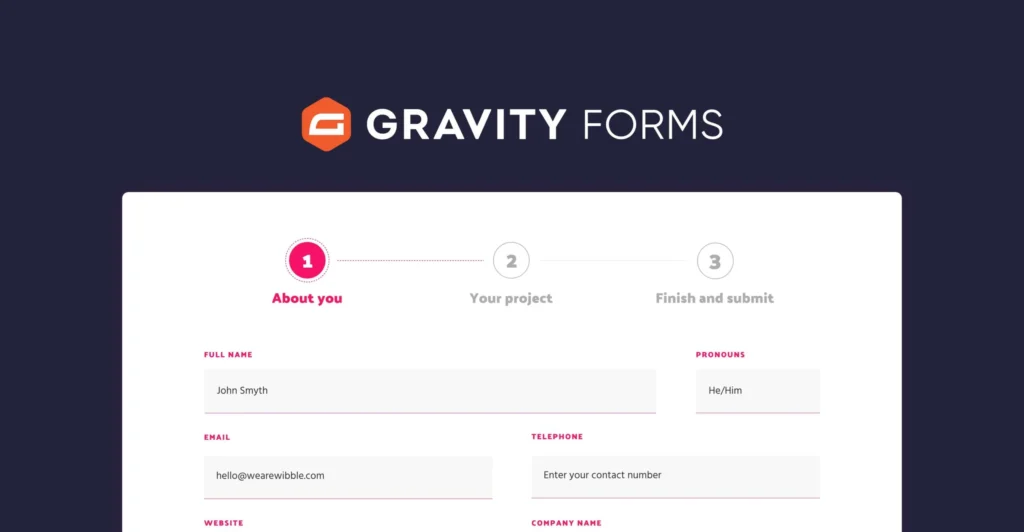
Gravity Forms has a reputation as the developer’s choice, largely because it’s been the backbone of countless custom WordPress builds for over a decade.
What it does well:
- Deep, reliable integration ecosystem, particularly with CRMs, payment processors, and marketing tools
- Extensive developer hooks and filters, making it easy to customize behavior with code when needed
- Very stable and well-maintained, with a long track record of not breaking after WordPress core updates
Where it falls short:
- No free version at all, which is unusual for a plugin in this category
- The interface, while functional, doesn’t feel as modern or beginner-friendly as some newer competitors
Pricing: Paid only, starting around $59/year for a single-site license.
Best for: Developers and agencies building client sites that need reliability and deep customization more than a free tier.
7. Forminator
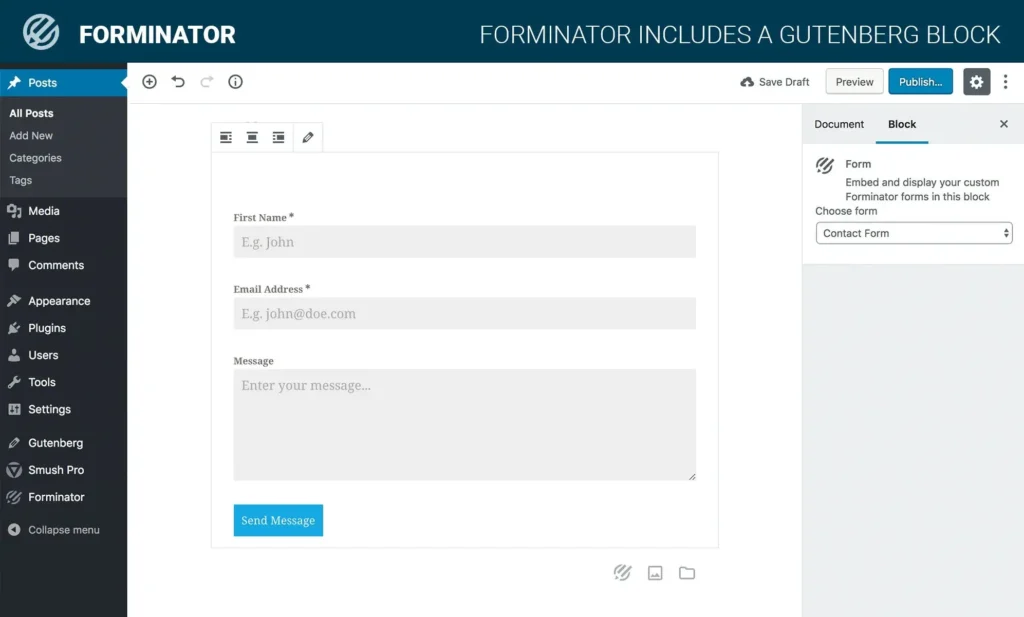
Forminator, built by the team behind WPMU DEV, tries to do a bit more than just contact forms, covering polls, quizzes, and payment forms in the same plugin.
What it does well:
- Drag-and-drop builder that covers contact forms, polls, and quizzes without needing separate plugins for each
- GDPR-friendly consent options built directly into the form settings
- Integrates with Google Sheets, Mailchimp, and PayPal without requiring a paid upgrade for basic connections
Where it falls short:
- Some users find the settings panel a bit cluttered given how many form types the plugin tries to handle
- Advanced automation and higher usage limits do require a paid plan
Pricing: Free version available; paid plans start around $15/month.
Best for: Sites that want contact forms plus basic polls or quizzes without installing three separate plugins.
8. Jotform for WordPress
Jotform started as a standalone form-building platform and later added a dedicated WordPress plugin, which brings its large template library and builder directly into your site.
What it does well:
- Over 10,000 pre-built templates, which is far more than any WordPress-native plugin on this list
- Strong support for e-signatures, multi-step forms, and detailed conditional logic
- Data protection features including SSL encryption and HIPAA-compliant form options, useful for healthcare or legal use cases
Where it falls short:
- Because it’s built on Jotform’s own platform rather than natively in WordPress, form data typically lives on Jotform’s servers rather than your own database
- Pricing is usage-based (based on submissions and storage), which can get more expensive than flat-rate WordPress plugins as your traffic grows
Pricing: Free plan available with limited submissions; paid plans start around $34/month.
Best for: Businesses that need advanced form types, like signatures or HIPAA-compliant intake forms, and don’t mind data living outside their own WordPress database.

9. HubSpot Forms
If you’re already using HubSpot for CRM or email marketing, its free WordPress plugin includes a form builder that connects directly to your existing contact records.
What it does well:
- Every form submission automatically becomes a contact in your HubSpot CRM, with no separate integration needed
- Free to use as a standalone form tool, even if you’re not paying for HubSpot’s other marketing features
- Built-in analytics showing form views, submissions, and conversion rates without needing a separate plugin
Where it falls short:
- The real value only shows up if you’re actually using HubSpot’s broader platform. As a pure form builder, it’s less flexible than dedicated options like WPForms or Fluent Forms
- Branding and advanced customization are limited unless you’re on a paid HubSpot plan
Pricing: Free to use as a form plugin; HubSpot’s paid marketing plans start around $800/month if you want the full platform.
Best for: Businesses already using HubSpot for sales or marketing who want form submissions to flow directly into contacts they’re already tracking.

Quick Comparison Table
| Plugin | Free Version | Submission Storage (Free) | Starting Paid Price | Best For |
| WPForms | Yes | No | $49.50/year | Beginners |
| Contact Form 7 | Yes (only) | No | N/A | Developers who want full control |
| Fluent Forms | Yes | Yes | $55/year | Best free feature set |
| Ninja Forms | Yes | Yes | $99/year | Keeping access to your own data |
| Formidable Forms | Yes | Limited | $39.50/year | Calculators and complex logic |
| Gravity Forms | No | N/A | $59/year | Developers and agencies |
| Forminator | Yes | Yes | $15/month | Forms plus polls and quizzes |
| Jotform | Yes | Yes (on Jotform’s servers) | $34/month | Signatures and advanced form types |
| HubSpot Forms | Yes | Yes (in HubSpot CRM) | Included free | Existing HubSpot users |
How to Choose the Right One
Rather than picking based on which plugin has the most reviews, work backward from what you actually need:
- If you just need a simple contact form and nothing else: Contact Form 7 or WPForms Lite will both do the job, though Contact Form 7 requires a bit more setup for spam protection and submission storage.
- If you want a generous free tier without hitting a paywall right away: Fluent Forms or Ninja Forms are the strongest picks here, since both include features that competitors reserve for paid plans.
- If you’re building something more complex than a contact form, like a quote calculator or a multi-step application: Formidable Forms is purpose-built for that.
- If you’re a developer building client sites: Gravity Forms remains the most reliable long-term choice, even without a free tier.
- If you’re already using HubSpot: just use HubSpot Forms. There’s little reason to add a separate plugin when your CRM already includes one.
Frequently Asked Questions
Conclusion
There’s no single “best” contact form plugin, only the one that fits how your site actually works. If you want something simple and free forever, Contact Form 7 still holds up, as long as you’re willing to add spam protection yourself. If you want a generous free tier that doesn’t paywall your own data, Fluent Forms or Ninja Forms are the stronger picks. And if you’re building something more complex than a basic form, Formidable Forms or Gravity Forms will save you a lot of frustration down the line. Start with what your site needs today, not what you might need two years from now, and you’ll avoid paying for features that never get used.

Behind every post at digiinte.com is a team of experienced SEO analysts and digital growth specialists. Our insights are backed by real data, industry research, and hands-on campaign experience — so you get advice that actually moves the needle.