
Last Updated on July 28, 2026 by Digiinte.com Team
WordPress powers a huge share of the internet, and that popularity makes it a constant target. Automated bots scan for vulnerable sites around the clock, not because your specific blog is interesting, but because outdated plugins, weak passwords, and unpatched core files are easy, repeatable targets across millions of sites. Most attacks are not personal or targeted at all, they are automated scripts sweeping across huge swaths of the internet looking for the same handful of common, easily exploitable weaknesses.
- Key Takeaways
- Why WordPress Sites Need Dedicated Security Plugins
- Firewall and Malware Scanning Plugins
- Site Hardening Plugins
- Login Security Plugins
- Broader, Cloud-Based Protection
- Quick Comparison Table
- How to Choose the Right Combination
- Security Plugins Are Not a Replacement for Backups
- Common WordPress Security Myths New Site Owners Believe
- Frequently Asked Questions
- Conclusion
The good news is that protecting your site does not require a security background. This guide covers the 9 best WordPress security plugins to protect your site, what each one actually does, its real pricing, and which situation it fits best, so you can build a genuinely solid defense without guessing. Each entry includes enough detail to actually understand what you are installing and why, rather than just a name and a star rating.
Key Takeaways
- Wordfence and Sucuri remain the two most established, full-featured security plugins, combining a firewall with malware scanning.
- MalCare focuses heavily on automated malware detection and one-click cleanup, useful if you want minimal manual involvement.
- iThemes Security (now Solid Security) specializes in hardening your site’s configuration rather than just reacting to attacks.
- Login specific tools like WPS Hide Login and WP 2FA address one of the most common attack vectors, brute force login attempts, directly.
- Jetpack Security and Cloudflare both offer broader, cloud-based protection that runs partly outside your own server.
- No single plugin covers everything perfectly. Most solid security setups combine a firewall and scanner with a dedicated login protection layer.
- Security plugins complement, but do not replace, regular backups.
Why WordPress Sites Need Dedicated Security Plugins
WordPress core itself is regularly patched and reasonably secure, but the vast ecosystem of themes and plugins running on top of it introduces most of the real vulnerabilities. An outdated plugin with a known security hole, a weak admin password, or an exposed login page are the most common ways sites actually get compromised, not some sophisticated targeted attack. Dedicated security plugins address these specific, common entry points directly, often catching and blocking issues before they ever become a real breach.
Think of WordPress core as a well built house with a solid front door, and each installed plugin or theme as an additional window. The house itself might be secure, but every additional window is a potential entry point if left unlocked or outdated. Security plugins act as the alarm system and door locks across the entire structure, not just the front entrance, covering the many smaller access points that accumulate as a site grows and adds more functionality over time.
Firewall and Malware Scanning Plugins
These plugins form the core layer of protection for most WordPress sites, actively blocking malicious traffic and scanning for existing infections.
1. Wordfence
Wordfence remains the most widely installed WordPress security plugin, combining an endpoint firewall that runs directly on your server with a thorough malware scanner.
What It Does: Wordfence’s firewall inspects incoming traffic before it reaches WordPress itself, blocking known malicious patterns using a regularly updated threat database. Its scanner checks core files, themes, and plugins against known-good versions to detect unauthorized changes or injected malicious code.
Key Features: Real-time threat intelligence feeds keep the firewall’s rules current, and its login security features include brute force protection with configurable lockout rules after repeated failed attempts.
Pricing: The free version includes the firewall and scanner with a delayed threat feed. The premium version adds real-time threat updates, country blocking, and priority support.
Pros:
- Comprehensive free tier covering both firewall and scanning in one plugin
- Large, active user base means issues and false positives get identified and addressed quickly
- Detailed live traffic view shows exactly what is being blocked and why
Cons:
- The free version’s threat feed is delayed by 30 days compared to the premium real-time feed
- Can feel overwhelming for beginners due to the sheer number of configuration options
- Scanning large sites locally can occasionally strain server resources on lower-tier hosting
Best for: Site owners who want one comprehensive plugin covering both firewall and malware scanning without needing to combine multiple tools.
2. Sucuri Security
Sucuri takes a slightly different approach, backed by a company that also offers a cloud-based firewall and a dedicated malware cleanup service if things go wrong.
What It Does: The free plugin focuses on monitoring, file integrity checks, and security hardening recommendations, while Sucuri’s paid cloud firewall (available as a separate product) filters malicious traffic before it ever reaches your server at all.
Key Features: If your site does get infected, Sucuri’s malware removal service, backed by real security researchers, is a genuine safety net beyond just automated detection, something few competitors offer at a comparable level.
Pricing: The core plugin is free for monitoring and hardening. The cloud firewall and professional malware cleanup are separate paid services.
Pros:
- Professional, human-backed malware cleanup service if automated tools are not enough
- Cloud firewall filters traffic before it reaches your server, reducing load
- Strong reputation and long track record specifically in website security
Cons:
- The free plugin alone does not include the firewall, that requires a separate paid product
- Malware cleanup service pricing is a recurring cost, not a one-time fee
- Setup for the cloud firewall involves DNS changes, adding a bit more complexity than a simple plugin install
Best for: Site owners who want the reassurance of a professional cleanup service available if their site is ever compromised despite preventative measures.

3. MalCare Security
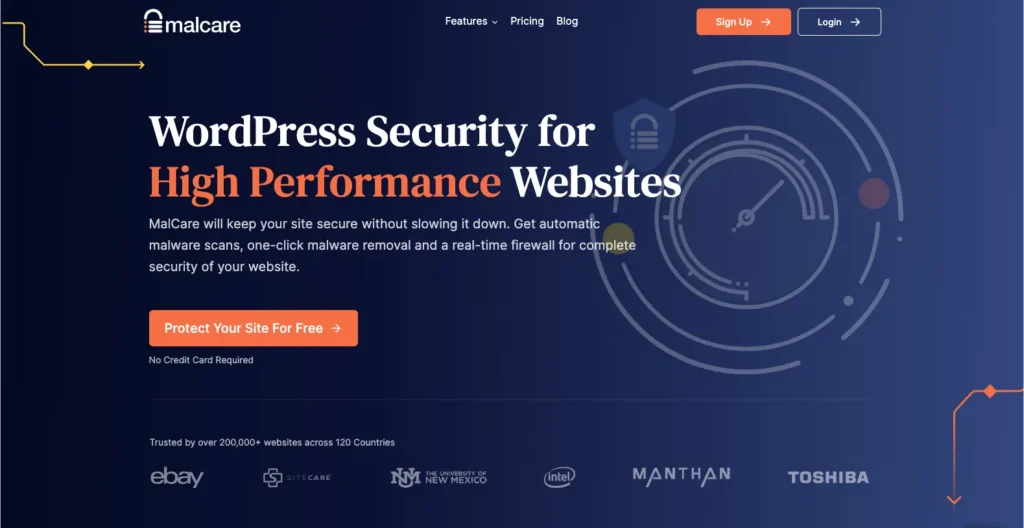
MalCare leans heavily into automation, positioning itself around fast, low-effort malware detection and one-click cleanup rather than manual configuration.
What It Does: Its malware scanner runs on MalCare’s own servers rather than your hosting resources, reducing performance impact, and scans deeply enough to catch cleverly hidden or obfuscated malicious code that simpler scanners sometimes miss.
Key Features: The one-click cleanup feature removes detected malware automatically in most cases, without requiring you to manually identify and delete infected files yourself.
Pricing: A limited free version covers basic scanning. Full malware removal and firewall features require a paid subscription.
Pros:
- Off-server scanning means minimal performance impact on your own hosting
- One-click cleanup saves significant time compared to manual malware removal
- Deep scanning catches obfuscated malware some simpler tools miss
Cons:
- The genuinely useful features, cleanup and firewall, sit behind the paid tier
- Less configurable than Wordfence for advanced users who want granular control
- Subscription cost can add up if managing several client sites
Best for: Site owners who want fast, largely automated malware detection and cleanup without a steep learning curve.
Site Hardening Plugins
Rather than just reacting to attacks, these plugins focus on tightening your site’s overall configuration to reduce vulnerabilities before they can be exploited.
4. iThemes Security (Solid Security)
iThemes Security, now rebranded as Solid Security, focuses on a broad checklist of hardening measures rather than a single specific defense mechanism.
What It Does: It bundles dozens of individual hardening options, hiding your login page, disabling file editing from the dashboard, enforcing strong passwords, and monitoring for suspicious file changes, into a guided setup process.
Key Features: Its strength scoring system walks you through each hardening option with a clear explanation of what it does and why it matters, useful for beginners who want to understand their security posture rather than just enabling settings blindly.
Pricing: The free version covers a solid set of core hardening features. The paid version adds two-factor authentication, scheduled malware scanning, and additional advanced options.
Pros:
- Excellent educational value, explaining why each setting matters rather than just listing options
- Broad coverage of hardening measures in a single plugin
- Strength scoring gives a clear, motivating sense of progress as you configure settings
Cons:
- Does not include a firewall or malware scanner on the free tier, mainly configuration hardening
- Some hardening options can lock you out of your own site if misconfigured without care
- Two-factor authentication requires the paid tier, unlike some competitors offering it free
Best for: Site owners who want a guided, educational approach to tightening their site’s overall configuration.

Login Security Plugins
Brute force login attempts remain one of the most common attack methods, and these plugins address that specific vulnerability directly.
5. WPS Hide Login
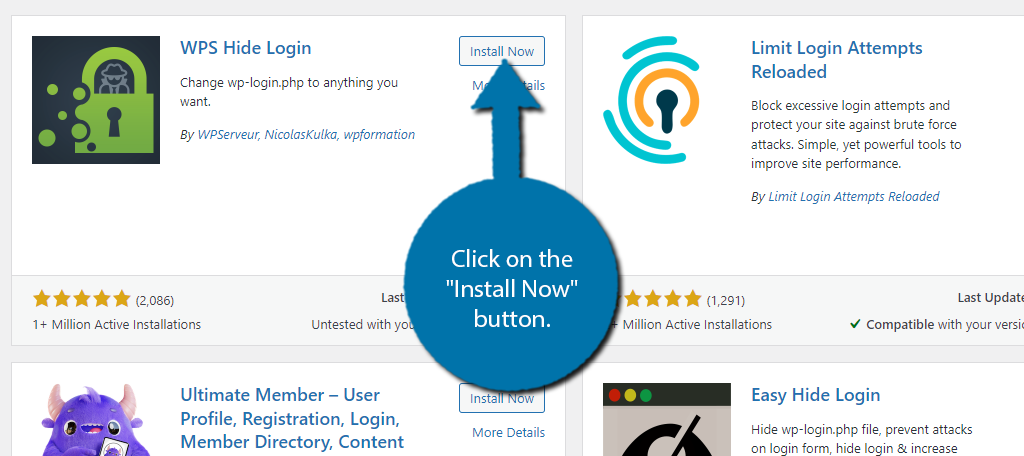
This lightweight plugin does one thing extremely well, changing your login page URL away from the default, widely known location.
What It Does: Since automated bots overwhelmingly target the standard wp-login.php URL, simply moving your login page to a custom address removes your site from a huge share of automated attack attempts entirely, without changing any core functionality.
Key Features: Extremely lightweight with no performance impact, and simple enough to configure in under a minute.
Pricing: Completely free.
Pros:
- Extremely simple, one setting to configure, with immediate protective benefit
- Zero measurable performance impact given its minimal scope
- Free with no premium upsell at all
Cons:
- Does not protect against a targeted attack that already knows your custom login URL
- Provides no protection on its own against weak passwords or other vulnerabilities
- Forgetting your custom login URL without a bookmark can briefly lock you out of easy dashboard access
Best for: A fast, simple first step that meaningfully reduces automated login attacks with almost no setup effort.
6. WP 2FA
WP 2FA adds two-factor authentication to your WordPress login, requiring a second verification step beyond just a password.
What It Does: After entering a password, users are prompted for a time-based one-time code from an authenticator app, meaning a stolen or guessed password alone is no longer enough to access the account.
Key Features: Supports enforcing 2FA by user role, useful for requiring it specifically for admin accounts while leaving it optional for lower-risk roles like subscribers.
Pricing: The core two-factor authentication features are free. Premium tiers add additional authentication methods and policy enforcement options.
Pros:
- Adds a genuinely strong second layer of protection beyond password strength alone
- Role-based enforcement lets you require it only where it matters most
- Core functionality is free and does not feel artificially limited
Cons:
- Requires users to have a smartphone or authenticator app, a small adoption hurdle for less technical users
- Losing access to the authenticator device without a backup method can complicate account recovery
- Enforcing it across many existing users may generate some initial pushback or confusion
Best for: Any site with an admin account worth protecting, which is to say, essentially every WordPress site.

Broader, Cloud-Based Protection
These options extend protection partly outside your own hosting server, adding a layer of defense before traffic even reaches WordPress.
7. Jetpack Security
Jetpack Security bundles several protective features from the broader Jetpack plugin suite into a security-focused package.
What It Does: Includes brute force attack protection, downtime monitoring, and malware scanning, with real-time backups available depending on the specific tier, integrating security alongside other Jetpack features many WordPress users already have installed.
Key Features: Since it connects to a WordPress.com account, much of the scanning and monitoring happens off your own server, similarly to how cloud-based backup tools operate.
Pricing: A limited free tier covers basic protection. Paid tiers add malware scanning, real-time backups, and more comprehensive monitoring.
Pros:
- Convenient if you already use other Jetpack features, one dashboard for multiple tools
- Off-server monitoring reduces load on your own hosting
- Downtime monitoring is a useful bonus feature beyond pure security
Cons:
- Meaningful malware scanning and real-time backups require paid tiers
- Jetpack as a whole has a reputation for being resource-heavy if many of its modules are enabled at once
- Requires a WordPress.com account connection, an extra dependency some site owners prefer to avoid
Best for: Sites already using other Jetpack features who want security bundled into the same ecosystem.

8. Cloudflare
Cloudflare operates at the DNS level, filtering traffic before it ever reaches your hosting server at all, rather than working purely as a WordPress plugin.
What It Does: Its free tier includes a basic firewall, a free SSL certificate, and DDoS protection, alongside a CAPTCHA style challenge system for suspicious traffic that avoids frustrating legitimate visitors with complex puzzles.
Key Features: Because filtering happens before traffic reaches your server, malicious requests never consume your hosting resources at all, which can also improve overall site performance under attack conditions.
Pricing: A genuinely usable free tier exists, with paid tiers adding more advanced firewall rules and analytics.
Pros:
- Filters malicious traffic before it ever touches your hosting resources
- Free tier includes genuinely useful protections, not just a stripped-down trial
- Can improve overall site speed as a side benefit through its CDN caching
Cons:
- Requires changing your domain’s DNS settings, a bit more setup than a simple plugin install
- Does not address WordPress-specific vulnerabilities like plugin security or login protection on its own
- Advanced firewall rules and detailed analytics are locked behind paid tiers
Best for: Site owners who want protection happening before traffic ever reaches their actual hosting server.

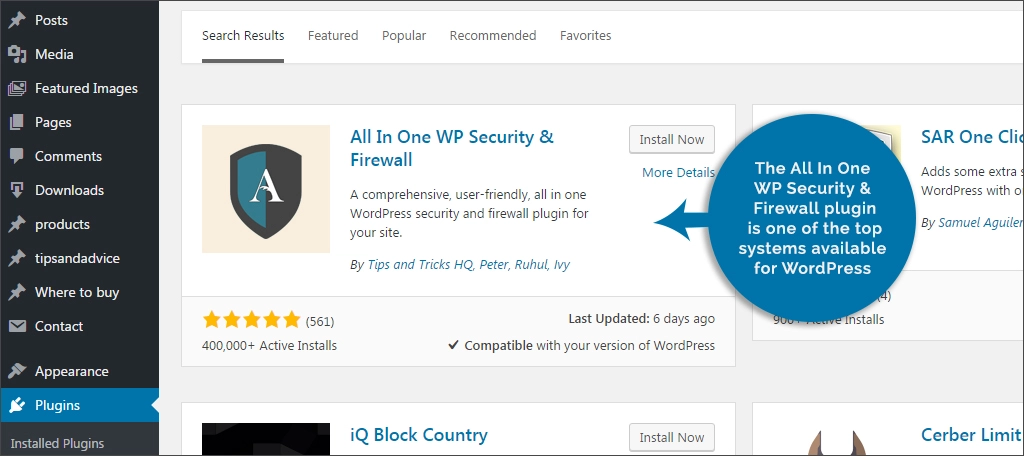
9. All In One WP Security & Firewall
This plugin offers a comprehensive, completely free hardening and firewall package, appealing specifically to budget-conscious site owners.
What It Does: Covers login security, firewall rules, file system security, and database security, all through a straightforward, color-coded interface that indicates your current security strength across each category.
Key Features: Its visual security strength meter makes it easy to see at a glance which areas still need attention, without needing to understand every technical term involved.
Pricing: Entirely free, with no premium tier at all.
Pros:
- Genuinely comprehensive feature set with zero cost, no premium paywall anywhere
- Visual strength meter makes progress easy to track for non-technical users
- Covers a wide range of hardening categories in one single plugin
Cons:
- Interface feels less polished and modern compared to some paid competitors
- Lacks the professional cleanup service or dedicated support that paid options like Sucuri offer
- Some advanced settings can be confusing without the same level of guided explanation iThemes Security provides
Best for: Budget-conscious site owners who want a comprehensive, no-cost security baseline.
Quick Comparison Table
| Plugin | Focus Area | Free Tier | Best For |
| Wordfence | Firewall and malware scanning | Yes, generous | All-in-one protection |
| Sucuri Security | Monitoring and cleanup | Yes, core features | Access to professional cleanup if hacked |
| MalCare Security | Automated malware removal | Limited free | Fast, low-effort malware handling |
| iThemes Security | Site hardening | Yes, solid free tier | Guided configuration hardening |
| WPS Hide Login | Login URL protection | Fully free | Reducing automated login attacks fast |
| WP 2FA | Two-factor authentication | Yes, core features free | Protecting admin accounts specifically |
| Jetpack Security | Bundled protection | Limited free | Sites already using Jetpack |
| Cloudflare | DNS-level filtering | Yes, generous | Filtering traffic before it reaches your server |
| All In One WP Security & Firewall | Comprehensive hardening | Fully free | Budget-conscious, no-cost baseline |
How to Choose the Right Combination
Very few sites need all nine of these installed at once, and running too many overlapping security plugins together can cause conflicts or unnecessary performance strain. A practical, layered approach usually looks like this.
- Start with one firewall and malware scanner, Wordfence, Sucuri, or MalCare, as your core protection layer.
- Add a dedicated login protection tool, WPS Hide Login plus WP 2FA together cover both obscuring and securing your login process.
- Consider Cloudflare for an additional layer that filters traffic before it even reaches your server, especially valuable for sites that have experienced attacks before.
- Avoid running two full firewall and scanning plugins simultaneously, since this can create conflicts and does not meaningfully improve protection over one well configured option.
Security Plugins Are Not a Replacement for Backups
Even the best security setup cannot guarantee zero risk. New vulnerabilities are discovered constantly, and no plugin catches everything. This is exactly why a solid backup strategy remains essential alongside your security plugins, since a working backup is often the fastest, most reliable way to recover if something does slip through.
- 7 Best Backup Plugins for WordPress Beginners in 2026
- 7 Common WordPress Backup Mistakes and How to Fix Them
Common WordPress Security Myths New Site Owners Believe
A few misconceptions tend to leave sites more exposed than owners realize.
“My site is too small to be a target.” Automated attacks scan indiscriminately regardless of site size or traffic, targeting known vulnerabilities rather than picking specific, high-profile victims.
“My hosting provider already handles security.” Hosting providers typically secure the server environment itself, but rarely the specific configuration of your WordPress installation, your plugins, themes, or user accounts.
“A strong password alone is enough.” Passwords can still be leaked through unrelated breaches or guessed through automated attempts, which is exactly why two-factor authentication adds a meaningful second layer beyond password strength alone.
“Once I install a security plugin, I am fully protected.” Security plugins significantly reduce risk, but require ongoing updates, occasional configuration review, and should always be paired with a working backup plan for genuine peace of mind.
Frequently Asked Questions
Conclusion
Protecting your WordPress site does not require every plugin on this list, it requires the right combination for your specific situation. A firewall and malware scanner like Wordfence, Sucuri, or MalCare forms your core defense, dedicated login protection through WPS Hide Login and WP 2FA closes off the most common attack vector, and Cloudflare adds an extra layer before traffic even reaches your server.
Pick one plugin from each category rather than trying to install everything at once, and remember that even the best security setup works best paired with a reliable, regularly tested backup plan.
Ready to lock things down? Install a firewall and scanner plugin today if you do not already have one, then add a login protection tool this week, two changes that meaningfully reduce your site’s risk in under an hour of setup time.

Behind every post at digiinte.com is a team of experienced SEO analysts and digital growth specialists. Our insights are backed by real data, industry research, and hands-on campaign experience — so you get advice that actually moves the needle.