
Last Updated on July 17, 2026 by Digiinte.com Team
Ever found a great YouTube video, then lost your internet connection right before you could finish watching it? It happens to almost everyone. That is exactly why so many people search for the best YouTube video downloader every single day.
A good YouTube video downloader lets you save videos to your phone or computer so you can watch them offline, extract the audio as MP3, or build a personal library of tutorials, lectures, and music. But not every tool out there is safe, fast, or reliable.
- Why You Might Need a YouTube Video Downloader
- How Does a YouTube Video Downloader Actually Work
- What Makes a YouTube Video Downloader Actually Good
- 1. Digiinte YouTube Video Downloader
- 2. VidsSave
- 3. Cobalt
- 4. yt dlp
- 5. 4K Video Downloader Plus
- 6. SnapDownloader
- 7. ClipGrab
- 8. VideoProc Converter
- 9. Freemake Video Downloader
- Desktop, Browser, or Mobile: Which Type Fits You
- Common Mistakes to Avoid When Downloading YouTube Videos
- Quick Comparison Table
- Best YouTube Video Downloader for Specific Needs
- Tips for Downloading YouTube Videos Safely
- Which One Should You Actually Pick
- Frequently Asked Questions
- Conclusion
In this guide, we tested and compared nine of the best YouTube video downloader tools available right now, starting with three clean browser based options, followed by desktop apps and one option for advanced users. By the end, you will know exactly which tool fits your needs.
Why You Might Need a YouTube Video Downloader
Before we jump into the list, let us quickly look at why people use these tools in the first place:
- 📶 Offline viewing during travel, flights, or in areas with weak internet
- 🎓 Saving tutorials and lectures for students and professionals
- 🎵 Extracting audio from music videos, podcasts, or interviews
- 🗂️ Building a personal archive of content you have rights to keep
- 🚫 Avoiding buffering caused by slow or unstable connections
Keep in mind that downloading should always be done for personal use, or for content you own or have permission to save. Most creators do not mind personal offline viewing, but reposting downloaded videos elsewhere is a different story.
How Does a YouTube Video Downloader Actually Work
You do not need to be technical to use these tools, but it helps to know what is happening behind the scenes. When you paste a video link into a downloader, the tool sends a request to fetch the video data straight from YouTube’s servers.
Most videos on YouTube are stored as separate audio and video streams, especially at higher resolutions. A good tool grabs both streams and merges them into a single file, usually MP4. That is why some free tools cap out at 720p, since merging higher quality streams takes more processing power on their end.
This also explains why certain tools break every time YouTube updates its platform. When YouTube changes how it delivers video data, downloaders have to update their code to keep up. Tools that get updated often, like yt dlp, tend to stay reliable longer than tools that are rarely maintained.
Understanding this helps you pick smarter. A tool that has not been updated in over a year is a warning sign, even if it still loads.
What Makes a YouTube Video Downloader Actually Good
Not all downloaders are created equal. When we tested these tools, we looked at five things:
- Safety – no shady pop ups, fake buttons, or bundled software
- Speed – how fast the video actually converts and saves
- Quality options – does it support HD, Full HD, or higher
- Ease of use – can a beginner use it without a manual
- Format support – MP4 for video, MP3 for audio, and more
With that in mind, here are the nine tools worth your time, starting with three browser based picks that need no installation at all.
1. Digiinte YouTube Video Downloader
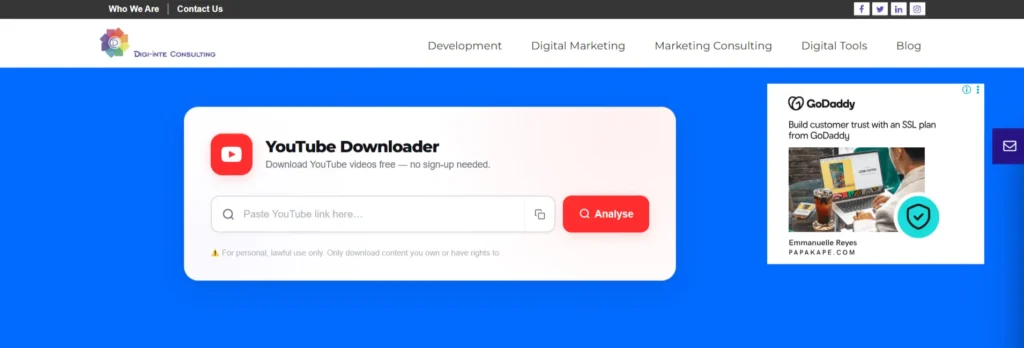
If you want another simple option that just works in your browser, the Digiinte YouTube Video Downloader is right up there with the best. It is a free, browser based tool that does not ask you to install anything.
Here is how it works:
- Copy the link of the YouTube video you want
- Paste it into the tool
- Choose your format, either MP4 video or MP3 audio
- Pick your quality, from 360p up to 1080p Full HD
- Click download and you are done
Why people like it:
- No sign up required
- Works directly in your browser on any device
- Offers both video and audio downloads
- Simple interface with clear steps
- Completely free to use
This tool is best for casual users who want a quick download without dealing with software installs or command lines. If you only download a video once in a while, this is probably all you need.
2. VidsSave
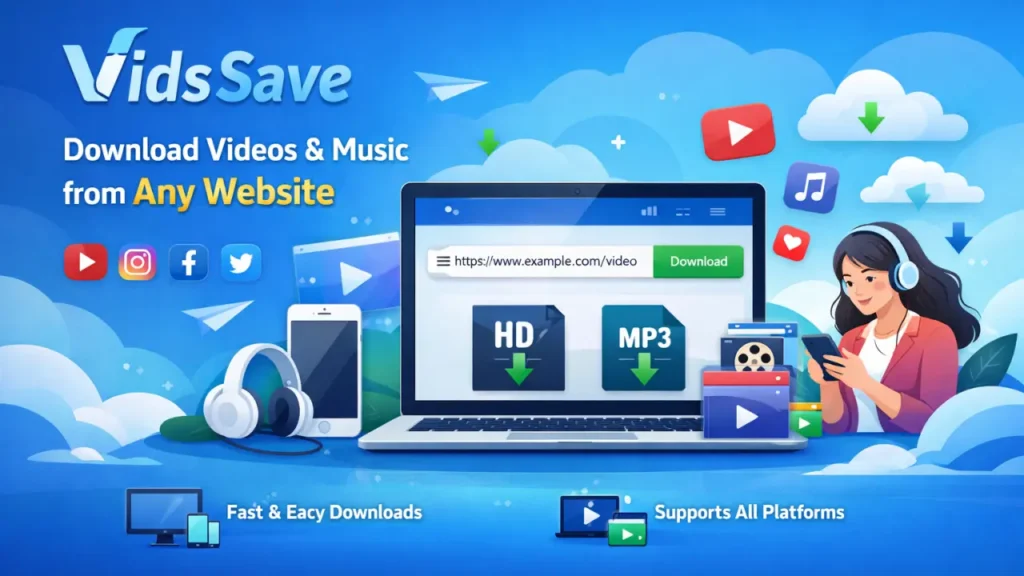
VidsSave is a clean, browser based YouTube video downloader that has built a strong reputation for being fast and dependable. You do not install anything. You simply paste a link, pick a format, and download.
Why it stands out:
- Works entirely inside your browser, on desktop or mobile
- Supports media downloading from a wide range of popular sites, not just YouTube
- No registration or account required
- Offers both MP4 video and high bitrate MP3 audio
- Processes even large files quickly thanks to optimized servers
VidsSave is a great choice if you want a zero setup tool that still feels fast and modern. Since it runs entirely on the web, there is nothing to update and nothing taking up space on your device.
3. Cobalt
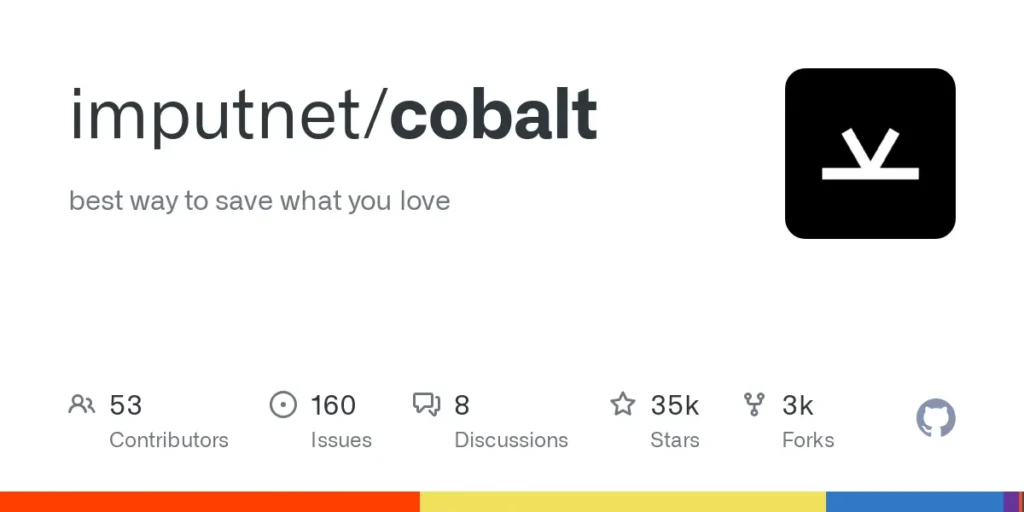
Cobalt is a free, open source, browser based YouTube video downloader built with privacy in mind. It has a minimal, clutter free interface that strips away ads and unnecessary buttons.
What makes Cobalt worth trying:
- Completely free and open source
- Very clean interface with no ads or pop ups
- Supports YouTube along with several other platforms
- Lets you choose quality and format before downloading
- No account or sign up needed
Cobalt is ideal for anyone who is cautious about privacy and wants a straightforward tool without any of the clutter that heavier ad supported sites tend to have.
4. yt dlp
For power users and anyone comfortable with a bit of technical work, yt dlp is often called the gold standard of free YouTube video downloader tools. It is an open source, command line tool that developers actively maintain and update.
Key strengths:
| Feature | Details |
| Cost | Completely free |
| Format support | MP4, MKV, MP3, M4A, WebM, and more |
| Playlist support | Yes, full channels and playlists |
| Updates | Frequent, community driven |
| Best for | Developers and advanced users |
The tradeoff is that yt dlp runs through the command line, so it can feel intimidating if you have never used a terminal before. But once set up, it is arguably the most reliable and flexible option on this list, since it keeps up with YouTube’s changes faster than most paid tools.
5. 4K Video Downloader Plus
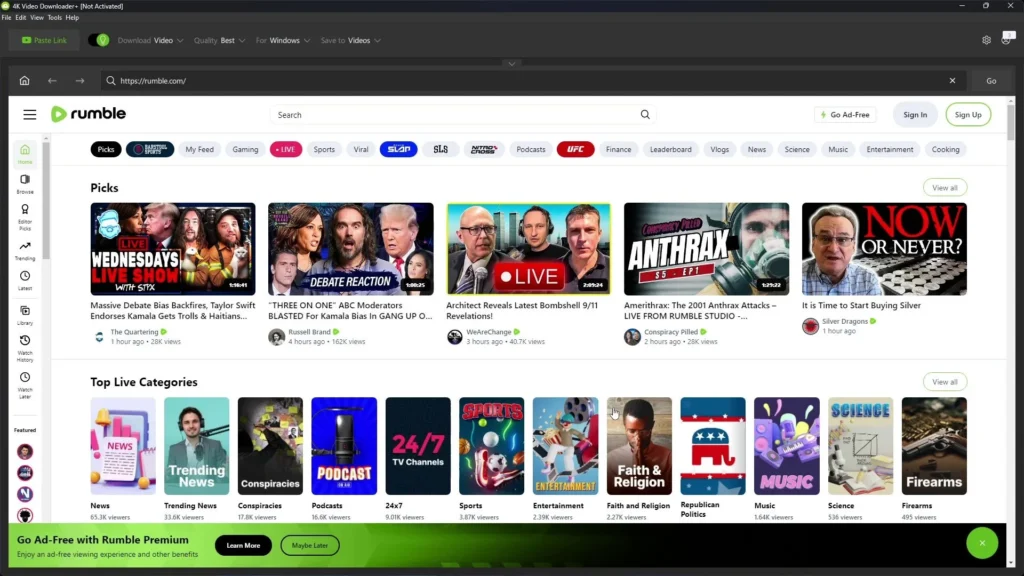
If you archive entire channels or need the highest possible video quality, 4K Video Downloader Plus is worth the investment. This desktop app works on Windows, macOS, and Linux.
Standout features:
- Supports resolutions up to 8K
- Can download full playlists and channels in one go
- Grabs subtitles along with the video
- Available on all major desktop operating systems
- Free version available, with a paid tier for daily limits removed
This tool suits people who take downloading seriously, such as content creators gathering reference footage or educators building offline video libraries. The free version has a daily cap, so heavy users may eventually want the paid license.
6. SnapDownloader
SnapDownloader is a paid desktop YouTube video downloader that supports YouTube along with over a thousand other websites, including TikTok, Instagram, and Vimeo. It is built for speed.
What sets it apart:
- Supports up to 8K resolution
- Allows multiple simultaneous downloads
- Works across more than 1,000 websites
- Offers a free trial before you commit to paying
Because it handles so many platforms in one app, SnapDownloader is a great pick for social media managers or anyone who regularly saves content from different sites, not just YouTube. Just remember there is no permanent free plan, so plan around the trial period.
7. ClipGrab
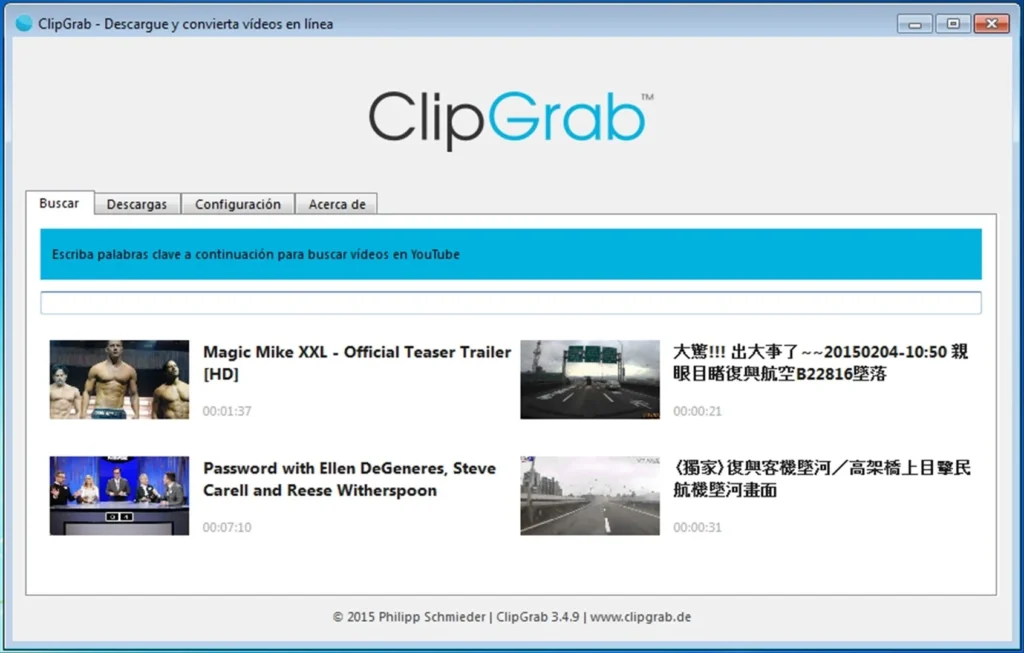
ClipGrab sits nicely between a simple browser tool and a powerful command line app. It is a free, open source desktop YouTube video downloader with an easy graphical interface.
Why it is worth trying:
- Completely free with no hidden costs
- Simple drag and drop style interface
- Converts videos into MP3, MP4, and other formats
- Lightweight and does not slow down your computer
ClipGrab is ideal for beginners who want more control than a browser tool offers, but do not want to touch a command line. It strikes a nice middle ground.
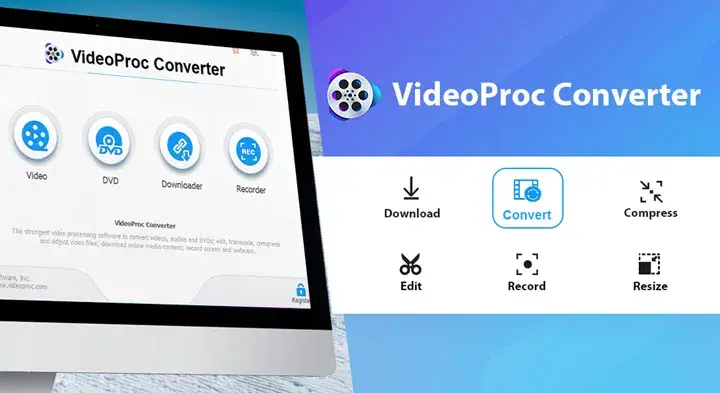
8. VideoProc Converter
VideoProc Converter goes beyond basic downloading. It is a full video processing suite that lets you download, convert, compress, and even lightly edit videos in one place.
Notable features:
- Downloads videos in a wide range of resolutions
- Built in video converter and compressor
- Basic editing tools included
- Works on both Windows and Mac
If you find yourself downloading a video and then opening a separate app to convert or trim it, VideoProc Converter saves you that extra step. It is best for users who want an all in one media toolkit rather than a single purpose downloader.
9. Freemake Video Downloader
Freemake is a long standing, beginner friendly YouTube video downloader for Windows users. It has a clean, drag and drop interface that makes it easy to pick up quickly.
Good to know:
- Supports YouTube along with hundreds of other sites
- Integrates with Google Drive and Dropbox
- Free version limits videos to under three minutes and adds a watermark
- Full features require purchasing the paid Mega Pack
Freemake works fine for very short clips, but the watermark and time limit on the free version make it less appealing for longer videos. If those limits do not bother you, it is still a decent choice for casual Windows users.
Desktop, Browser, or Mobile: Which Type Fits You
Beyond picking a specific tool, it helps to think about which category of YouTube video downloader matches your daily habits.
Browser based tools like VidsSave, the Digiinte YouTube Video Downloader, and Cobalt are perfect if you download videos occasionally or simply prefer not to install anything at all. There is nothing to install, nothing to update, and nothing sitting on your hard drive taking up space. You open a tab, paste a link, and move on with your day.
Desktop apps like 4K Video Downloader Plus, ClipGrab, and VideoProc Converter make more sense if you download often. They tend to handle playlists better, support higher resolutions more consistently, and give you more control over where files are saved and how they are named.
Command line tools like yt dlp are built for people who want full control, automation, or the ability to script downloads in bulk. This is not the category for someone who just wants to save one video before a flight, but it is unmatched if you are comfortable with a terminal.
There is no wrong category, only the one that fits how often and how heavily you plan to use the tool.
Common Mistakes to Avoid When Downloading YouTube Videos
Even with a good tool, a few habits can cause problems. Watch out for these:
- Downloading from unfamiliar sites that promise “unlimited free downloads” with no catch. Many of these sites make money through aggressive ads or hidden software bundles instead.
- Ignoring the file extension after downloading. If a video file ends in something unusual instead of MP4 or MKV, do not open it until you confirm it is safe.
- Ignoring browser warnings. If your browser flags a download or a site as unsafe, trust that warning rather than clicking through it.
- Downloading in the highest resolution when you do not need it. A 4K download takes longer and uses far more storage than a 720p or 1080p file, especially on a phone with limited space.
- Forgetting to check copyright status. Not everything on YouTube is free to redistribute, even if it is free to view.
Avoiding these small mistakes keeps the experience smooth and keeps your device protected.
Quick Comparison Table
| VidsSave | Browser | Yes, fully free | Fast, no install downloads |
| Digiinte YouTube Video Downloader | Browser | Yes, fully free | Quick, simple video and audio saves |
| Cobalt | Browser | Yes, fully free | Privacy focused, ad free downloading |
| yt dlp | Command line | Yes, fully free | Developers and power users |
| 4K Video Downloader Plus | Desktop | Yes, with limits | High quality and playlists |
| SnapDownloader | Desktop | Trial only | Multi platform downloading |
| ClipGrab | Desktop | Yes, fully free | Beginners wanting a GUI |
| VideoProc Converter | Desktop | Trial only | All in one video toolkit |
| Freemake Video Downloader | Desktop | Yes, with limits | Short clips on Windows |
Best YouTube Video Downloader for Specific Needs
Sometimes the right tool depends less on general features and more on your exact situation. Here is a quick breakdown for common use cases.
For students saving lecture videos Students usually need a tool that is quick, free, and does not require installing software on a shared or school computer. VidsSave and the Digiinte YouTube Video Downloader both fit this well, since they run entirely in the browser and leave nothing behind.
For music lovers who only want audio If you mainly want songs, podcasts, or interviews as MP3 files, look for a tool with a clear audio only option rather than downloading full video files and converting them later. VidsSave, the Digiinte YouTube Video Downloader, and ClipGrab all handle this cleanly.
For privacy conscious users If you want a tool with no ads, no account, and open source code you can trust, Cobalt is the standout pick among the browser based options.
For content creators archiving reference footage Creators often need high resolution files and the ability to grab entire playlists at once. 4K Video Downloader Plus and SnapDownloader are built for exactly this kind of heavy, repeated use. And once your own videos are ready to publish, our YouTube SEO guide can help them reach a bigger audience.
For developers or technical teams If downloading needs to be automated or built into a larger workflow, yt dlp remains the strongest option, since it can be scripted and integrated into other tools.
For social media managers Anyone pulling content from YouTube, TikTok, and Instagram in the same week benefits from a tool that supports many platforms at once, which is where SnapDownloader stands out.
Matching the tool to your actual use case saves time and avoids paying for features you will never touch.
Tips for Downloading YouTube Videos Safely
Before you download anything, keep these practical tips in mind:
- ✅ Stick to tools with a clean, single download button. If a site shows five “download now” buttons, close it.
- ✅ Avoid installing random browser extensions just to download one video.
- ✅ Check that the tool uses HTTPS, meaning the address bar shows a small lock icon.
- ✅ Only download videos you own, have permission to save, or that fall under fair personal use.
- ✅ For frequent downloads, a desktop tool like 4K Video Downloader Plus will usually be more stable than a browser tool.
- ✅ If you need audio only, choose the MP3 option instead of downloading the full video and converting it later.
Following these small habits keeps your device safe and saves you from wasted time on broken tools.
Which One Should You Actually Pick
There is no single best answer here, since it really depends on your habits.
- If you want a fast, no install browser based YouTube video downloader, try VidsSave or the Digiinte YouTube Video Downloader.
- If privacy and a clutter free interface matter most, go with Cobalt.
- If you are comfortable with a bit of tech and want the most reliable free tool, choose yt dlp.
- If you archive full channels and care about the highest resolution, pick 4K Video Downloader Plus.
- If you download from many different platforms, SnapDownloader covers the most ground.
Try one or two from this list and see which fits your workflow best. Most of them take less than a minute to figure out.
Frequently Asked Questions
Conclusion
Choosing the best YouTube video downloader does not have to be complicated. If you want something fast, free, and browser based with zero setup, VidsSave and the Digiinte YouTube Video Downloader are both ready to use right now, no installs, no sign ups, just paste and download. For heavier needs like full playlists or top tier quality, tools like yt dlp and 4K Video Downloader Plus have you covered. And once your own videos are ready to publish, our YouTube SEO guide can help them reach a bigger audience.
Ready to save your first video? Head over to the Digiinte YouTube Video Downloader, paste your link, and get your video in seconds.

Behind every post at digiinte.com is a team of experienced SEO analysts and digital growth specialists. Our insights are backed by real data, industry research, and hands-on campaign experience — so you get advice that actually moves the needle.