

Last Updated on October 21, 2026 by Digiinte.com Team
Key takeaways
- The best AI writing tools speed up drafting, but Google asks you to fact-check and review everything before it goes live.
- In Ahrefs’ June 2026 study of 1 million top-10 pages, only 5.3% of top-3 pages were fully AI-written. Most were mixed or mostly human.
- Free plans from ChatGPT, Claude, Gemini and Grammarly are enough to start. Paid plans mostly buy higher limits.
- Match the tool to the job: a general assistant for drafts, an SEO-focused tool for scale, an editor for polish.
An average blog post takes 3 hours and 20 minutes to write, according to Orbit Media’s 2026 survey of 1,042 content marketers. It is easy to see why people want help. It is just as easy to see why so many AI-assisted posts read the same: flat, vague and packed with claims nobody checked.
This guide covers nine AI writing tools for SEO content, from free assistants to paid platforms built for publishing at scale. For each one you get what it does, what it costs, who it suits and where it falls short.
- Quick comparison of the best AI writing tools
- Does Google penalize AI-written content?
- What should you look for in an AI writing tool?
- The 9 best AI writing tools for SEO content
- Which AI writing tool should you choose?
- Are free AI writing tools good enough?
- How do you use AI writing tools without hurting your SEO?
- What mistakes should you avoid?
- Frequently asked questions
One honest note on method. We did not run side-by-side output tests, and we will not pretend otherwise. This list is built from each vendor’s own product and pricing pages (read in October 2026), Google’s published guidance and independent studies. Prices change often, so check the live page before you pay.
Quick comparison of the best AI writing tools
| ChatGPT | All-round drafting and research | Yes | $5.50 to $20 a month |
| Claude | Long-form drafting and editing | Yes | $17 a month (annual) |
| Gemini | Writers who live in Google Docs and Gmail | Yes | $4.99 to $19.99 a month |
| Jasper | Marketing teams that need brand voice | 7-day trial | $59 a month (annual) |
| Koala | Publishing SEO articles at volume | 5,000 free words | $25 a month |
| Writesonic | SEO plus AI search visibility | Free trial | $79 a month (annual) |
| Copy.ai | Teams automating content workflows | Not clearly listed | $24 a month (annual) |
| Grammarly | Editing and polishing drafts | Yes | $12 a month (annual) |
| Rytr | Short copy on a tight budget | Yes | $9 a month |
Does Google penalize AI-written content?
No, not for using AI itself. Google’s guidance on generative AI says that using these tools to create many pages “without adding value for users may violate” its spam policy on scaled content abuse. That policy targets unoriginal, low-value content “no matter how it’s created.” The method is not the problem. The quality is.
Google also gives a plain warning: generative models “don’t retrieve facts, but predict a likely sequence of words,” so you should “manually factcheck and review all AI-generated content” before publishing. That includes titles and meta descriptions.
The data points the same way, with a caution. Ahrefs studied 1 million top-10 pages across 100,000 results pages in June 2026. Only 5.3% of top-3 pages were 100% AI-generated, and pages with under 50% AI content made up 82.2% of top-3 results. Pages with low or moderate AI content also earned two to three times the impressions of pages with high AI content. Ahrefs notes that its detector is imperfect and that this shows correlation, not cause. Its own reading is that quality, not AI use, likely explains the gap.
A 2025 Ahrefs study of about 600,000 pages found that over 86% of top results contained some AI content and that the link between AI use and ranking position was close to zero (a correlation of 0.011). Read together, the studies say that mixed work does fine and unedited machine text tends not to.
What should you look for in an AI writing tool?
Five checks matter more than the feature list:
- Accuracy support. Does it cite sources or pull live data, or does it guess? Anything it states as fact still needs your check.
- Voice control. Can you save a brand voice or style, so drafts do not all sound alike?
- Real limits. Free and cheap plans cap words, credits or messages. Check the cap against your publishing pace.
- Where it works. A tool inside Google Docs or WordPress saves more time than one you copy and paste from.
- Data handling. Read each vendor’s privacy settings before pasting in client or unpublished material.
The 9 best AI writing tools for SEO content
1. ChatGPT
Best for: general drafting, outlines, rewrites and quick research.
ChatGPT is the tool most people already know, and it does a lot with very little setup. For SEO content it works best as a thinking partner. Paste in the keyword, the questions you found in search results and your own notes, then ask for an outline. Draft one section at a time, then ask for tighter versions, alternative headlines or meta descriptions. You can also ask it to explain a topic you are new to, which helps when you are writing outside your usual subject.
The free plan is broader than many people expect. OpenAI’s pricing page lists unlimited text chats (subject to abuse guardrails), web search, Projects and study mode. Projects are useful for writers because you can keep one set of instructions and files for a client or a blog. The limits sit elsewhere: file uploads, memory and context are limited on the free plan, deep research and image generation are limited, and scheduled tasks are not included. OpenAI’s page puts the free chat’s text input at roughly 12 pages.
Pricing: OpenAI’s page did not show dollar amounts when we read it. A third-party price check dated 3 October 2026 listed Go at $5.50 a month (OpenAI says Go may include ads), Plus at $20, Pro at $100 or $200, and Business at $25 per user ($20 on annual billing, two seats minimum). Confirm on OpenAI’s site.
Where it falls short: it has no built-in SEO data, so it cannot tell you what the top pages cover unless you bring that research. Like every general model, it can state a wrong figure with confidence.

2. Claude
Best for: long drafts, careful editing and keeping a consistent voice.
Claude is a general assistant in the same family as ChatGPT, and many writers use it for the editing pass. You can upload a draft, a style guide and source documents (it reads Word files, PDFs, text, Markdown, HTML and CSV), then ask it to revise in your voice. Projects keep your instructions, files and context together, and you can set preferences that apply across every conversation. Anthropic says Claude cites its sources, and in Word it can show its changes as tracked edits so you can accept or reject each one.
The free plan includes web search, file creation, memory across conversations, connections to other apps and up to five Projects.
Pricing: Pro is $17 a month billed annually ($200 up front) or $20 billed monthly, and it adds more usage and unlimited Projects. Max starts at $100 a month for five or twenty times Pro’s usage. Team seats are $20 each a month billed annually, or $25 monthly. Every plan has usage limits that reset on a rolling five-hour window, and paid plans add weekly limits.
Disclosure: Claude is made by Anthropic, the company behind the assistant that helped draft this article. Weigh that as you see fit.
Where it falls short: there is no SEO scoring or competitor data, and heavy daily use can reach the usage limit. It can still get facts wrong.

3. Gemini
Best for: people who write in Google Docs and Gmail all day.
Gemini’s biggest advantage is where it lives. On the free plan you get Canvas, a writing workspace that generates drafts, adjusts tone, expands sections and gives feedback (text style and formatting edits work only on the desktop web app). Deep Research builds a longer report from many sources, which helps when you are gathering background for a post. Gemini Live is for talking an idea through.
One change to know about: Google says Gems, the saved custom assistants, are being folded into skills. Support for Gems ends for personal accounts in November, and Google says existing Gems will move over automatically.
Pricing: Free is $0 and uses the lighter Flash-Lite model. Google AI Plus is $4.99 a month for twice the free usage limits and Gemini in Gmail. Google AI Pro is $19.99 for four times the limits, Gemini inside Gmail, Docs and Vids, and 5 TB of storage. Ultra starts at $99.99. Availability varies by country, and some features require users to be 18 or older.
Where it falls short: the in-document help in Docs sits on the paid plans, and Google’s free plan page does not list Workspace app integration. It also has no SEO scoring.
4. Jasper
Best for: marketing teams that need every writer to sound like the same brand.
Jasper is built less like a chatbot and more like a workspace for a marketing department. Its Brand Voice, Style Guide and Visual Guidelines are applied to every output, so a new hire’s draft and a veteran’s draft come out sounding alike. You can keep several voices for different audiences or regions, and a Knowledge Base stores product and source material, including uploaded audio and video. Agents handle set tasks such as SEO and GEO content, email, social posts and translation, and Content Pipelines turn repeatable jobs like blog posts, landing pages and press releases into a fixed workflow.
On search, Jasper offers an SEO and AEO solution, plus GEO tools that track how often AI tools cite your content and point out gaps. Jasper’s site also quotes customer results, such as EPAM automating 60% of its SEO. Those are the vendor’s claims, so treat them as marketing, not proof.
Pricing: Pro is $59 per seat a month billed yearly, or $69 monthly, with a 7-day free trial. It includes one seat, two Brand Voices, three Audiences and five knowledge assets. Business is custom priced with a 12-month commitment, unlimited voices and assets, custom agents and API access. There is no free plan.
Where it falls short: Jasper’s pricing page does not list SEO features by plan, so ask before you buy. A solo blogger would be paying for team features they will not use.

5. Koala
Best for: publishing SEO articles at volume.
Koala is the most SEO-focused writer on this list. You give it a keyword and it checks what ranks, then drafts an article that mirrors the entities and topics the top pages cover. It has automatic internal linking (it indexes your site and adds contextual links), an SEO agent that plans topics from your Google Search Console data, and Brand DNA, which imports your business details from your website or Google Maps so drafts stay on message. It can publish to WordPress, Shopify, Webflow, Ghost or a webhook, either as drafts for review or automatically, and it generates images for featured graphics. Koala says it has 20,000 paid creators and 4 million articles generated, which are its own figures.
Pricing: Starter is $25 a month for 45,000 words and 500 credits. Professional is $49 for 100,000 words, and Boost is $99 for 250,000. Annual billing saves 20%. New accounts get 5,000 free words and 25 credits, no card needed.
Where it falls short: those word counts assume the lighter model. Koala counts stronger models at two or three times the words, so your real allowance can be lower. Auto-publishing is also risky. Google’s scaled content abuse policy targets mass-produced pages with little value, so use the draft setting and edit every post.
6. Writesonic
Best for: teams that want to track AI search visibility as well as write.
Writesonic has changed direction, and older reviews are out of date. It now calls itself an AI search growth engine. The platform tracks how your brand shows up in AI answers (ChatGPT, Gemini and Google AI Overviews on the Starter plan) and ranks fixes in an Action Center. Its AI Content Agent rewrites pages for AI search, adding FAQ blocks, comparison tables and self-contained passages that AI engines can quote. There is also an AI Article Writer, technical checks for things like robots.txt, schema and indexing errors, and a review at day 14 and day 28 to see whether a fix moved citations. It connects to Google Search Console, WordPress and Keyword Planner on all plans.
Pricing: Starter is $79 a month billed annually. It covers 50 tracked prompts, 15 AI articles and 10 site audits a month for one user. Basic is $199 and Growth is $399. A free trial needs no card. The page’s meta description says “from $99,” so check which price applies.
Where it falls short: its home page describes no standalone SEO writing feature, and the price is closer to a marketing platform than a writing app. Many solo bloggers will not need it.
7. Copy.ai
Best for: teams automating repeatable content and sales workflows.
Copy.ai now describes itself as a go-to-market platform. The pieces are Workflows (chained AI steps that run a process), Agents, Tables, Chat and Infobase, a store of company information used when generating content. It connects to more than 2,000 tools including Salesforce, HubSpot and Gong, and works with models from OpenAI, Anthropic, Gemini and Perplexity. SEO content is listed as one use case, alongside thought leadership and social posts, but the page does not describe a dedicated SEO blog workflow.
Pricing: the Chat plan is $24 a month billed annually ($29 monthly) for five seats, unlimited words and unlimited chat projects, with access to models from three providers. Its page does not say whether Chat includes Infobase or Brand Voice. Workflow plans start at $1,000 a month for 75 seats and 20,000 workflow credits. A “Try for free” button is listed, but the free limits are not.
Where it falls short: the jump from $29 to $1,000 is steep, and the product is built around sales and operations teams. Solo bloggers can skip it.
8. Grammarly
Best for: editing and polishing, not first drafts.
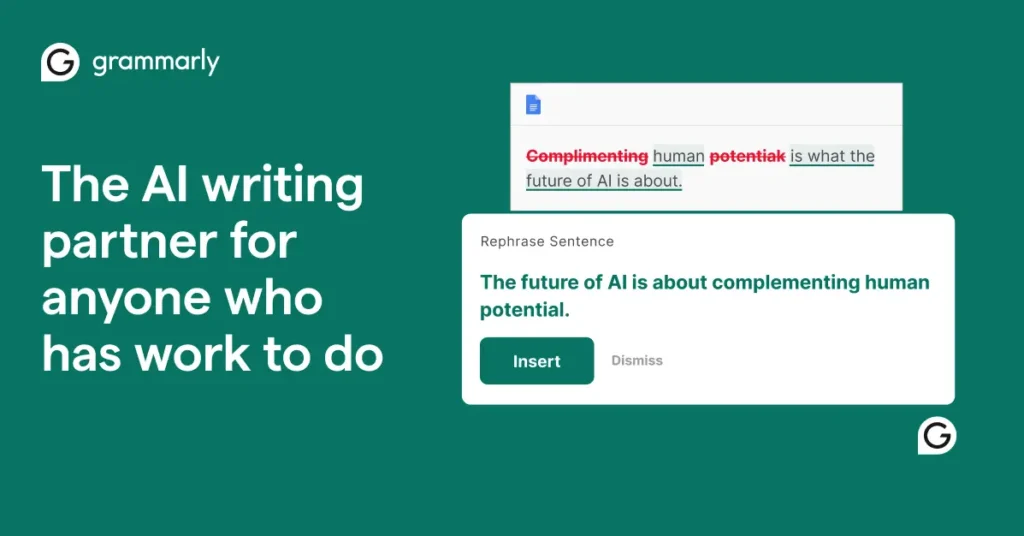
Grammarly is the tool you use after the draft exists. It generates ideas, outlines and drafts from a prompt, but its real value is rewriting: shortening a long passage, changing formality, fixing tone. It works across more than a million apps and sites, including Google Docs, Word, Gmail, Outlook, Slack and LinkedIn, with extensions for Chrome, Safari, Firefox and Edge. Its agents include a Citation Finder and Reader Reactions.
Pricing: Free is $0 with tone detection and 100 AI prompts a month. Pro is $12 a month billed annually and adds tone adjustment, full-sentence rewrites, plagiarism detection, AI text detection, citation consistency, a style guide and a brand tone, with 2,000 prompts per member a month.
Where it falls short: it improves wording but does nothing for SEO structure or research. A plagiarism score is not a fact-check, and AI detectors are imperfect. Ahrefs says so about its own detector.
9. Rytr
Best for: short copy on a tight budget.
Rytr’s Create tool drafts and edits emails, posts, ads and pages, including blog sections and SEO copy. It offers 40 use cases, 22 tones or your own voice, 38 languages and up to three variants at once, and a browser extension adds writing help in any text box. Nothing is sent without your approval.
The free plan is the draw: 10,000 characters a month forever, which is a little over a thousand words. Lite is $9 a month for unlimited characters. The $19 and $49 plans mainly add relationship-management features.
Where it falls short: Rytr now markets itself mainly as an AI relationship manager for professionals, with writing as one part of it. It has no SEO research or scoring, and it is not built for long, researched articles. Use it for snippets, descriptions and small jobs.
Which AI writing tool should you choose?
- Solo blogger, no budget: ChatGPT, Claude or Gemini free, plus Grammarly free for editing.
- Publishing several SEO posts a week: Koala, with a general assistant for outlines.
- Marketing team with a brand to protect: Jasper, or Copy.ai if you need workflows.
- Tracking AI search visibility: Writesonic.
- Mostly editing existing drafts: Grammarly.
Are free AI writing tools good enough?
For most beginners, yes. ChatGPT, Claude and Gemini all have free plans that handle outlines, drafts and rewrites. Grammarly’s free plan covers error checks with 100 AI prompts a month, and Rytr’s free plan handles short copy.
The trade-off is limits. Free plans cap messages, uploads or memory, and the best models usually sit behind a subscription. Once you hit those limits regularly, one paid plan at about $20 a month tends to beat three free ones. Free tools also will not give you SEO scoring or live competitor data.
How do you use AI writing tools without hurting your SEO?
Treat the tool as a fast junior writer, not the author.
- Start with real research. Pick the keyword and check what already ranks. Our guide to the best keyword research tools for SEO is a good starting point.
- Write the brief yourself. Give the tool the audience, the angle and your own notes.
- Draft in sections. Short prompts for one section at a time give better results than “write a 2,000-word post.”
- Check every fact. Google says to do this. Confirm names, prices, dates and statistics against the original source.
- Add what AI cannot. First-hand examples, your own data and a clear opinion are what readers remember.
- Edit for voice and run your checks. A handful of free SEO Chrome extensions will catch missing titles, canonicals and headings quickly.
- Be open about it. Google suggests telling readers how content was made in a way that makes sense for your audience.
What mistakes should you avoid?
Publishing the first draft is the biggest. Next comes mass-producing near-identical pages, which is exactly what the scaled content abuse policy targets. Others to avoid: trusting made-up statistics, pasting confidential client material into a tool without checking its data settings, and letting every post sound the same because nobody set a voice.
If you want help building a content process that uses AI well, Digiinte’s professional SEO services cover content planning, optimization and link building.
Frequently asked questions

Behind every post at digiinte.com is a team of experienced SEO analysts and digital growth specialists. Our insights are backed by real data, industry research, and hands-on campaign experience — so you get advice that actually moves the needle.