Last Updated on April 11, 2026 by Digiinte.com Team
Most SEO professionals spend the majority of their working day inside a browser. Switching between separate tools to check domain authority, inspect metadata, trace redirects, or pull keyword volumes costs more time than most people realize. The right SEO Chrome extensions solve this by bringing critical data directly to the page you are already viewing. This guide covers the top SEO Chrome extensions for 2026, what each one does best, which are completely free, and how to build a clean extension stack that speeds up your workflow without slowing down your browser.
Key Takeaways
- SEO Chrome extensions bring live keyword data, authority metrics, and technical audit tools directly into your browser
- The best free options include Keyword Surfer, SEO Meta in 1 Click, Redirect Path, and the Detailed SEO Extension
- Ahrefs SEO Toolbar and MozBar remain the strongest all-round extensions for professionals who need authority and backlink data fast
- Keywords Everywhere now works across Google, YouTube, Amazon, Bing, and nine other platforms from a single install
- A clean extension stack of four to five focused tools outperforms a cluttered toolbar loaded with overlapping functionality
- GEO-focused extensions like Glippy are emerging in 2026 to help sites optimize for AI-generated search answers
What Are SEO Chrome Extensions?
SEO Chrome extensions are browser add-ons installed directly into Google Chrome that display search engine optimization data on any webpage or search results page you visit. Instead of logging into separate platforms, you get real-time metrics including domain authority, backlink counts, keyword volumes, metadata, redirect paths, and on-page audit data while browsing. They are the fastest way to make routine SEO checks without leaving the page you are already working on.
Why SEO Chrome Extensions Matter in 2026
Search has become significantly more complex over the past 18 months. Google now processes AI Overviews for the majority of informational queries. Competition for organic visibility has intensified. The margin between a page that ranks and a page that does not often comes down to technical precision, metadata quality, and content depth rather than just keyword targeting.
Chrome extensions put actionable diagnostic data at your fingertips during the exact moments you need it. When you are analyzing a competitor page, prospecting for backlinks, or auditing your own content before publishing, an extension saves the five minutes of tab-switching and platform-logging that adds up to hours across a working week. According to research from SEOTesting, professionals who integrate browser-based SEO tools into their daily workflow consistently complete audits and competitive research in a fraction of the time compared to relying on standalone platforms alone.
Best SEO Chrome Extensions for 2026
1. Ahrefs SEO Toolbar
Best for: Full SEO audits, backlink analysis, and SERP research
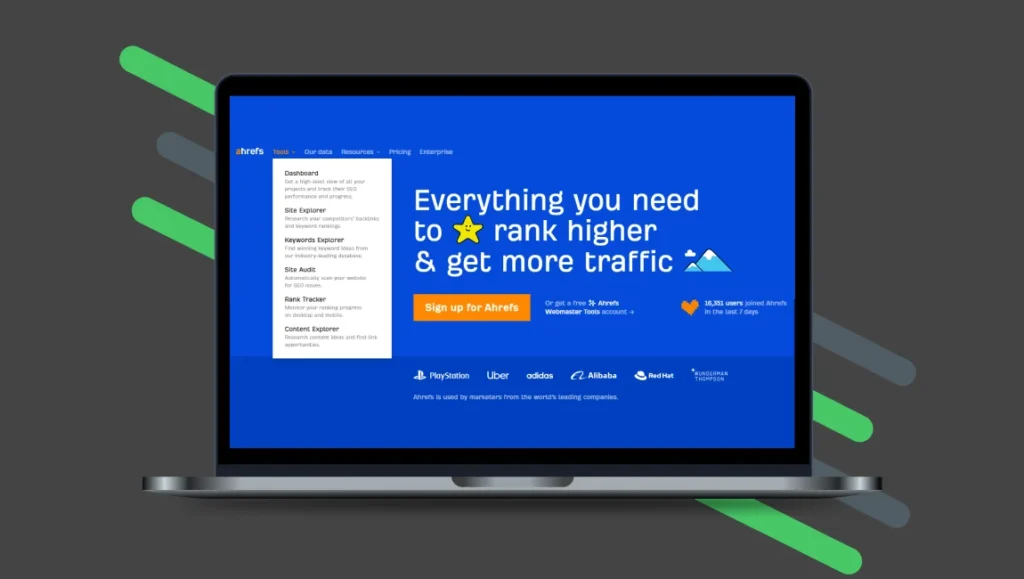
The Ahrefs SEO Toolbar is the closest thing to a professional-grade SEO platform built into Chrome. For any site you visit, it surfaces Domain Rating (DR), URL Rating (UR), estimated organic traffic, backlink count, and the number of referring domains at a glance. The SERP overlay overlays these metrics across every result on a Google search page, letting you assess competitor authority without opening a single separate tool. The on-page report checks meta titles, descriptions, canonical tags, indexation directives, heading structure, and outbound links in seconds. For Ahrefs subscribers, this extension adds exceptional value. Even on the free tier, the toolbar provides meaningful data for daily auditing and competitor research.
2. MozBar
Best for: Domain Authority and Page Authority metrics while browsing
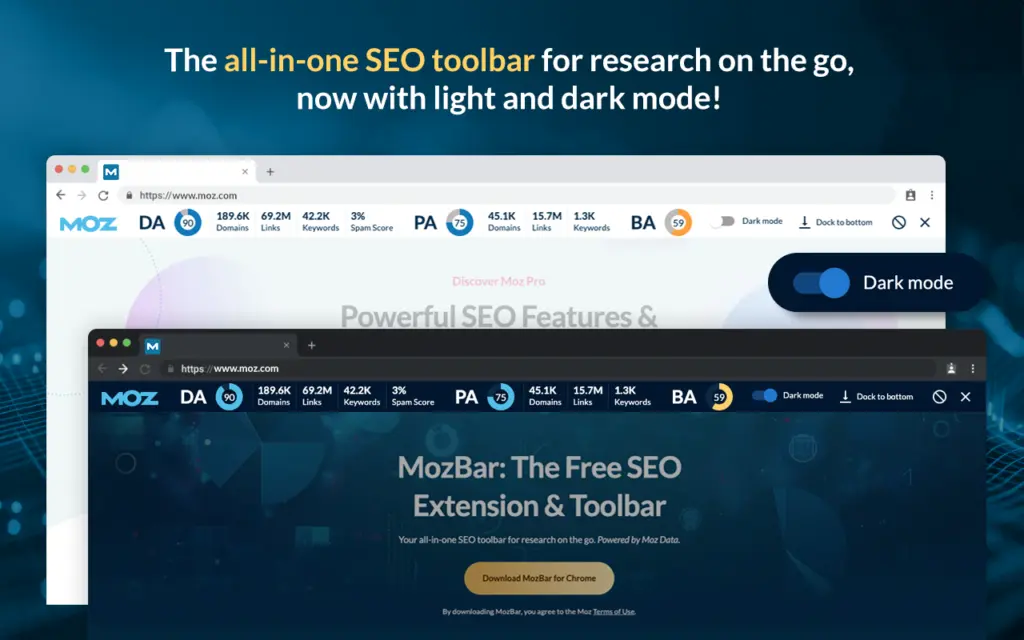
MozBar has been a reliable staple in professional SEO toolkits for years and continues to deliver in 2026. It displays Domain Authority (DA) and Page Authority (PA) for every site you visit, highlights dofollow and nofollow links on any page, and provides an instant snapshot of on-page elements including titles, headings, and meta descriptions. The SERP analysis overlay shows authority scores alongside organic results, making competitor link prospecting considerably faster. The free version is genuinely useful for everyday work, with Moz Pro unlocking keyword difficulty scores and more granular SERP data.
3. Keywords Everywhere
Best for: Keyword data across multiple platforms simultaneously
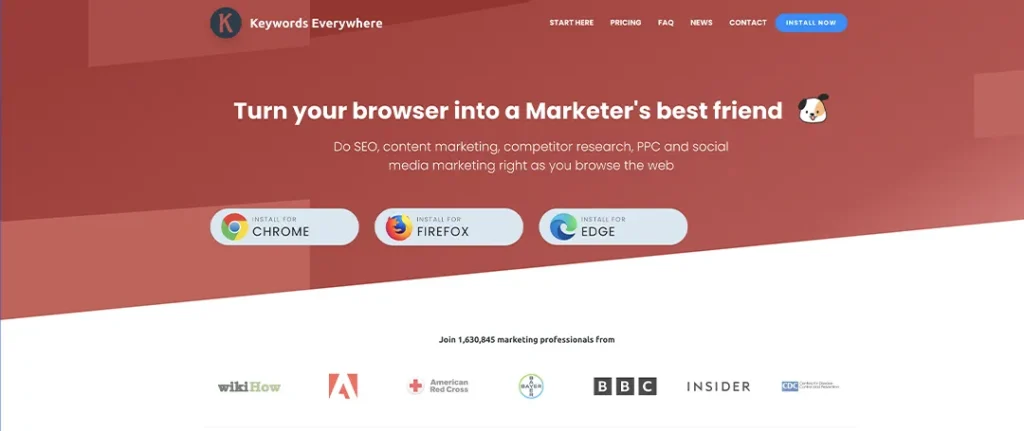
Keywords Everywhere injects monthly search volume, cost-per-click, and competition scores directly into search results across more than ten platforms including Google, YouTube, Amazon, Bing, and Etsy. This cross-platform functionality makes it uniquely valuable for content creators and e-commerce SEOs who need keyword data across different channels without running separate research sessions. It also surfaces related keywords, long-tail suggestions, and trend data alongside your live search results. Keywords Everywhere operates on a credit system starting at fifteen dollars per year, making it one of the most cost-effective paid extensions available.
4. Keyword Surfer
Best for: Free live keyword intelligence inside Google search results
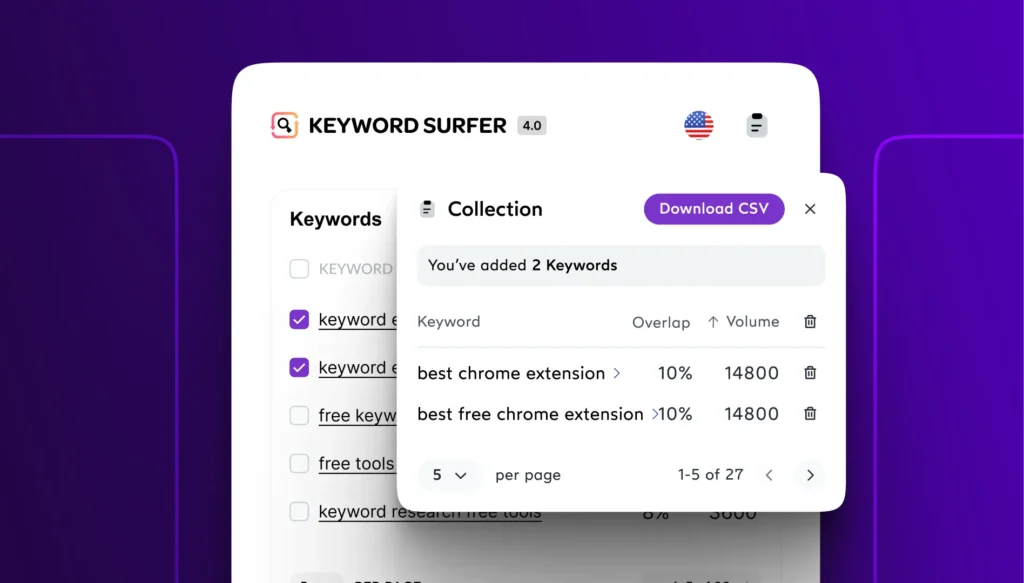
Built by Surfer SEO, Keyword Surfer is the strongest fully free keyword research extension available in 2026. It displays monthly search volume and related keyword suggestions directly in the Google search results panel, without requiring any account or payment. For each top-ranking result, it shows estimated monthly traffic and word count, giving content planners an immediate benchmark before they write a single word. Keyword Surfer has search volume data for over seventy countries including the US, UK, Australia, France, and Germany, making it useful for international SEO work. For teams managing tight budgets, this is the first extension to install.
5. SEMrush SEO Writing Assistant
Best for: Real-time on-page content optimization while writing
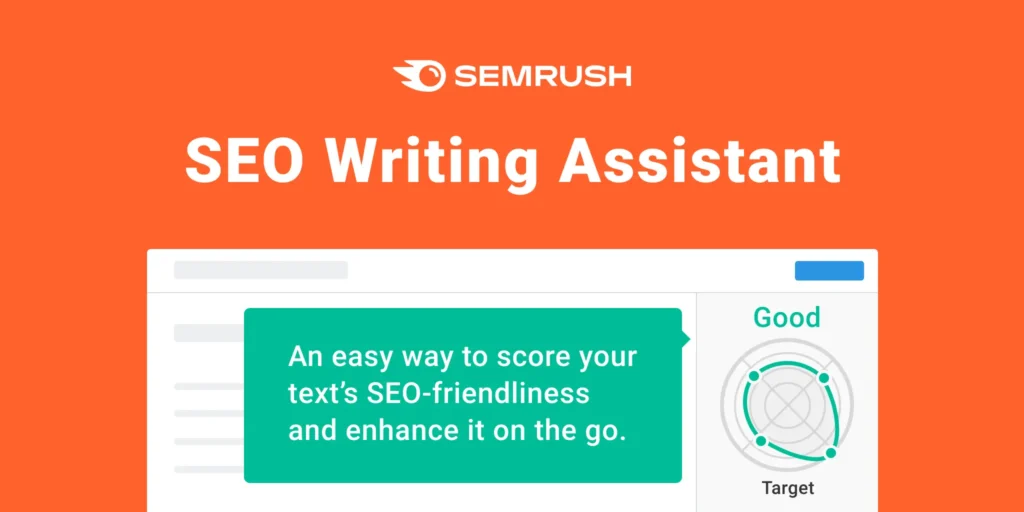
The SEMrush SEO Writing Assistant brings content scoring into the browser itself. As you write or review content, the extension evaluates readability, tone of voice, originality, and target keyword usage against the top-ranking pages for your focus term. It flags over-optimization, identifies missing semantically related terms, and scores overall SEO performance in real time. For content teams that want to optimize during drafting rather than after publication, this extension removes a significant step from the workflow. A SEMrush account is required to access full functionality.
6. SEO Meta in 1 Click
Best for: Instant metadata and heading audit on any page
SEO Meta in 1 Click does exactly what its name describes. One click reveals the full metadata picture of any page including the title tag, meta description, canonical URL, robots directives, Open Graph data, all heading tags in hierarchical order, image alt texts, and total link counts. For quick audits on client sites, competitor pages, or your own published content, no other extension delivers this level of structured on-page data faster. It is completely free with no account required and no data collection, making it a permanent fixture in most professional extension stacks.
7. Redirect Path
Best for: Technical redirect chain detection and HTTP status code checking
Redirect chains are one of the most common and damaging technical SEO issues, and Redirect Path surfaces them automatically as you browse. The extension flags every HTTP status code including 301, 302, 404, and 500 errors on the page you are visiting, displaying the full redirect path so you can identify chains, loops, and unnecessary hops that slow crawling and dilute link equity. It requires no configuration and works immediately upon installation. For technical SEOs and developers handling site migrations, Redirect Path is non-negotiable. It is completely free.
8. SimilarWeb
Best for: Competitor traffic sources and audience behavior research
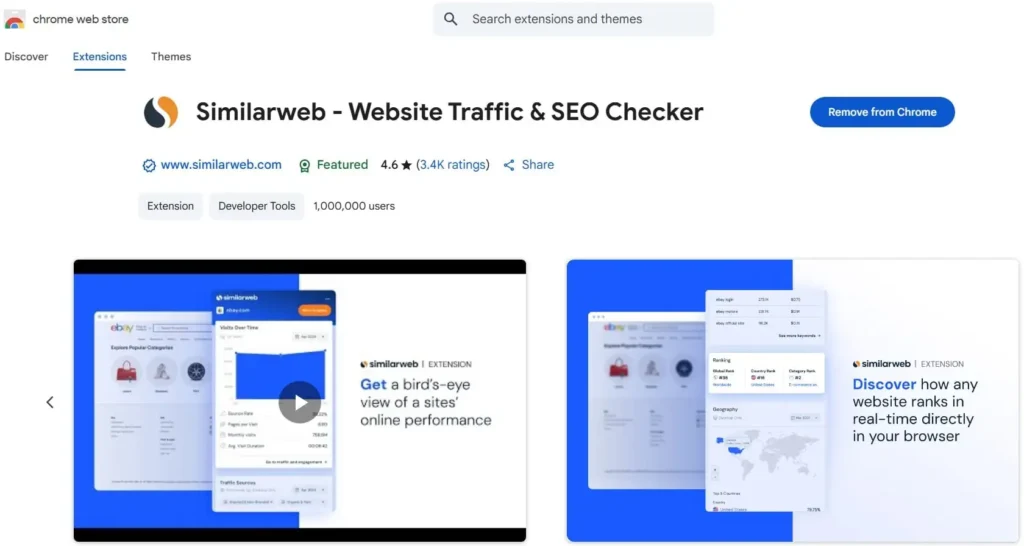
SimilarWeb gives you a traffic intelligence panel for any website you visit. Estimated monthly visitors, traffic source breakdown (organic, direct, referral, social, and paid), bounce rate, average session duration, and top referring domains all appear in a single sidebar panel. For competitive research and link prospecting, knowing where a competitor’s audience comes from informs your own channel strategy. SimilarWeb requires joining their contributor network to access the free version, which means sharing anonymized browsing data in exchange for access.
9. Ubersuggest
Best for: Beginner-friendly keyword and backlink data inside Google
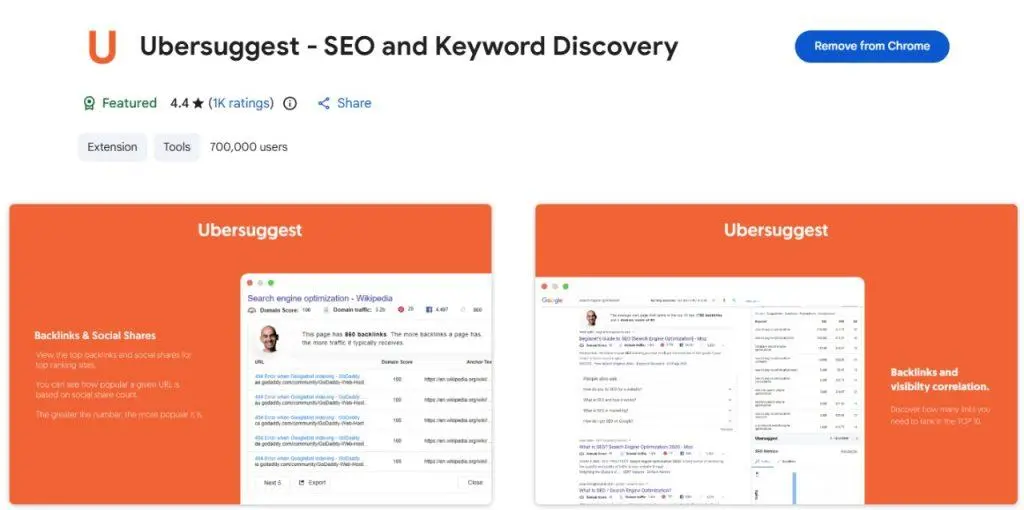
Created by Neil Patel, the Ubersuggest Chrome extension overlays keyword metrics directly in Google search results and provides a quick site overview when you visit any domain. Search volume, SEO difficulty, CPC, and related keyword suggestions appear without leaving the results page. The site view shows estimated organic traffic, top keywords, and backlink count in an easy-to-read format that makes Ubersuggest particularly approachable for marketers and bloggers who are newer to SEO. The free plan provides limited daily searches, with paid plans unlocking full data access from twenty-nine dollars per month.
10. Detailed SEO Extension
Best for: Deep on-page structural audit including schema and robots data
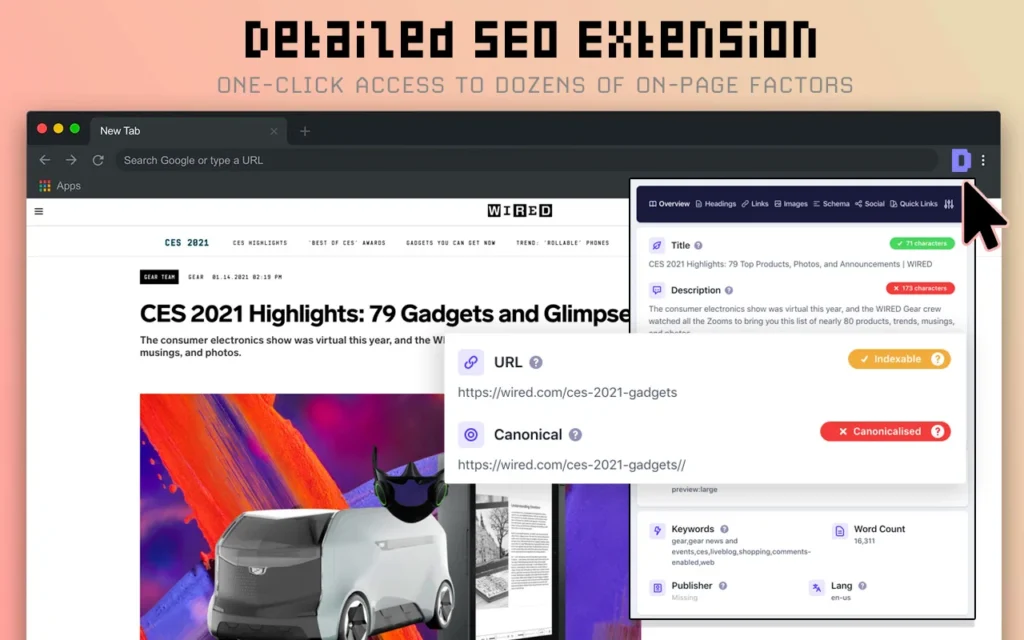
The Detailed SEO Extension goes further than most free on-page tools. In addition to the standard metadata and heading checks you would expect, it surfaces schema markup information, the X-Robots-Tag header, hreflang attributes, and detailed link analysis distinguishing internal, external, dofollow, and nofollow links. For SEOs running technical content audits or checking international targeting configurations, the extra depth this extension provides over simpler alternatives makes a real practical difference. It is entirely free and requires no account.
Quick Comparison: Top SEO Chrome Extensions at a Glance
| Extension | Best For | Free Plan | Paid From |
| Ahrefs SEO Toolbar | Full SEO audit and backlink data | Yes (limited) | Ahrefs plan |
| MozBar | Domain and page authority at a glance | Yes | Moz Pro $99/mo |
| Keywords Everywhere | Keyword data across 10 platforms | No | $15/year |
| Keyword Surfer | Live keyword data in Google results | Yes (full) | Free |
| SEMrush SEO Writing | On-page content optimization | Yes (limited) | SEMrush plan |
| SEO Meta in 1 Click | Instant metadata audit | Yes (full) | Free |
| Redirect Path | Technical redirect and status checks | Yes (full) | Free |
| SimilarWeb | Competitor traffic and source analysis | Yes (limited) | Custom pricing |
| Ubersuggest | Beginner keyword and backlink data | Yes (limited) | $29/month |
| Detailed SEO Extension | Deep on-page structural audit | Yes (full) | Free |
How to Build Your SEO Extension Stack Without Slowing Chrome Down
Installing too many extensions is a real performance problem. Each active extension consumes memory and can slow page load times, which matters both for your productivity and for any page speed checks you run. Professional SEOs typically keep four to five core extensions active at any time and disable the rest.
A recommended starting stack for most SEO workflows would combine Ahrefs SEO Toolbar or MozBar for authority metrics, Keyword Surfer for free keyword data in search, SEO Meta in 1 Click for on-page checks, and Redirect Path for technical diagnostics. That covers keyword research, on-page auditing, authority assessment, and technical health without any overlap between tools.
Use Chrome’s extension manager to disable rather than uninstall extensions you use occasionally. Disabled extensions consume no memory but remain available when needed with a single click.
Common Mistakes When Using SEO Chrome Extensions
- Installing too many overlapping tools: Extensions that all show domain authority create redundant data and slow your browser. Choose one authority tool and commit to it.
- Treating extension data as ground truth: Metrics like Domain Rating, Domain Authority, and estimated traffic are calculated differently by each tool and should be used directionally, not as precise facts.
- Leaving all extensions active simultaneously: Running ten extensions at once is a reliable way to make Chrome sluggish. Disable extensions you are not actively using in a given work session.
- Skipping free tools in favor of paid ones: Several of the most useful extensions in 2026 are entirely free. Keyword Surfer, SEO Meta in 1 Click, Redirect Path, and the Detailed SEO Extension together form a powerful free stack for daily work.
- Ignoring extension updates: SEO tools update their data sources and algorithms regularly. An outdated extension can surface stale or inaccurate metrics that lead to poor decisions.
Expert Tips for Getting More From Your SEO Extensions
- Use Keyword Surfer alongside competitor pages: When reviewing a top-ranking article, the word count and traffic estimate Keyword Surfer shows gives you an immediate content benchmark for that topic.
- Combine Redirect Path with site migrations: Before and after a URL change or site restructure, browse key pages with Redirect Path active to catch chains and broken redirects before they affect rankings.
- Run SEO Meta in 1 Click before publishing: Make it a pre-publish habit to open the extension on every page you are about to go live with. Catching a missing meta description or duplicate title takes seconds here and hours to fix after the fact.
- Use SimilarWeb for link prospecting: When a site appears in SimilarWeb as a strong referral source for a competitor, it is a direct link building opportunity worth investigating.
- Explore emerging GEO extensions: Tools like Glippy now score pages for AI agent readiness and Generative Engine Optimization across ten diagnostic categories. In 2026, optimizing for AI-generated search answers is becoming as important as optimizing for traditional rankings.
FAQ
Conclusion
The best SEO Chrome extensions in 2026 do not replace your core platforms. They make the hours you spend inside your browser significantly more productive. Whether you are running on-page audits with SEO Meta in 1 Click, pulling live keyword data from Keyword Surfer, catching redirect issues with Redirect Path, or checking domain authority with MozBar, the right extension stack saves hours across a working week and catches problems before they cost rankings.
Start with the free options to build the habit of in-browser SEO checking, then layer in paid extensions where the data depth justifies the investment. Four well-chosen extensions used consistently will always outperform a cluttered toolbar of ten tools used rarely.
