
Last Updated on September 30, 2026 by Digiinte.com Team
Facebook doesn’t give you a proper “save to device” button for most videos. You watch a recipe, a cricket clip, a tutorial a cousin shared, and a minute later it has sunk into the feed for good. So you search for the best free Facebook video downloader online, and the results are a mess: tool homepages that each claim to be number one, listicles that recommend the same five names, and a few sites that look one click away from handing you malware.
- Key Takeaways
- Quick Comparison of the 9 Tools
- How to Tell If a Facebook Video Downloader Is Safe
- The 9 Best Free Facebook Video Downloader Tools
- Which Facebook Video Downloader Should You Pick?
- How to Download Facebook Videos on Android and iPhone
- How to Download Facebook Reels
- Facebook Video to MP3: How to Save Just the Audio
- How to Download Your Own Facebook Videos
- Common Mistakes to Avoid
- Frequently Asked Questions
- Conclusion
I sorted through it so you don’t have to. Below are nine tools, what each one does well, where each one lets you down, and a short safety check you can run on any downloader before you paste a link into it. I have also covered Reels, MP3, Android and iPhone steps, and the legal side, because most guides skip exactly those parts.
Key Takeaways
- For public videos, a web tool (paste link, pick quality, save MP4) is enough. Desktop apps only matter for batches or when web tools break.
- Quality is capped by what the uploader posted. A “4K” badge on a downloader means nothing if the original video is 720p.
- Never type your Facebook password into a downloader, and skip anything that pushes an APK or EXE install for a simple web job.
- Your own videos: download through Facebook. Other people’s public videos: personal viewing only, and no reposting.
- No legitimate tool can open private videos you can’t see, or grab a live stream while it is still live.
Quick Comparison of the 9 Tools
Here is the short version. Details, catches and my notes on each tool follow in the next sections.
| Tool | Type | Cost | Best for |
| FDown.net | Web | Free | Quick single downloads |
| FDownloader | Web | Free | Quality picker plus MP3 |
| SnapSave | Web | Free | Using from a phone browser |
| GetFVid | Web + extensions | Free | Saving while you scroll |
| SaveFB.io | Web | Free | Videos, Reels and Stories in MP4 |
| FBDownload | Web | Free | MP3 conversion |
| 4K Video Downloader Plus | Desktop + Android | Free tier, paid plans | Batches and reliability |
| yt-dlp | Command line | Free, open source | Developers and automation |
| Facebook’s own download | Built in | Free | Videos you uploaded yourself |
How to Tell If a Facebook Video Downloader Is Safe
Free downloaders make their money from ads, and some of those ads are nasty. A safe Facebook video downloader passes every one of these checks, and if a site fails even one, close the tab and try another.
- It never asks for your Facebook login. You only paste a link. If a tool wants your username and password, walk away. There is no technical reason a public-video downloader needs them.
- It works in the browser. Be wary of sites that push an APK or EXE install for a job a web page can do. One downloader’s own FAQ says a video downloader never needs one, and I agree.
- Check the exact domain. Lookalikes are everywhere. FDownloader shows up on more than one domain (.net and .vn), and I can’t tell you they share an owner. Type the address yourself instead of clicking an ad or a search snippet.
- Close fake popups. “Update Flash Player”, “Your phone is infected” and forced notification prompts are not part of downloading a video.
- Install nothing extra. Extensions and codec packs are the most common way a simple download turns into a browser hijack.
The 9 Best Free Facebook Video Downloader Tools
A quick note on how to read this list. The first six are web tools that need no install. Number seven is a desktop app for bigger jobs, number eight is for people comfortable with a terminal, and number nine is the official route for your own uploads.
1. FDown.net
One of the longest-running Facebook downloaders online, and the interface shows it: paste the link, pick SD or HD, save the MP4. Traffic data from Ahrefs lists it at the top for “facebook video download” searches in India, which tells you how many people already use it. The catch is the one every free web tool shares. When Facebook changes its page layout, the downloader can stop detecting videos until the developer patches it, and the site’s own update log shows a history of exactly those fixes. If it fails one day, that is usually why. Try again tomorrow, or switch to another tool from this list.
Best for: quick single downloads.
2. FDownloader
FDownloader lists every quality the original video offers, from 360p up to Full HD, 2K or 4K where the upload supports it, and adds an MP3 option. No signup and no software. That quality list is the useful part: you see what the video really is before you save it, instead of guessing. Because several sites use the FDownloader name on different domains, double-check the address using the safety steps above before you paste anything.
Best for: people who want to choose a quality, or save audio.
3. SnapSave
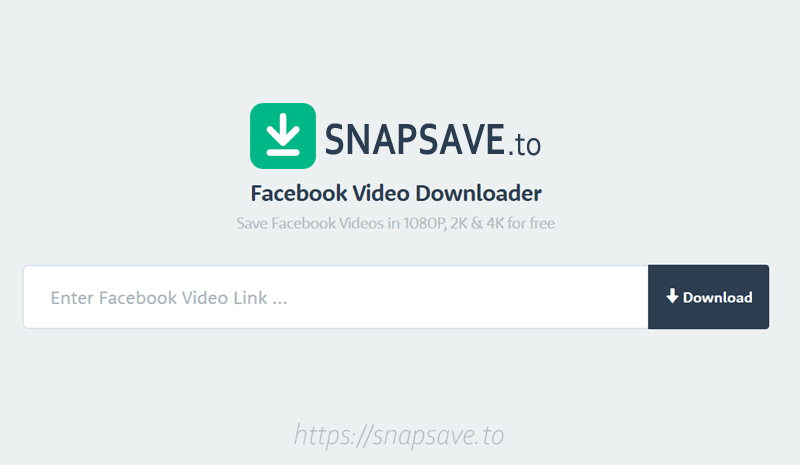
SnapSave is set up for phones. It runs in a mobile browser and claims to support Full HD, 2K and 4K downloads, plus Stories. It also calls itself the fastest and most stable Facebook downloader, but that line comes from its own homepage, so treat it as marketing until you test it yourself. It is a good one to keep bookmarked on your phone as a backup.
4. GetFVid
GetFVid is free and comes as a web tool plus Chrome and Firefox extensions, so you can save a clip without leaving the Facebook tab. That convenience has a price, because extensions ask for permissions. Install it only from the official store listing, read what it asks to access, and remove it if you stop using it. If you would rather not add anything to your browser, the plain web version does the same job.
Best for: saving clips while scrolling.
5. SaveFB.io
A cleaner layout than most of the older sites, and it handles regular videos, Reels and Stories as MP4 files. If the busy, ad-crowded look of some downloaders puts you off, this is a good place to start. Like every tool here, it only works on content you can already see and that is publicly accessible.
6. FBDownload
FBDownload is a web tool with quality choices and MP3 conversion. It advertises 4K and even 8K, and this is a good place to use some common sense: no downloader can give you more resolution than the uploader posted. If the original is 720p, an “8K” button will not change that. Use it mainly when you want audio, or when your first-choice tool is down.
Best for: MP3 extraction..
7. 4K Video Downloader Plus
This is a desktop app for Windows, Mac and Linux, with an Android version as well. It has a free tier with limits, and third-party reviews list paid plans at roughly $15 a year (Lite), $25 lifetime (Personal) and $45 lifetime (Pro). Check the official pricing page before you buy, because those numbers can change. One thing worth knowing before you pay: people who bought a “lifetime” licence for the older version found it did not carry over when that version’s support ended on February 1, 2026. Read what a licence covers before you pay for it.
It is the tool I would pick for bulk downloads or when web tools keep failing. If you want to see how it compares with other desktop options such as SnapDownloader and VideoProc Converter, our YouTube video downloader comparison breaks down speed, quality and price for those apps.
Best for: batches and reliability.
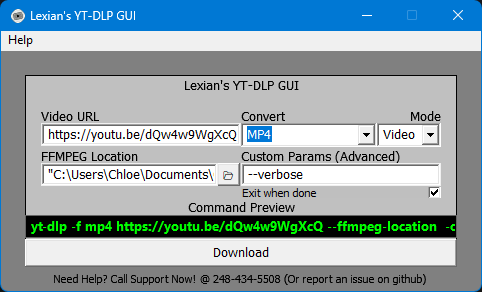
8. yt-dlp
Open source, command line, no ads. For developers it is the cleanest option on this list. Install it along with ffmpeg (so it can merge separate audio and video streams), then run:
yt-dlp -F “FACEBOOK_VIDEO_URL”
yt-dlp -f “bv*+ba/b” “FACEBOOK_VIDEO_URL”
The first line lists the formats available. The second downloads the best video plus best audio. Facebook extraction can break between releases, so if you get an error, update yt-dlp first before you assume the video is the problem.
9. Facebook’s Own Download Option
This isn’t a downloader in the usual sense, but for videos you uploaded yourself it is the only fully safe route. There is no third-party site, no ads and no risk to your account. The steps are in the “Download Your Own Facebook Videos” section further down.
Which Facebook Video Downloader Should You Pick?
If you don’t want to read all nine, use this shortcut:
- One public video, on your phone: SnapSave or FDown.net in your mobile browser.
- You want a specific quality or just the audio: FDownloader or FBDownload.
- Ten videos or more, or web tools keep failing: 4K Video Downloader Plus.
- You are a developer or want automation: yt-dlp.
- Your own uploads or a full backup: Facebook itself.
How to Download Facebook Videos on Android and iPhone
Both phones work the same way through a web tool, and neither needs an app. Here is the full process:
- Open the video in the Facebook app, tap Share, then tap Copy link.
- Open your browser: Chrome on Android, Safari on iPhone. Go to your chosen downloader by typing the address yourself.
- Paste the link into the box and tap the download button. Wait a few seconds while the tool reads the video.
- Pick a quality. HD is bigger, and on limited mobile data a 1080p video can eat a chunk of your daily quota, so choose SD if you only need to watch it once.
- Save the file. On Android it usually lands in your Downloads folder or Gallery. On iPhone, Safari saves it into the Files app, and you can send it to Photos from the Share menu.
If nothing happens when you tap download, the usual causes are a popup blocker, an old browser, or a link copied from the wrong place. Copy the link again from the Share menu rather than from the address bar. And don’t install a “downloader app” from outside the official store for this. The browser route needs nothing installed.
How to Download Facebook Reels
Reels work like any other video, but the link looks a little different. Copy the Reel’s link (the address usually contains /reel/) and paste it into a tool that lists Reel support, such as SaveFB.io or FDownloader. Short fb.watch links generally work too.
If the tool says the Reel “isn’t available”, the Reel is usually private, has been deleted, or is restricted by the creator. No downloader can fix that, and any site that claims otherwise is not worth trusting. Stories follow the same rule. They vanish after 24 hours, so if you want one, save it before it disappears, and only if it is public.
Facebook Video to MP3: How to Save Just the Audio
Sometimes you only want the sound: a talk, an interview, a livestream replay you would rather listen to than watch. FDownloader and FBDownload both offer an MP3 option on the same page as the video download, and 4K Video Downloader Plus can pull the audio out on desktop.
Two things to keep in mind. First, audio quality depends on the original, so a low-quality upload gives you a low-quality MP3. Second, if the video contains licensed music, the same copyright rules apply to the audio as to the video. Saving a speech for yourself is very different from ripping a song and sharing it.
How to Download Your Own Facebook Videos
This is the safest route, and it needs no third-party tool. Open one of your own videos, tap the three-dot menu, and look for a download or save-to-device option. The exact wording changes between versions of the app, so check it on your phone before you follow these steps blindly.
For a full backup instead of one video at a time, Facebook’s “Download your information” tool in your account settings exports your data, and that includes videos you uploaded. It can take a while to prepare and arrives as a file you download. Do this once in a while, especially before you delete an old page or account.
Common Mistakes to Avoid
- Trusting the biggest button. It is usually an ad. Look for the smaller link under the quality list.
- Chasing “4K” or “8K”. The tool can only offer what the uploader posted.
- Downloading with your account details. A public-video downloader never needs your password.
- Installing an app to do a web job. Skip sideloaded APKs. A browser is enough.
- Reposting without asking. That is the step that turns a harmless download into a copyright problem.
- Giving up after one failure. Tools break when Facebook updates. Try a second tool from the list.
Frequently Asked Questions
Conclusion
The best free Facebook video downloader online is the one that passes the safety checks, not the one with the loudest “#1” badge. Start with a web tool for a single public video. Move to 4K Video Downloader Plus or yt-dlp when you need volume. Use Facebook itself for your own uploads. And whatever you save, keep it for yourself unless you have permission to share it.
Your next step: bookmark two tools from this list, so when one breaks after a Facebook update, you already have a backup. If you also save videos from YouTube, our best YouTube video downloader tools guide gives you the same tested comparison for that platform.

Behind every post at digiinte.com is a team of experienced SEO analysts and digital growth specialists. Our insights are backed by real data, industry research, and hands-on campaign experience — so you get advice that actually moves the needle.