

Last Updated on February 23, 2026 by Digiinte.com Team
Key Takeaways
The best WordPress popup plugins of 2026 are: OptinMonster, Popup Maker, Thrive Leads, Elementor Pro Popups, and Icegram.
- OptinMonster is best for enterprise-level CRO.
- Popup Maker is best for developers needing customization.
- Elementor Pro Popups is ideal for designers already using Elementor.
- Performance impact and Core Web Vitals matter more than design alone in 2026.
- Always prioritize consent management and data compliance.
- What Are WordPress Popup Plugins?
- Why Popup Plugins Still Matter in 2026
- How Popup Plugins Impact SEO, AEO & GEO
- Comparative Analysis Table: Best WordPress Popup Plugins (2026)
- 1. OptinMonster
- 2. Popup Maker
- 3. Thrive Leads
- 4. Elementor Pro Popups
- 5. Icegram
- How to Choose the Best WordPress Popup Plugin
- Conclusion
- FAQs
What Are WordPress Popup Plugins?
WordPress popup plugins are tools that allow website owners to display modal windows, slide-ins, banners, or overlays triggered by user behavior. They are primarily used for lead generation, promotions, announcements, email capture, and conversion optimization. Modern popup plugins in 2026 include advanced targeting, AI-based personalization, and performance optimization to prevent negative SEO impact.
Popups are no longer just annoying interruptions. They’re strategic conversion tools when implemented correctly.
Why Popup Plugins Still Matter in 2026
Despite evolving UX standards, popup plugins remain critical because they significantly increase conversion rates when behavior-triggered. According to CRO benchmarks, well-optimized popups convert between 3%–10%. In 2026, the focus has shifted toward intent-driven triggers, personalization, and non-intrusive formats that comply with Google’s Page Experience guidelines.
If used poorly, they hurt rankings. If used strategically, they amplify revenue.
How Popup Plugins Impact SEO, AEO & GEO
Popup plugins impact SEO through Core Web Vitals, mobile usability, and content accessibility. For AEO (Answer Engine Optimization) and GEO (Generative Engine Optimization), popups should not block primary content or interfere with AI crawlers. Proper implementation ensures HTML accessibility, lightweight scripts, and minimal layout shift.
Think of popups like seasoning in cooking. Too much ruins the dish. Just enough enhances it.
Comparative Analysis Table: Best WordPress Popup Plugins (2026)
| Tool Name | Best For | Unique Feature | Price |
| OptinMonster | Enterprise CRO | AI Behavior Targeting | Paid |
| Popup Maker | Developers | Full Custom Triggers | Free + Pro |
| Thrive Leads | Bloggers/Marketers | Smart A/B Testing | Paid |
| Elementor Pro Popups | Designers | Visual Drag Builder | Paid |
| Icegram | Beginners | Lightweight & Simple | Free + Pro |
1. OptinMonster
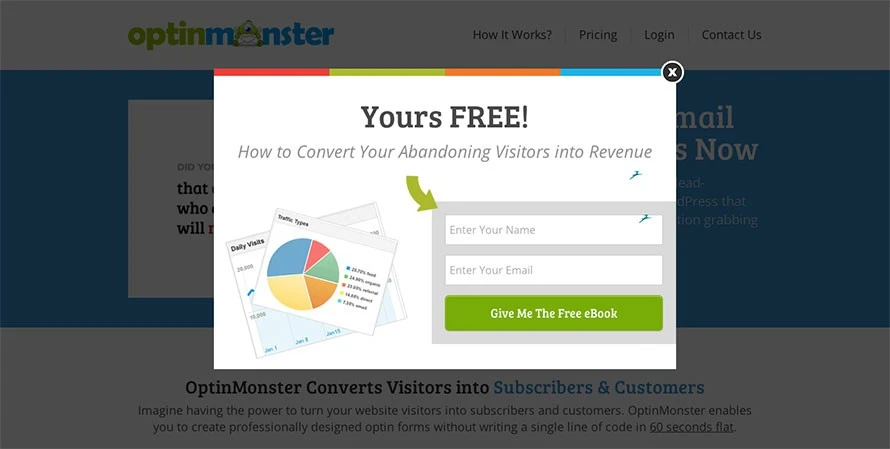
OptinMonster is the most advanced WordPress popup plugin in 2026, designed for enterprise-level lead generation and conversion rate optimization. It offers AI-based targeting, exit-intent detection, geolocation targeting, and seamless CRM integrations. It operates as SaaS, reducing server load and protecting Core Web Vitals.
- Exit-Intent Detection: Triggers popups when users are about to leave, increasing conversions without disturbing browsing.
- Behavior & Scroll Triggers: Displays popups based on scroll depth, time on page, clicks, or user activity.
- AI-Based Targeting: Personalizes offers for new visitors, returning users, and cart abandoners.
- Geolocation Targeting: Shows location-specific campaigns based on country or region.
- A/B Testing & Analytics: Test multiple versions and track conversions with built-in reporting.
- CRM Integrations: Connects with tools like Mailchimp, HubSpot, and Salesforce.
- SaaS-Based Architecture: Runs off-site, reducing server load and improving performance.
Best Use Case
Large SaaS websites and eCommerce platforms requiring precise targeting.
SEO Perspective
Because it runs off-site, it reduces JavaScript load on WordPress servers — critical for performance SEO.
2. Popup Maker
Popup Maker is a powerful, developer-focused WordPress popup plugin built for flexibility and deep customization. Unlike SaaS-based tools, it runs directly within WordPress, giving full control over design, triggers, and targeting conditions. It integrates seamlessly with major form builders like Contact Form 7, WPForms, Gravity Forms, and WooCommerce, making it ideal for advanced funnel setups.
Key Features
- Cookie-Based Targeting
Control how often users see a popup using cookies. You can prevent repeat displays after a user converts, improving user experience and reducing annoyance. - Advanced Condition Logic
Display popups based on detailed rules such as specific pages, categories, logged-in status, referral source, or user behavior. This allows precise campaign targeting. - WooCommerce Integration
Trigger popups based on cart behavior, product views, or checkout actions — useful for cart recovery and upsells. - Custom CSS & Full Design Control
Developers can fully customize popup design using custom CSS and theme styling, allowing complete branding consistency.
Best Use Case
Best suited for agencies and developers building custom funnels who need full control over targeting rules, styling, and integrations without relying on external SaaS platforms.
SEO Perspective
Since Popup Maker runs locally within WordPress, it can add JavaScript and CSS load to your site. Without proper optimization (like script minification, lazy loading, and caching), it may impact Core Web Vitals. Careful performance testing is recommended to maintain SEO strength.
3. Thrive Leads
Thrive Leads is a conversion-focused WordPress popup plugin designed primarily for bloggers, content creators, and marketers. It simplifies lead generation with built-in A/B testing, ready-made templates, and smart targeting features. As part of the Thrive Suite ecosystem, it integrates tightly with other Thrive tools, making it a strong option for content-driven websites focused on email list growth.
Key Features
- Built-in A/B Testing
Easily test different popup designs, headlines, offers, and triggers to identify what converts best. The system automatically tracks results and can choose winning variations. - SmartLinks Technology
Show different popups to existing subscribers versus new visitors. For example, hide opt-in forms from users who are already on your email list. - Pre-Designed Template Library
Access professionally designed popup templates that can be customized quickly without coding knowledge. - Detailed Conversion Reports
Provides in-depth analytics on impressions, conversions, and conversion rates, helping optimize campaigns over time.
Best Use Case
Ideal for content-heavy blogs and affiliate sites that rely on email marketing, lead magnets, and audience nurturing.
SEO Perspective
Thrive Leads integrates deeply into WordPress, which offers flexibility but can add extra script load. Without proper caching and performance optimization, it may impact page speed more than SaaS-based popup solutions.
4. Elementor Pro Popups

Elementor Pro Popups allow WordPress users to create fully customized popups using Elementor’s drag-and-drop visual builder. Instead of relying on preset designs, users can design popups exactly like they design pages. It integrates seamlessly with existing Elementor layouts, making it ideal for websites already built with Elementor.
Key Features
- Full Visual Drag-and-Drop Builder
Design popups with complete control over layout, typography, colors, spacing, and structure — no coding required. - Custom Triggers & Display Conditions
Trigger popups based on scroll depth, time on page, exit intent, clicks, or specific page conditions. - WooCommerce Targeting
Show popups on product pages, cart pages, or checkout flows to promote offers and reduce cart abandonment. - Advanced Animation Controls
Add entrance and exit animations to create smooth, professional-looking interactions.
Best Use Case
Best suited for design-focused websites and businesses already using Elementor for page building.
SEO Perspective
If Elementor is already part of your stack, the popup feature adds minimal additional load. However, installing Elementor solely for popups may introduce extra CSS and JavaScript, potentially affecting performance if not optimized.
5. Icegram
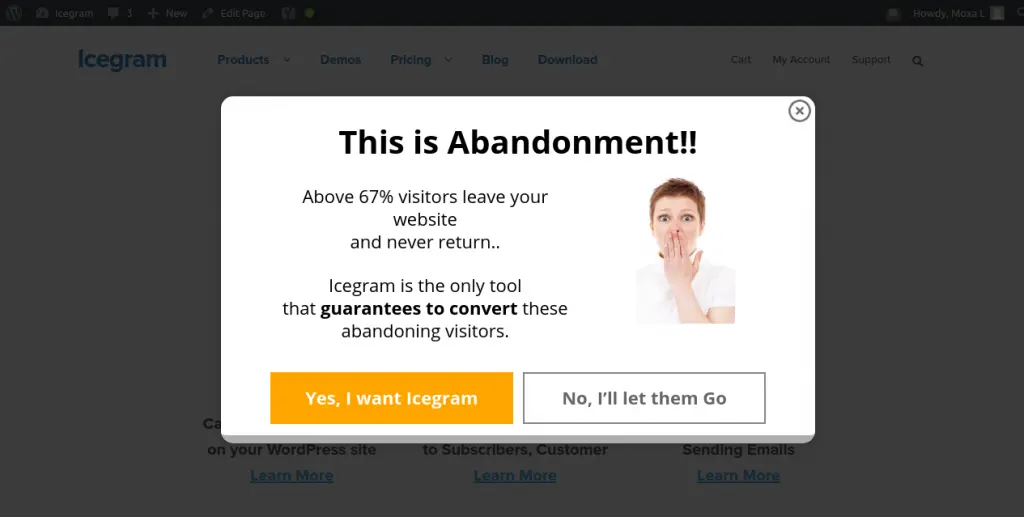
Icegram is a lightweight WordPress popup plugin designed for beginners, bloggers, and small business websites. It provides essential popup formats such as banners, slide-ins, and notification bars without complex setup. Unlike advanced enterprise tools, Icegram focuses on simplicity, speed, and quick deployment.
Key Features
- Lightweight Script
Built to run efficiently without adding heavy JavaScript, helping maintain site speed. - Easy Setup & User-Friendly Interface
Simple dashboard with guided campaign creation, ideal for non-technical users. - Multiple Campaign Types
Supports popups, slide-ins, action bars, header/footer notifications, and inline opt-ins. - Affordable Pricing Structure
Offers a strong free version with optional paid upgrades for advanced targeting.
Best Use Case
Perfect for small blogs, startups, and personal websites looking for simple lead capture without complex configuration.
SEO Perspective
Because Icegram is lightweight, it typically has minimal impact on Core Web Vitals. Proper trigger timing and frequency settings ensure it does not interfere with user experience or search engine performance.
How to Choose the Best WordPress Popup Plugin
Choosing the best WordPress popup plugin depends on your traffic volume, performance requirements, targeting needs, and design preferences. Prioritize performance optimization, targeting flexibility, and integration capabilities.
Selection Criteria
- Core Web Vitals impact
- Mobile usability
- Exit-intent capability
- A/B testing support
- CRM integration
How Do Popup Plugins Impact Core Web Vitals and Website Performance?
Popups can directly influence Core Web Vitals if not implemented correctly. The three primary metrics affected are CLS (Cumulative Layout Shift), LCP (Largest Contentful Paint), and INP/FID (Interaction to Next Paint / First Input Delay).
- CLS (Cumulative Layout Shift):
If a popup loads abruptly and shifts visible content, it can increase layout instability. Proper overlays that don’t push content prevent this issue. - LCP (Largest Contentful Paint):
Heavy scripts or blocking resources can delay the loading of primary page content, negatively affecting perceived speed. - INP / FID (Interaction Responsiveness):
Excessive JavaScript can delay user interactions, making the site feel sluggish.
The best popup plugins in 2026 use asynchronous loading, delayed triggers, lightweight scripts, and smart rendering to avoid performance penalties.
Best Practice: Always test your implementation using Google PageSpeed Insights or Lighthouse after activating popups to ensure performance remains stable.
Conclusion
The best WordPress popup plugins of 2026 are no longer just design tools — they are strategic conversion systems. For SEO professionals and WordPress developers, performance and intent-based targeting matter more than flashy animations.
Choose wisely, test continuously, and always prioritize user experience.
FAQs
