
Last Updated on August 26, 2026 by Digiinte.com Team
WordPress does not come with a shopping cart built in, which surprises a lot of first time store owners. If you want to sell anything through your WordPress site, physical products, digital downloads, memberships, or subscriptions, you need a plugin to make that happen.
- Key Takeaways
- What to Look for in a WordPress Ecommerce Plugin
- The 9 Best WordPress Ecommerce Plugins
- 1. WooCommerce
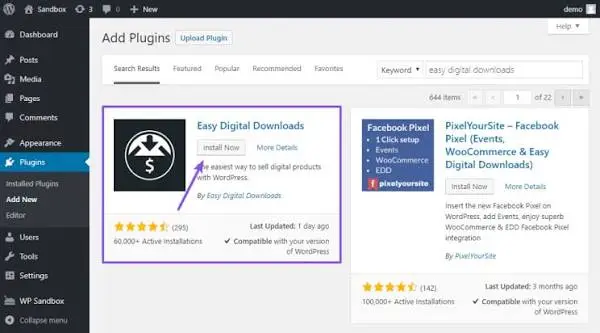
- 2. Easy Digital Downloads
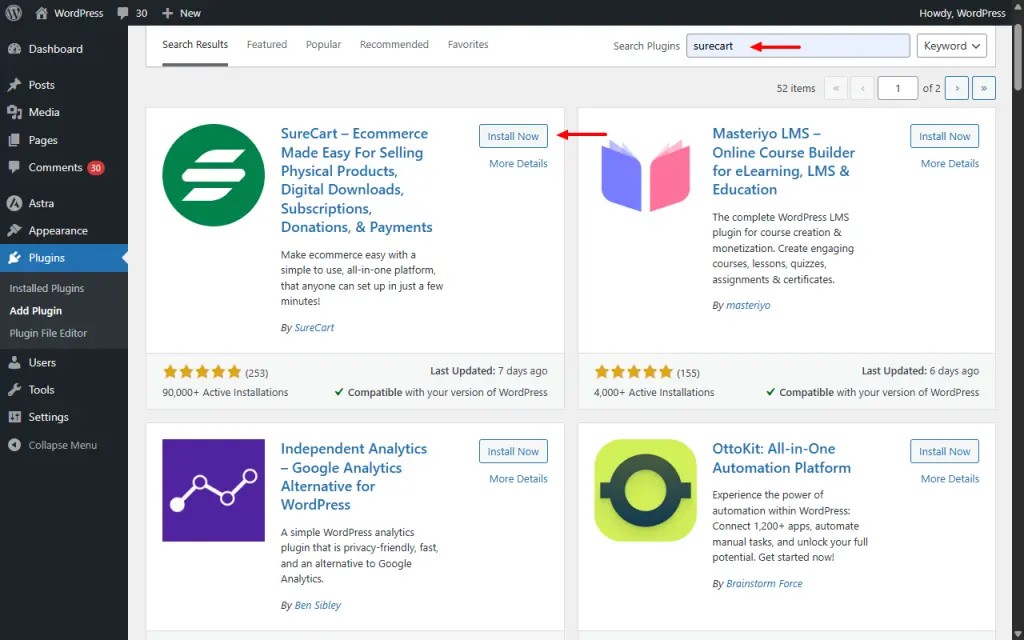
- 3. SureCart
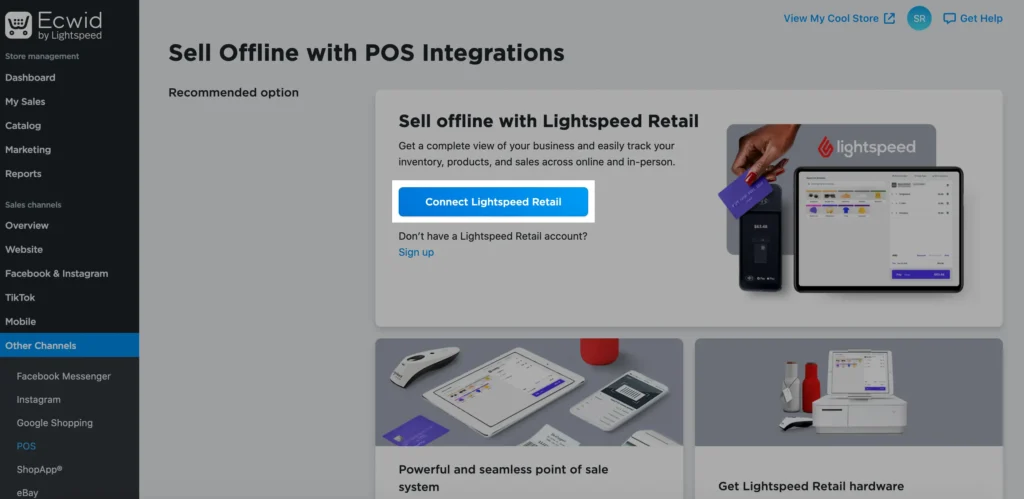
- 4. Ecwid by Lightspeed
- 5. MemberPress
- 6. BigCommerce for WordPress
- 7. WP EasyCart
- 8. Shopify Buy Button
- 9. CartFlows
- Quick Comparison Table
- How to Choose the Right Plugin for Your Store
- Frequently Asked Questions
- Conclusion
The good news is you have options, more options than you probably need. The tricky part is figuring out which plugin actually fits what you are selling, since a plugin built for digital downloads works very differently from one built for physical inventory or recurring memberships.
This guide covers 9 WordPress ecommerce plugins worth considering in 2026, what each one is actually built for, where it falls short, and who should use it. Instead of one giant list ranked by popularity, think of this as a shortcut to matching the right tool to what you are actually trying to sell.
Key Takeaways
- WooCommerce remains the most flexible, widely supported option and is the right starting point for most physical product stores.
- If you sell digital products like ebooks, courses, or software licenses, Easy Digital Downloads is built specifically for that, with fewer unnecessary features than a general purpose plugin.
- SureCart and Ecwid both offer a more modern, hosted checkout experience if you want less technical setup than WooCommerce requires.
- MemberPress is the strongest choice if your business model is memberships or subscription content rather than one time product sales.
- Not every plugin on this list needs WordPress hosting reconfigured for ecommerce. Some, like Ecwid and the Shopify Buy Button, run mostly on someone else’s servers, which changes what you are actually responsible for maintaining.
- CartFlows is not a full store plugin on its own. It works alongside WooCommerce to build sales funnels and improve checkout conversion rates.
What to Look for in a WordPress Ecommerce Plugin
Before comparing individual plugins, here is what actually separates a good ecommerce plugin from one that will frustrate you six months in.
- Match to your product type. A plugin built for physical inventory handles shipping and stock differently than one built for digital downloads or memberships. Picking the wrong category creates unnecessary extra setup work.
- Payment gateway support. Check that the plugin supports the payment processors you actually want to use, like Stripe or PayPal, without needing an expensive add on just to accept payments.
- Ongoing costs beyond the plugin itself. Many ecommerce plugins are free to install but charge for extensions, premium themes, or transaction fees that add up once your store is actually running.
- Hosting requirements. Some plugins need more server resources than others, especially once your product catalog and order volume grow. Cheap shared hosting can slow down a heavier ecommerce setup.
- Room to grow. Consider whether the plugin can handle subscriptions, bundles, or multiple payment gateways later, even if you do not need them on day one.
The 9 Best WordPress Ecommerce Plugins
1. WooCommerce
WooCommerce is the plugin most people think of first when it comes to WordPress ecommerce, and it earns that position. Built by Automattic, the same company behind WordPress.com, it integrates directly into WordPress rather than feeling like a bolted on addition.
Standout features:
- Free core plugin with support for physical products, digital downloads, and simple subscriptions
- Massive extension marketplace covering shipping calculators, tax automation, subscriptions, bookings, and nearly anything else a store might need
- Full design control through any WordPress theme or page builder, rather than being limited to a fixed set of templates
- Large community and documentation, meaning most setup questions already have an answer somewhere online
Where it falls short:
- The core plugin is free, but a fully functional store often requires several paid extensions, which adds up over time
- Performance depends heavily on your hosting. Cheap shared hosting struggles once your product catalog and order volume grow
- Initial setup takes longer than more guided, hosted alternatives, since you are configuring payment gateways, shipping, and tax settings separately
Best for: businesses that want maximum long term flexibility and are comfortable investing time upfront to set things up properly. If you are also weighing this against a fully hosted platform, our comparison of WooCommerce vs Shopify breaks down that decision in more depth.

2. Easy Digital Downloads
Easy Digital Downloads, often shortened to EDD, is built specifically for selling digital products. Rather than trying to handle shipping and physical inventory like WooCommerce, it focuses entirely on things like ebooks, software licenses, templates, and downloadable courses.
Standout features:
- Purpose built for digital delivery, with automatic file delivery links sent immediately after purchase
- Software licensing tools built in, useful if you sell plugins, themes, or any product requiring license key management
- Cleaner, more focused dashboard than general purpose ecommerce plugins, since there is no shipping or inventory clutter to wade through
- Strong reporting on digital sales specifically, including refund tracking and customer purchase history
Where it falls short:
- Not built for physical products, so it is the wrong choice if your catalog includes anything requiring shipping
- Some genuinely useful features, like recurring payments or advanced marketing tools, require paid extensions
- Smaller extension ecosystem than WooCommerce, simply because it serves a narrower use case
Best for: creators and businesses selling exclusively digital products who want a plugin built around that specific need rather than a general store repurposed for it.
3. SureCart
SureCart is one of the newer entries in this space, built around a more modern, streamlined checkout experience than older plugins typically offer.
Standout features:
- Fast, conversion optimized checkout process, often completing in fewer steps than a typical WooCommerce checkout
- Handles physical products, digital products, and subscriptions all within one plugin, without needing separate extensions for each
- Built in upsell and order bump features to increase average order value without a third party app
- Clean, modern dashboard that feels less cluttered than plugins that have accumulated features over many years
Where it falls short:
- Smaller community and fewer third party tutorials available compared to long established plugins like WooCommerce
- Some advanced customization still requires developer knowledge, despite the more streamlined base experience
- Newer platform overall, so the long term extension ecosystem is still growing compared to more mature competitors
Best for: store owners who want a faster, more modern checkout experience without WooCommerce’s accumulated complexity, especially for stores selling a mix of product types.
4. Ecwid by Lightspeed
Ecwid takes a different approach entirely. Instead of running your store fully inside WordPress, it hosts the actual store infrastructure on its own servers and embeds it into your WordPress site, meaning checkout security and most backend processes are handled outside your WordPress installation.
Standout features:
- Works with virtually any WordPress theme, since it embeds as a widget rather than requiring theme specific compatibility
- Hosted, secure checkout that does not rely on your WordPress hosting’s security setup
- Multichannel selling built in, letting you sync the same product catalog across your website, Instagram, Facebook, and other marketplaces
- Generous free tier for small catalogs, making it accessible for very small stores just getting started
Where it falls short:
- Free tier limits the number of products you can list, and costs increase noticeably as your catalog grows
- Less design flexibility than WooCommerce, since you are working within Ecwid’s own interface rather than full WordPress theme integration
- Store data lives primarily on Ecwid’s platform rather than your own WordPress database
Best for: small store owners who want an easy, secure checkout without managing hosting related security themselves, especially those selling across multiple channels beyond just their website.
5. MemberPress
MemberPress is not built for typical product sales at all. It is a dedicated membership and subscription plugin, letting you restrict content, courses, or community access behind a paywall.
Standout features:
- Content dripping, letting you release course material or content gradually over time rather than all at once
- Flexible membership tiers, so you can offer multiple pricing levels with different access permissions
- Built in course and community features for creating a full learning platform without stitching together separate plugins
- Strong integration with popular page builders and email marketing tools for managing member communication
Where it falls short:
- Not designed for selling physical products, so it is the wrong tool if that is your primary business model
- Pricing sits higher than some competitors, particularly once you need advanced features like course functionality
- Setup for complex membership structures, multiple tiers with different content access, takes real planning time
Best for: businesses built around recurring access, whether that is a membership community, online course platform, or gated content library, rather than one time product sales.
6. BigCommerce for WordPress
BigCommerce for WordPress is a hybrid approach. Your store’s backend, inventory, and checkout run on BigCommerce’s enterprise grade infrastructure, while your WordPress site handles the content and design layer, giving you WordPress’s flexibility with BigCommerce’s backend power.
Standout features:
- Enterprise level performance and security, since the actual store infrastructure runs on BigCommerce’s servers rather than your own hosting
- Strong built in features for larger catalogs, including advanced product filtering and multi currency support
- No transaction fees on top of your BigCommerce plan, unlike some hosted alternatives
- Scales well for larger stores without the performance concerns that can affect a purely self hosted WooCommerce setup
Where it falls short:
- Monthly BigCommerce subscription cost on top of your WordPress hosting, so you are paying for two systems rather than one
- Less design flexibility for the store pages themselves compared to a fully WordPress native solution like WooCommerce
- Overkill for very small stores that do not need enterprise level infrastructure
Best for: growing or larger businesses that want WordPress’s content flexibility combined with a more robust, professionally managed backend than typical WordPress hosting provides.

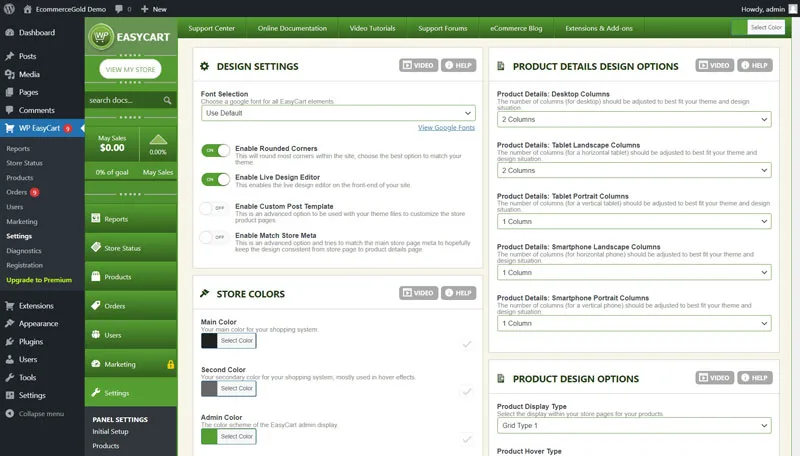
7. WP EasyCart
WP EasyCart is a lesser known option, but it has quietly built a loyal following among users who want an all in one plugin without heavy reliance on paid extensions.
Standout features:
- Handles physical products, digital downloads, and subscriptions within a single plugin, without needing separate add ons for each type
- Built in shipping rate calculators for major carriers, included without requiring a premium extension
- Point of sale functionality available for businesses that also sell in person, syncing inventory between online and offline sales
- Straightforward setup wizard that walks through initial configuration step by step
Where it falls short:
- Much smaller community than WooCommerce, meaning troubleshooting sometimes takes more digging through official documentation
- Fewer third party theme and plugin integrations built specifically for it, compared to WooCommerce’s massive ecosystem
- Interface feels less polished than some of the more actively marketed alternatives on this list
Best for: small to medium stores that want built in shipping and point of sale features without assembling them from separate paid extensions.
8. Shopify Buy Button
The Shopify Buy Button is a slightly different tool. Rather than running your entire store through WordPress, it lets you embed Shopify powered buy buttons or product listings directly into WordPress pages, while your actual store and checkout run on Shopify.
Standout features:
- Shopify’s secure, reliable checkout without needing to rebuild your entire WordPress site as a Shopify store
- Useful for businesses that want a primarily content focused WordPress site with just a few embedded products, rather than a full storefront
- Inventory and order management handled entirely within Shopify’s dashboard, which many store owners find more intuitive
- Works well for blending a content site, like a blog or portfolio, with limited but functional product sales
Where it falls short:
- Requires an active Shopify subscription in addition to your WordPress hosting, so you are paying for both platforms
- Not a full store solution. It is better suited for embedding a handful of products than running a large catalog
- Design integration feels more like an embedded widget than a fully native part of your WordPress site
Best for: content creators or bloggers who want to sell a small number of products without turning their entire WordPress site into a full ecommerce store.

9. CartFlows
CartFlows is not a standalone ecommerce plugin. It works alongside WooCommerce to build dedicated sales funnels, optimized checkout pages, and one click upsells, aimed specifically at increasing conversion rates rather than managing your product catalog.
Standout features:
- Drag and drop funnel builder for creating dedicated landing pages, checkout flows, and thank you pages outside your default WooCommerce theme
- One click upsells and order bumps that can meaningfully increase average order value without custom development
- A/B testing tools for comparing different checkout page designs to see what actually converts better
- Works directly with your existing WooCommerce setup, so you are not migrating your store to a new platform
Where it falls short:
- Requires WooCommerce already installed and configured, since CartFlows is an enhancement rather than a replacement
- Full functionality, including advanced A/B testing, sits behind the paid version
- Adds another layer of plugin complexity on top of WooCommerce, which is worth considering if your site already runs a lot of plugins
Best for: existing WooCommerce store owners who want to improve checkout conversion rates and build dedicated sales funnels rather than relying on default WooCommerce checkout pages.
Quick Comparison Table
| Plugin | Best For | Handles Physical Products | Handles Digital Products | Handles Subscriptions |
| WooCommerce | Overall flexibility | Yes | Yes | With extension |
| Easy Digital Downloads | Digital products only | No | Yes | With extension |
| SureCart | Modern, fast checkout | Yes | Yes | Yes |
| Ecwid | Multichannel selling | Yes | Yes | Limited |
| MemberPress | Memberships and courses | No | Content access | Yes |
| BigCommerce for WordPress | Larger, growing stores | Yes | Yes | Yes |
| WP EasyCart | All in one without extensions | Yes | Yes | Yes |
| Shopify Buy Button | Embedding a few products | Yes | Limited | Limited |
| CartFlows | Funnel and checkout optimization | Add on to WooCommerce | Add on to WooCommerce | Add on to WooCommerce |
How to Choose the Right Plugin for Your Store
Rather than picking based on popularity alone, work backward from what you are actually selling.
- If you are selling physical products and want maximum flexibility: start with WooCommerce. It has the largest ecosystem and the most long term room to grow.
- If you sell only digital products, like courses or software: Easy Digital Downloads is built specifically for that and avoids the extra complexity of a general store plugin.
- If you want a faster, more modern checkout without WooCommerce’s learning curve: SureCart is worth a serious look.
- If your business model is memberships, courses, or gated content: MemberPress fits that use case far better than a traditional product based plugin.
- If you want to avoid managing store security and hosting yourself: Ecwid or the Shopify Buy Button both shift that responsibility elsewhere, at the cost of some design flexibility.
- If you already run WooCommerce and want better conversion rates: add CartFlows rather than switching platforms entirely.
Frequently Asked Questions
Conclusion
There is no single best WordPress ecommerce plugin for every business, only the one that matches what you are actually selling and how much control you want over the setup. WooCommerce remains the safest all around choice for physical product stores wanting long term flexibility, while more specialized options like Easy Digital Downloads, MemberPress, and SureCart serve specific business models better than a general purpose plugin ever could. Start by identifying exactly what you are selling and how hands on you want to be with setup, then pick from this list based on that, not just which plugin has the most reviews. If you are still deciding between a fully hosted platform and a WordPress based store, our guide on Shopify alternatives for small businesses and large enterprises is worth reading before you commit.
