
Last Updated on July 24, 2026 by Digiinte.com Team
Running a small business often means wearing five different hats before lunch. You are the marketer, the customer service rep, the accountant, and somehow also expected to keep up with SEO trends and social media algorithms. The good news is that you do not need a huge budget or a full marketing team to compete online.
- Key Takeaways
- Why the Right Tools Matter More Than the Number of Tools
- 1. Google Search Console: Your Free SEO Foundation
- 2. Ubersuggest: Simple Keyword Research Without the Learning Curve
- 3. Canva: Design That Does Not Require a Designer
- 4. Mailchimp: The Easiest Way to Start Email Marketing
- 5. Buffer: Schedule Social Media Instead of Posting Live Every Day
- 6. Google Analytics 4: Understand What Happens After the Click
- 7. Hootsuite: Social Media Management for Multiple Platforms at Once
- 8. Yoast SEO or Rank Math: On-Page Optimization Inside WordPress
- 9. Google Business Profile: Local Visibility That Costs Nothing
- 10. ChatGPT or Similar AI Writing Assistants: Speed Up Content Creation
- Comparison Table: Which Tool Solves Which Problem
- How to Choose Which Tools to Start With
- Common Mistakes Small Businesses Make With Marketing Tools
- Frequently Asked Questions
- Conclusion
You just need the best digital marketing tools for small business, the right ones, used consistently. This list covers ten tools that actually earn their spot on your toolbar, not a random collection of logos pulled from a sponsored roundup. Each one solves a specific problem, and most offer a genuinely usable free plan to start with.
Let us walk through them, organized by what job each tool actually does for you.
Key Takeaways
- You can cover SEO, social media, email, design, and analytics without paying for a single tool to start.
- Google Search Console and Google Analytics 4 should be the first two tools any small business sets up, since both are free and directly from Google.
- Canva handles design work that used to require hiring a graphic designer.
- Mailchimp remains the easiest entry point into email marketing for a small list.
- Buffer or Hootsuite save hours weekly by scheduling social posts in advance instead of posting manually every day.
- Pick two or three tools to master first rather than trying to use all ten immediately.
Why the Right Tools Matter More Than the Number of Tools
A lot of small business owners fall into the trap of collecting tools instead of using them well. Having twelve different marketing apps installed does nothing if you only ever open two of them. The goal here is not to overwhelm you with options, it is to point you toward tools that genuinely save time, cost little or nothing to start, and solve a real problem you are likely facing right now.
1. Google Search Console: Your Free SEO Foundation
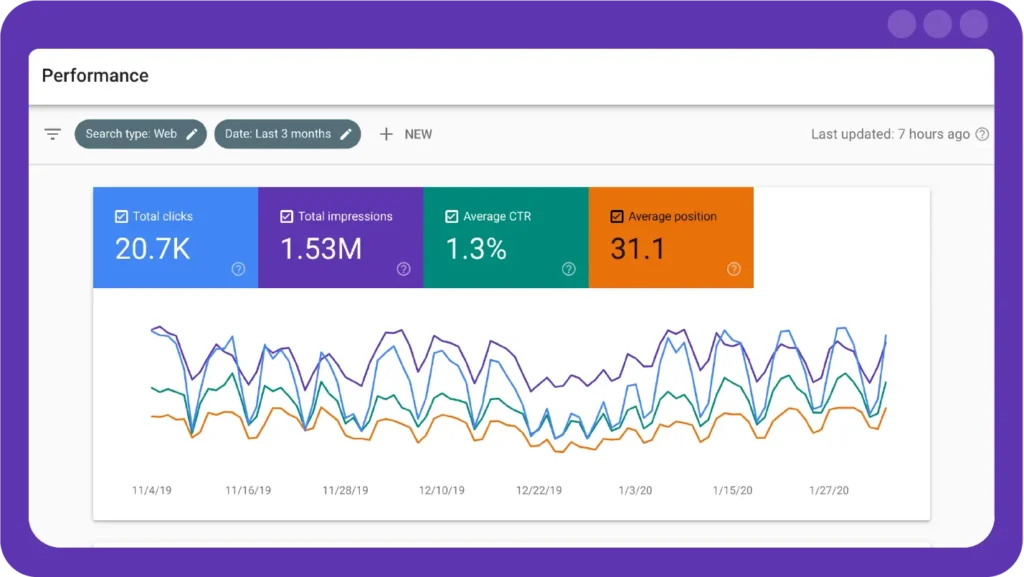
Every small business website needs to be found on Google, and Search Console is where that relationship starts. It shows you exactly which search terms bring people to your site, flags technical problems like pages that are not showing up in search, and tracks your overall search performance over time.
What It Actually Does
Search Console pulls together three critical reports in one free dashboard. The Performance report shows every search query bringing traffic to your site, along with clicks, impressions, and average position, so you know exactly what is working. The Coverage report flags indexing problems, pages Google has not crawled yet, pages excluded for technical reasons, or pages with errors blocking them from showing up at all. The Core Web Vitals report scores your pages on loading speed, responsiveness, and visual stability, all factors that influence ranking.
Getting Started
Verification takes about ten minutes using either a small code snippet added to your site or a DNS record, and most website builders and WordPress plugins now support one click verification. Once verified, submit your sitemap so Google can find your pages faster, then check back weekly rather than daily, since search data updates with a slight delay.
Pricing
Completely free, with no paid tier or usage limit. This is first party Google data about your own site, so there is genuinely no reason not to have it running from day one. If your pages are showing up in Search Console but not actually indexed, our guide on why your WordPress page might be stuck on Discovered, not indexed walks through exactly how to fix that.
Best for: Any business with a website, no exceptions.
2. Ubersuggest: Simple Keyword Research Without the Learning Curve
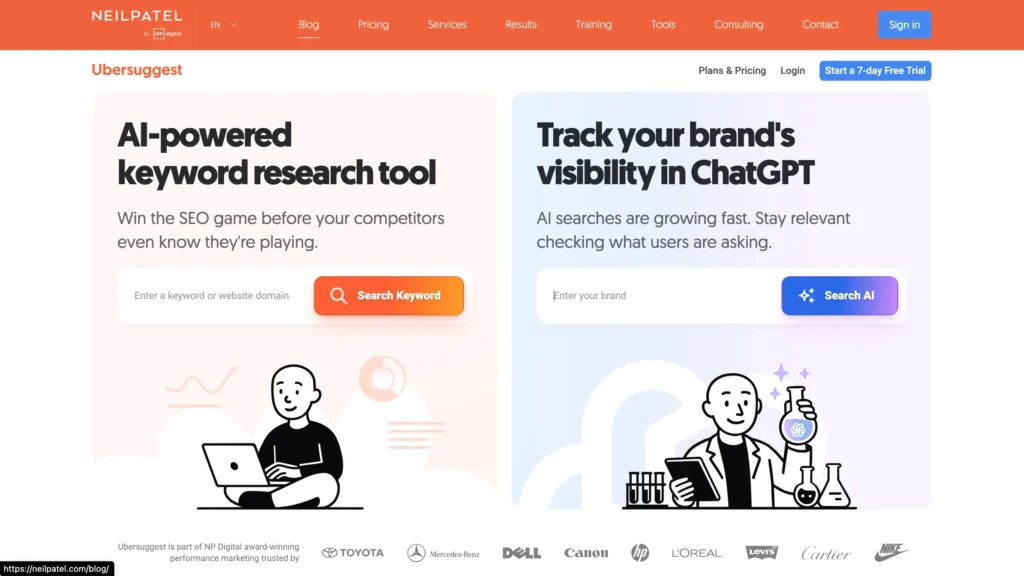
Once your site is set up in Search Console, the next question is what to actually write about. Ubersuggest solves this by showing you keyword ideas, estimated search volume, and a difficulty score, all inside one dashboard that does not require an SEO background to understand.
What It Actually Does
Type in a seed keyword related to your business and Ubersuggest returns a full breakdown, monthly search volume, an SEO difficulty score out of 100, paid difficulty, average cost per click, and dozens of related keyword suggestions with the same data attached to each one. It also includes a Content Ideas section showing which existing articles perform best for that topic, complete with estimated social shares, giving you a quick benchmark for what good content looks like before you start writing.
Getting Started
Create a free account, enter a keyword tied to your product or service, and review the difficulty score alongside the volume. As a beginner, aim for keywords with lower difficulty scores first, even if the volume looks modest, since these are realistically achievable rankings rather than aspirational ones.
Pricing
The free tier includes a limited number of searches per day, enough for a small business doing periodic research rather than daily deep dives. Paid plans unlock unlimited searches, deeper competitor tracking, and rank tracking for your own keywords over time.
Best for: Small business owners writing their own blog content without hiring an SEO agency.
3. Canva: Design That Does Not Require a Designer
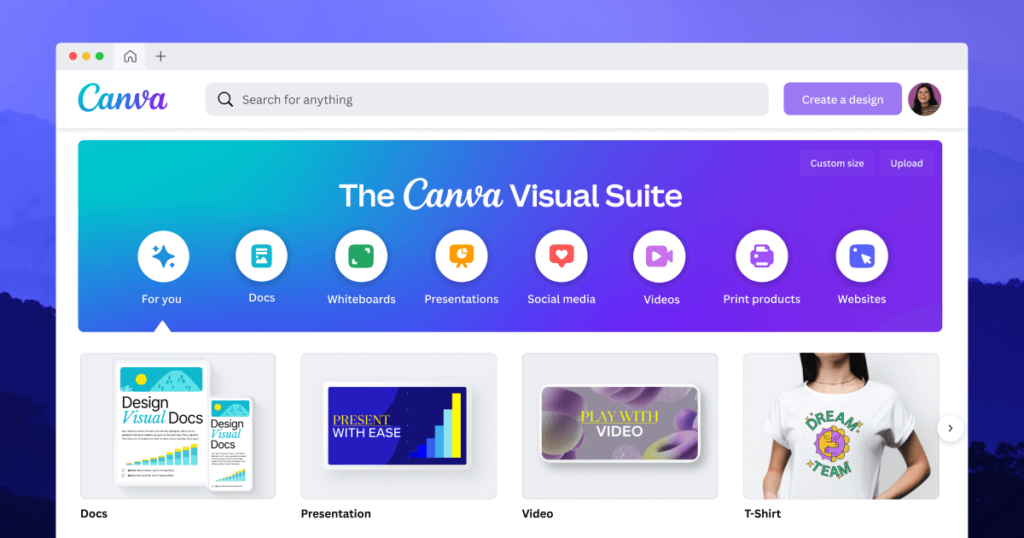
Canva has become the default design tool for small businesses, and for good reason. It gives you drag and drop templates for everything from Instagram posts to email banners to printed flyers, without needing any design training.
What It Actually Does
Canva’s library includes thousands of pre-built templates organized by platform and purpose, social posts, presentations, flyers, business cards, and more. The drag and drop editor lets you swap text, images, colors, and fonts without touching any design software. The Brand Kit feature, available on paid plans, stores your logo, brand colors, and fonts so every piece of content stays visually consistent without you needing to manually match colors each time.
Getting Started
Sign up free, pick a template close to what you need, and start swapping in your own text and images. Canva also has a background remover, a resize tool that reformats one design into multiple platform sizes instantly, and a stock photo and video library built directly into the editor.
Pricing
The free plan includes thousands of templates and core editing features. Canva Pro adds the Brand Kit, background remover, premium templates, and significantly more stock content, priced as an affordable monthly subscription that is still far cheaper than hiring a designer for routine content.
Example: A local bakery can create a week’s worth of Instagram posts, a printed menu update, and an email newsletter banner in a single afternoon, all using the same Canva template set.
Best for: Any business creating its own visual content, which is nearly every small business today.
4. Mailchimp: The Easiest Way to Start Email Marketing
Email marketing remains one of the highest return channels available, and Mailchimp makes it approachable for beginners. You can build a signup form, design an email using drag and drop blocks, and automate a simple welcome sequence, all within the free plan for smaller lists.
What It Actually Does
Mailchimp combines an email builder, a signup form creator, and basic marketing automation into one dashboard. You can design a campaign using drag and drop content blocks, segment your list based on customer behavior, and set up a simple automated welcome series that sends automatically when someone subscribes. Its reporting shows open rates, click rates, and exactly which links people clicked most in every email you send.
Getting Started
Sign up, import or start collecting email addresses through a signup form on your website, and design your first campaign using one of the built-in templates. Start with a simple welcome email before attempting more complex automation sequences.
Pricing
The free plan covers smaller subscriber lists and includes core email sending and basic automation. As your list grows past the free tier threshold, or if you want more advanced automation and testing features, paid plans scale based on your subscriber count.
Best for: Businesses building a customer list for the first time.
5. Buffer: Schedule Social Media Instead of Posting Live Every Day
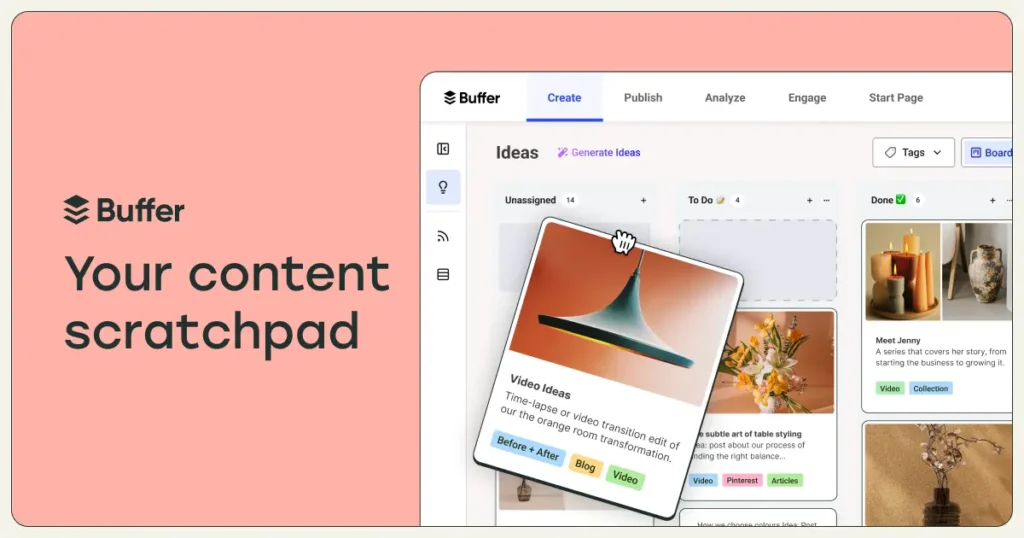
Manually posting to Instagram, Facebook, and LinkedIn every single day eats up hours you probably do not have. Buffer lets you schedule a week or even a month of posts in one sitting, then lets them go out automatically at the times you choose.
What It Actually Does
Buffer’s dashboard lets you queue up posts across multiple social platforms, set optimal posting times, and preview exactly how each post will look before it goes live. Its basic analytics show engagement per post, letting you compare what content style actually performs rather than guessing based on likes alone.
Getting Started
Connect your social accounts, then batch create a week or two of content in one sitting using Buffer’s calendar view. Set your preferred posting times once, and the tool handles the actual publishing from there.
Pricing
The free plan covers a handful of connected channels and a limited number of scheduled posts, enough for most small businesses just building consistency. Paid plans add more channels, deeper analytics, and support for multiple team members managing the same accounts.
Best for: Any business trying to stay consistent on social media without living inside the apps all day.
6. Google Analytics 4: Understand What Happens After the Click
Search Console tells you how people find your site. Google Analytics 4 tells you what they do once they arrive, how long they stay, which pages they visit, and whether they actually complete an action like filling out a contact form or making a purchase.
What It Actually Does
GA4 uses an event based tracking model, meaning almost every interaction on your site, a scroll, a click, a video play, a form submission, gets logged as a trackable event. The Acquisition report breaks down exactly which channels bring visitors, organic search, social, direct, or referral. The Engagement report shows which pages hold attention versus which get an immediate bounce. You can also set up custom Conversions to track the specific actions that matter most to your business.
Getting Started
Create a free GA4 property, add the tracking code to your site, or connect it directly if you use WordPress or Shopify through a plugin, and give it a few days to start collecting meaningful data. Set up at least one Conversion event early, even something simple like a contact form submission, so you can measure real outcomes, not just traffic.
Pricing
Completely free for the vast majority of small businesses, with no meaningful usage limits for typical traffic volumes.
Best for: Any business that wants to know whether its marketing is actually working, not just guessing.

7. Hootsuite: Social Media Management for Multiple Platforms at Once
Hootsuite serves a similar purpose to Buffer but tends to suit businesses managing a higher volume of platforms or team members. Its dashboard lets you monitor comments, messages, and mentions across several social accounts in one place, which matters once you are too busy to check five different apps individually.
What It Actually Does
Beyond scheduling, Hootsuite includes a unified inbox that pulls in comments, direct messages, and mentions across all connected platforms, so your team can respond from one place instead of switching apps constantly. Its analytics allow deeper reporting across accounts, useful when you need to show performance data to a business partner or client.
Getting Started
Connect your social accounts, assign team members if you have any, and set up streams to monitor specific keywords, hashtags, or mentions relevant to your business alongside your scheduled content.
Pricing
The free tier is more limited than Buffer’s, typically covering fewer channels and posts. Paid tiers scale based on the number of social accounts and team members, making it a better fit once you have outgrown a single person managing everything solo.
Best for: Small businesses with a small team splitting social media duties.
8. Yoast SEO or Rank Math: On-Page Optimization Inside WordPress
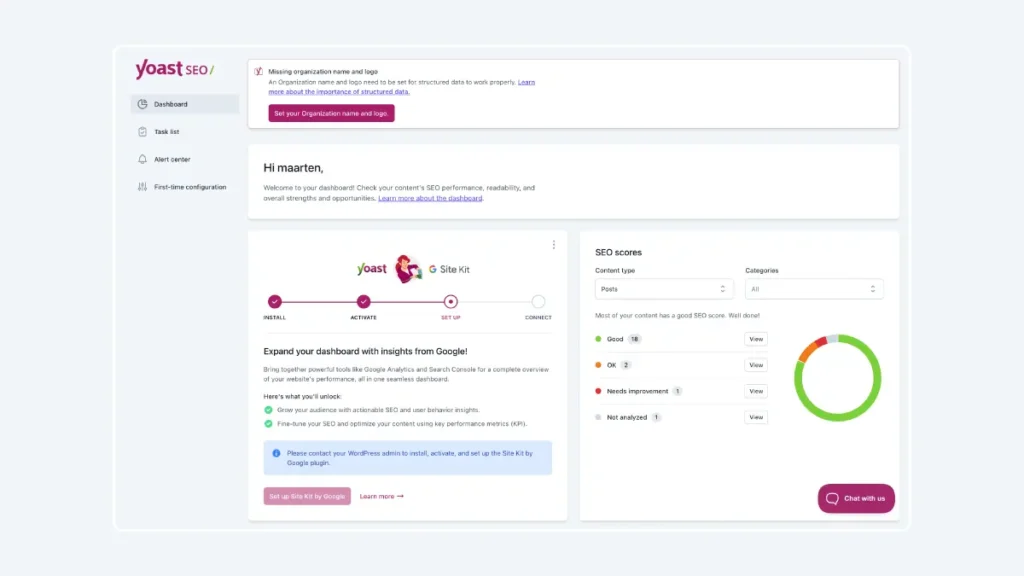
If your website runs on WordPress, one of these two plugins should already be installed. Both give you real time feedback while you write, checking your title tag length, meta description, keyword placement, and overall readability before you hit publish.
What They Actually Do
Both plugins analyze your content as you write, checking whether your focus keyword appears in the title, URL, first paragraph, and meta description, and scoring your readability based on sentence length, paragraph length, and subheading use. Rank Math additionally includes built-in schema markup for over 15 content types, a Search Console integration displayed directly inside your WordPress dashboard, and support for optimizing around multiple focus keywords per post rather than just one.
Getting Started
Install whichever plugin you choose from the WordPress plugin directory, run through its setup wizard, and start writing. Pay attention to the traffic light style feedback as you draft each post, since it catches simple but easy to miss mistakes before you publish.
Pricing
Both offer genuinely usable free versions. Rank Math’s free tier is currently more generous, including schema markup and redirect management that Yoast reserves for its paid tier. For more free tools worth pairing with either plugin, see our roundup of the top 20 free SEO tools every website owner should use.
Best for: Any WordPress based small business site.
9. Google Business Profile: Local Visibility That Costs Nothing
If your business serves customers in a specific area, Google Business Profile is not optional. It is what shows up when someone searches for your business by name or searches for a service near them, complete with your hours, reviews, photos, and location on the map.
What It Actually Does
Your profile displays your business hours, contact details, customer reviews, photos, and a map listing, directly inside Google search and Google Maps results. It also lets you post updates, similar to a mini social feed, announcing offers, events, or new products directly in your listing.
Getting Started
Claim and verify your business through Google Business Profile, typically via a postcard, phone call, or email verification. Fill out every section completely, business category, hours, service area, and add real photos rather than leaving the default placeholder image.
Pricing
Completely free, and one of the highest impact free tools available for any business with a physical or local service presence. Pair it with the tactics in our local SEO tips for small businesses guide for the fastest improvement in local visibility.
Best for: Any business with a physical location or a defined local service area.

10. ChatGPT or Similar AI Writing Assistants: Speed Up Content Creation
AI writing tools have become a genuinely useful part of a small business marketing toolkit, not as a replacement for your own voice, but as a way to speed up the blank page problem. Use it to brainstorm blog topics, draft an initial outline, write first drafts of social captions, or generate ideas for an email subject line you would not have thought of otherwise.
What It Actually Does
Modern AI assistants can brainstorm content ideas based on a topic or keyword, draft outlines for blog posts, write first pass social captions or email subject lines, and even help troubleshoot marketing problems by talking through your specific situation. They work best as a collaborative drafting partner rather than a fully automated content machine.
Getting Started
Start with small, specific tasks rather than asking for an entire finished blog post. Ask for five subject line options for a specific email, or an outline for a blog post on a topic you already understand well, then edit heavily with your own examples and voice.
Pricing
Most major AI assistants offer a genuinely usable free tier, with paid tiers unlocking faster response times, longer conversations, or more advanced capabilities.
Best for: Any business short on time for content creation but still wanting a consistent publishing schedule.

Comparison Table: Which Tool Solves Which Problem
| Tool | Category | Free Plan Available | Best For |
| Google Search Console | SEO | Yes, fully free | Tracking search performance |
| Ubersuggest | SEO | Yes, limited searches | Keyword research |
| Canva | Design | Yes, generous free tier | Social graphics and visuals |
| Mailchimp | Email Marketing | Yes, for small lists | Starting email campaigns |
| Buffer | Social Media | Yes, limited channels | Scheduling posts in advance |
| Google Analytics 4 | Analytics | Yes, fully free | Understanding visitor behavior |
| Hootsuite | Social Media | Limited free tier | Managing multiple team members |
| Yoast or Rank Math | On-Page SEO | Yes, core features free | WordPress content optimization |
| Google Business Profile | Local SEO | Yes, fully free | Local search visibility |
| ChatGPT | Content Creation | Yes, free tier available | Speeding up writing tasks |
How to Choose Which Tools to Start With
Trying to set up all ten tools in one week is a fast way to burn out before you see any real results. Instead, follow this simple approach.
- Start with Google Search Console and Google Analytics 4, both free and both essential for understanding your baseline.
- Add Canva next, since visual content touches nearly every other channel on this list.
- Pick one social scheduling tool, either Buffer or Hootsuite, based on your team size.
- Set up Mailchimp once you have a way to collect email addresses, even a simple signup form works.
- Layer in the rest, Ubersuggest, Yoast or Rank Math, Google Business Profile, and an AI writing assistant, as your content routine becomes more consistent.
Common Mistakes Small Businesses Make With Marketing Tools
Even with the right tools in hand, a few habits quietly undermine results.
- Signing up for a tool and never actually logging back in after the first week.
- Choosing a paid plan before fully using the free tier’s features.
- Running five different tools that all do the same job instead of picking one and using it well.
- Ignoring the data these tools provide, checking Analytics or Search Console once and never again.
- Posting on social media inconsistently instead of using scheduling tools to maintain a steady rhythm.
Frequently Asked Questions
Conclusion
You do not need a marketing department or a five figure software budget to run a real digital marketing strategy. These ten digital marketing tools for small business cover everything from SEO and social media to email and content creation, and most of them will not cost you a single rupee to start.
Pick two or three from this list, the ones that solve your most immediate problem right now, and actually use them consistently for the next thirty days before adding anything else. That consistency, more than the number of tools in your stack, is what actually moves the needle for a small business online.
Ready to get started? Set up Google Search Console today if you have not already, it takes ten minutes and gives you a real, ongoing view into how your business shows up on Google.

Behind every post at digiinte.com is a team of experienced SEO analysts and digital growth specialists. Our insights are backed by real data, industry research, and hands-on campaign experience — so you get advice that actually moves the needle.