
Last Updated on June 3, 2026 by Digiinte.com Team
Key Takeaways
✅ A slow checkout page is one of the most expensive problems a Shopify store can have
✅ Nearly 70 percent of shoppers abandon their cart and checkout speed is one of the top reasons
✅ Shopify Checkout is hosted and managed by Shopify but you can still significantly optimise it
✅ Third party checkout apps and extra scripts are the most common cause of slow checkout pages
✅ Shopify Payments removes extra payment gateway redirects and speeds up the checkout process
✅ Reducing the number of checkout steps directly reduces abandonment and improves conversion
✅ Shop Pay is one of the fastest checkout experiences available and can be enabled for free
✅ Shopify Plus merchants have more control over checkout speed through checkout.liquid customisation
You have done everything right. Your product pages are beautifully designed. Your pricing is competitive. Your store looks professional. A customer adds a product to their cart and clicks checkout.
And then they wait. The checkout page crawls to life. A spinner appears. Three seconds pass. Then four. The customer glances at their phone, gets distracted and leaves. The sale is gone.
This happens thousands of times every day to Shopify stores that have never taken the time to optimise their checkout page speed. And it is costing them a fortune.
The checkout page is the most commercially critical page on your entire Shopify store. It is where your revenue is decided. A slow checkout does not just frustrate customers. It directly reduces your conversion rate, inflates your cart abandonment rate, and shrinks your monthly revenue.
In this guide we are going to show you exactly why Shopify checkout pages get slow and exactly what you can do to fix it. Let us get into it.
Why Checkout Speed Is the Most Important Speed on Your Store
Every page on your store matters for speed. But the checkout page is in a different league entirely.
Think about it this way. A slow homepage might cause a visitor to bounce before they even see your products. That is bad. But a slow checkout page causes someone who has already decided to buy to abandon their purchase at the last second. That is much worse. You have already done all the hard work of acquiring the customer and convincing them to buy. A slow checkout throws all of that effort away.
The Real Cost of a Slow Shopify Checkout The average eCommerce cart abandonment rate is 69.99 percent (Baymard Institute 2025) Checkout page speed is one of the top 3 reasons for cart abandonment A one second improvement in checkout load time can increase conversions by up to 7 percent Over 60 percent of checkouts are completed on mobile devices where speed matters even more Faster checkout pages have higher average order values because customers do not have time to second guess
👉 Checkout speed does not exist in isolation. Your overall store speed lays the foundation. If your whole store is slow, your checkout will be slow too. Start with our complete guide: How to Improve Shopify Store Speed: 10 Proven Optimization Tips
What Makes a Shopify Checkout Page Slow
Before you can fix the problem you need to understand what is causing it. Here are the most common reasons Shopify checkout pages load slowly:
Too Many Third Party Scripts on the Checkout Page
Just like your product and collection pages, your checkout page can be loaded down with extra scripts from apps you have installed. Tracking pixels, analytics tools, loyalty programme scripts, upsell widgets and chat integrations all add weight to your checkout page. Every extra script is an extra file the browser has to download before the checkout form becomes interactive.
Payment Gateway Redirects
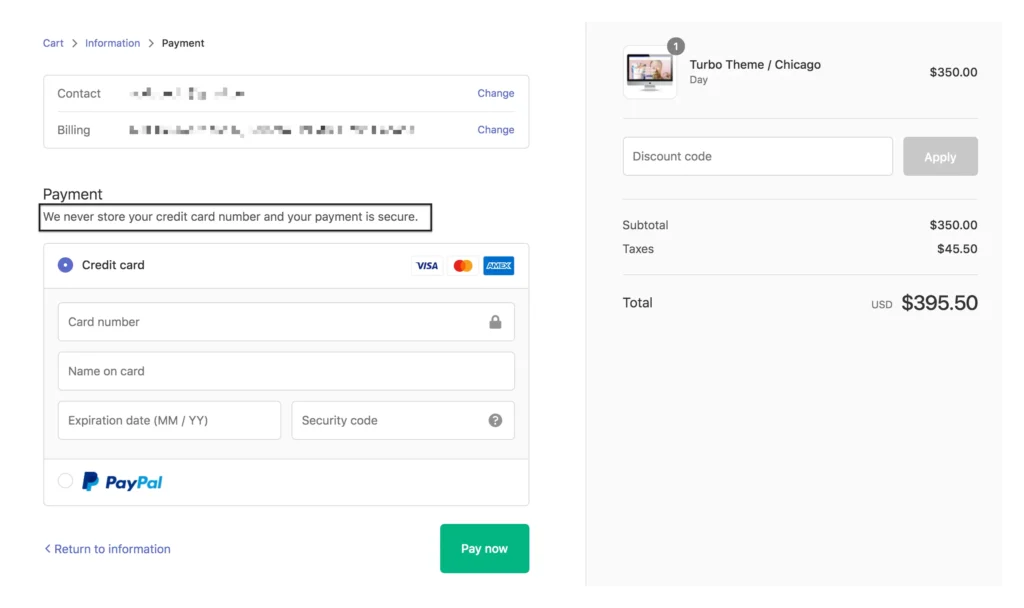
If you are using a third party payment gateway instead of Shopify Payments, your checkout process involves a redirect to an external payment page and then back to your confirmation page. Each redirect adds latency and creates an opportunity for the customer to drop off. The more redirects in the checkout flow, the slower and more fragmented the experience feels.
Heavy Images on Checkout or Thank You Pages
Store owners sometimes add brand imagery, trust badges with large image files, or promotional banners to their checkout and order confirmation pages. If these images are not compressed and optimised they slow the page down significantly.
Too Many Custom Checkout Fields
Adding unnecessary fields to your checkout form does two things. First it slows the page render because there are more elements to load. Second it increases the cognitive load on your customer which increases abandonment. Every extra field is a reason for someone to hesitate, reconsider, and leave.
Unoptimised Checkout Experience on Mobile
Mobile checkout faces unique challenges. Slow page loads on mobile connections, keyboard interaction issues and unresponsive payment forms are all common problems on stores that have not specifically optimised their checkout for mobile users.
👉 Third party app scripts are often the heaviest contributors to a slow checkout. Read our in depth guide on managing them: How to Reduce Third Party App Impact on Shopify Speed
How to Speed Up Your Shopify Checkout Page
Now let us get into the actual fixes. Here are the most effective ways to improve your Shopify checkout page speed in 2026:
Tip 1: Enable Shopify Payments and Shop Pay
The single most impactful thing most store owners can do to speed up their checkout is to switch to Shopify Payments and enable Shop Pay.
Shopify Payments is Shopify’s native payment processor. Because it is built directly into the Shopify checkout system, it eliminates the external redirects required by third party payment gateways. The payment form loads inline within the checkout page rather than bouncing the customer to an external site and back.
Shop Pay takes this even further. It is a one tap checkout experience that remembers returning customers’ shipping and payment details. Returning customers can complete their entire checkout in a single tap, bypassing the standard form entirely.
- Shop Pay checkouts convert at up to 91 percent higher than guest checkouts
- Shop Pay is free to enable for any store using Shopify Payments
- Shop Pay is optimised specifically for mobile checkout speed
Tip 2: Remove Unnecessary Scripts from the Checkout Page
Go through every app installed on your store and check whether it is loading scripts on your checkout page. Most apps that you use for product pages, collection pages and the homepage do not need to run on the checkout page. Removing them from checkout specifically can dramatically reduce the number of HTTP requests on your most critical page.
How to check which scripts are loading on your checkout:
- Complete a test purchase on your store up to the checkout page
- Open Chrome DevTools (right click then Inspect)
- Go to the Network tab and reload the checkout page
- Filter by JS to see all JavaScript files loading
- Any scripts loading from third party domains that are not required for payment processing can potentially be restricted to non checkout pages
Contact your app developers to ask if their app can be configured to exclude the checkout page from script loading. Many apps support this but do not document it clearly.
👉 Also check for leftover scripts from apps you have already deleted. These often end up on checkout pages too. Our guide on How to Remove Unused Apps and Scripts from Your Shopify Store will walk you through the full cleanup process.
Tip 3: Optimise All Images on Checkout and Thank You Pages
If you have added a logo, trust badges, security seals or any other imagery to your checkout or order confirmation page, make sure every single image is properly compressed and sized correctly.
- Convert all checkout page images to WebP format
- Compress all images to under 50 KB where possible
- Use SVG format for trust badges and security icons instead of PNG or JPG
- Avoid adding large decorative images to the checkout page that do not serve a trust or conversion purpose
👉 Need a refresher on the best image formats and compression techniques? Read our guide: How to Optimize Images for Shopify (Formats, Compression and Lazy Loading)
Tip 4: Streamline Your Checkout Form Fields
Every field in your checkout form adds page weight and customer friction. Review your checkout form and ask yourself honestly whether each field is truly necessary to complete the purchase.
| Field to Reconsider | What to Do |
| Company name field | Hide it unless you primarily sell to businesses |
| Address line 2 | Make it optional and collapsible to reduce visual clutter |
| Phone number field | Make it optional unless you genuinely need it for delivery |
| Promotional newsletter opt in | Move this to the order confirmation page instead |
| Additional order notes field | Remove unless it is genuinely used and necessary |
Shopify allows you to customise checkout fields through your checkout settings. On Shopify Plus, the checkout.liquid file gives you even more granular control over which fields appear and how they behave.
Tip 5: Enable Accelerated Checkout Buttons
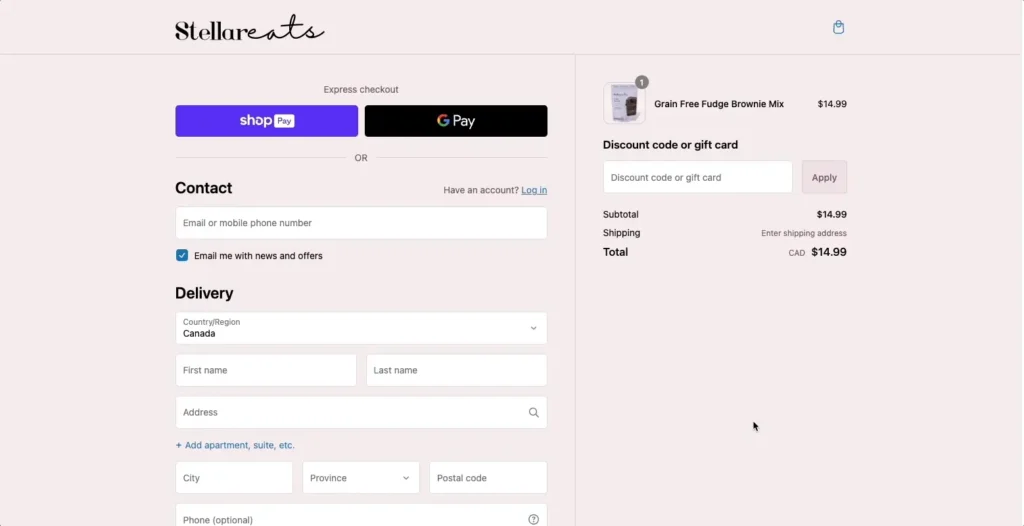
Accelerated checkout buttons like Shop Pay, Apple Pay, Google Pay and PayPal Express allow customers to skip the standard checkout form entirely by using their saved payment and shipping details from those platforms. These buttons load at the top of your checkout flow and can dramatically reduce checkout time for customers who already use these services.
To enable accelerated checkout buttons in Shopify:
- Go to Shopify Admin and click Settings
- Select Payments
- Under Accelerated Checkouts enable Shop Pay, Apple Pay and Google Pay if they are available for your region
- Save your changes and test the checkout flow on your phone
Pro Tip: Accelerated checkout buttons are especially powerful on mobile where typing out payment details on a small keyboard is one of the biggest sources of checkout friction and abandonment.
Tip 6: Use a One Page or Minimal Step Checkout
The standard Shopify checkout uses a three step process: contact information, shipping method and payment details. While this is clean and well designed, reducing the number of steps or consolidating them into a single page checkout can reduce both load time and abandonment.
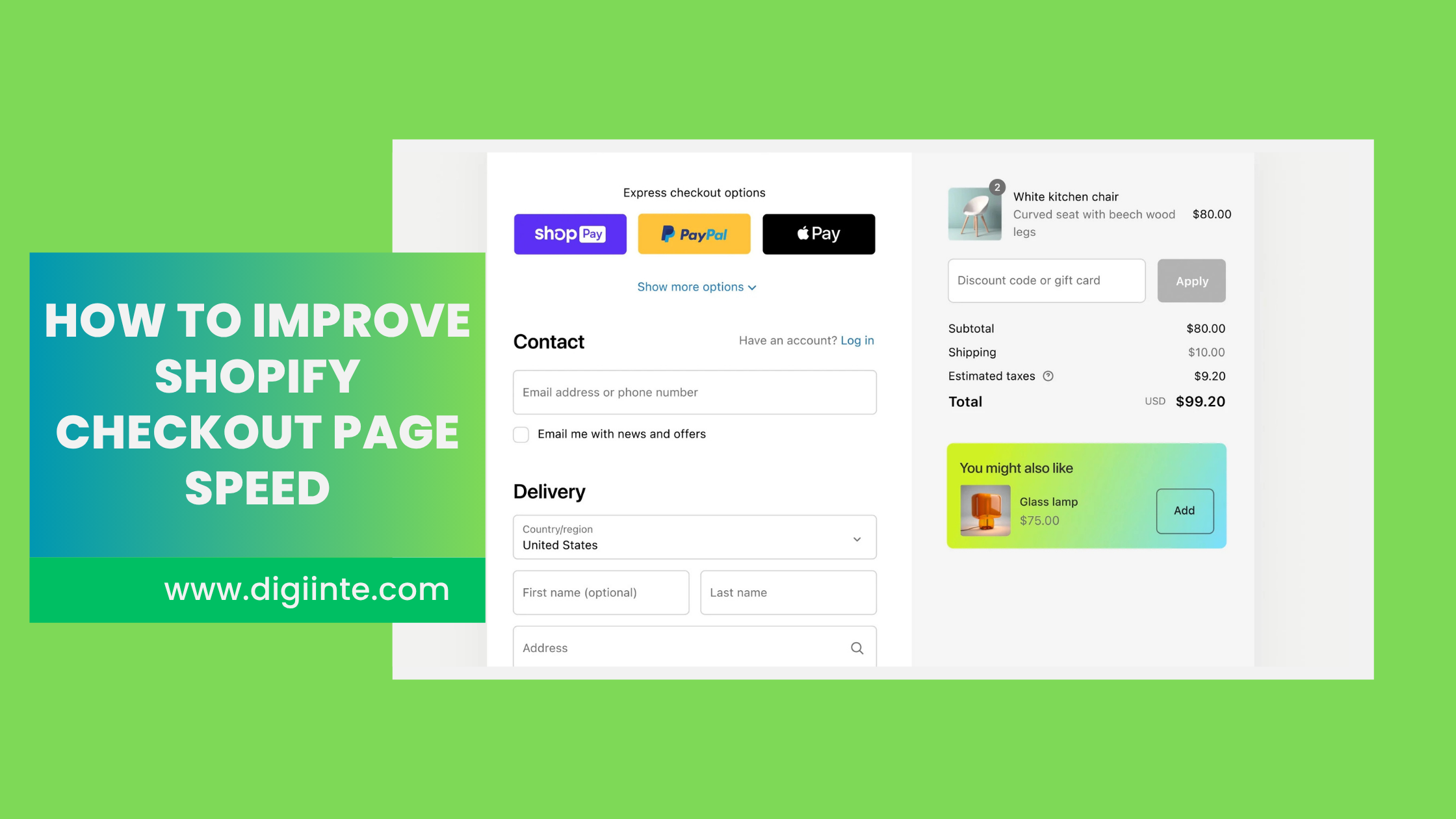
Shopify’s native checkout was updated to a single page checkout layout in 2023, which Shopify calls the One Page Checkout. If your store is still on the older multi step checkout, upgrading your theme to a version that supports the One Page Checkout is a straightforward way to speed up the checkout experience and improve conversions simultaneously.
To check if your store is using the One Page Checkout go to Shopify Admin then Settings then Checkout. You should see the option to enable the one page layout if it is not already active.
Tip 7: Minimise Checkout Upsell and Bump Apps
Checkout upsell apps and order bump apps add their own scripts to the checkout page. While these apps can increase average order value, adding too many of them stacks up the script load and slows the checkout down. Be selective about which checkout modification apps you use. If you have two or three checkout upsell apps installed, consolidate down to one and measure both the speed improvement and the revenue impact carefully.
A faster checkout that converts at a higher rate is almost always worth more than a slightly higher average order value from a slow upsell heavy checkout.
Tip 8: Minify Your Custom Checkout CSS and Scripts
If you are on Shopify Plus and have added custom CSS or JavaScript to your checkout through checkout.liquid, make sure all of that custom code is properly minified. Unminified custom checkout code adds unnecessary bulk to the most critical page on your store.
👉 Not sure how to minify code? Our step by step guide covers everything you need to know: How to Minify CSS JavaScript and HTML on Shopify
Before and After: What Checkout Optimisation Looks Like in Numbers
Here is a realistic example of what checkout optimisation achieves for a typical Shopify store:
| Metric | Before Optimisation | After Optimisation |
| Checkout page load time | 4.8 seconds | 1.9 seconds |
| Third party scripts on checkout | 14 scripts | 4 scripts |
| Checkout abandonment rate | 74 percent | 58 percent |
| Checkout conversion rate | 2.1 percent | 3.4 percent |
| Mobile checkout load time | 6.2 seconds | 2.4 seconds |
| Monthly revenue impact | Baseline | Up to 30 percent increase |
Note: These figures represent approximate averages from real Shopify store optimisation projects. Your results will vary based on your store, traffic volume, and current setup.
Shopify Plus: Extra Checkout Speed Controls
If you are on Shopify Plus, you have access to additional checkout customisation options that standard Shopify merchants do not have. These include:
- Full access to checkout.liquid for custom HTML, CSS and JavaScript control
- Checkout extensibility via Shopify Functions for server side customisation without heavy client side scripts
- The ability to remove or modify specific checkout elements that standard merchants cannot change
- Custom payment method ordering and display logic
- Access to checkout UI extensions that load as lightweight React components rather than heavy external scripts
If your store is on Shopify Plus and you are not yet using Checkout Extensibility, this is worth exploring with your development team. It represents the modern approach to fast and customisable checkout pages on Shopify.
Shopify Checkout Speed Optimisation Checklist
Work through this checklist to make sure your checkout is as fast as it can be:
- ☑️ Enable Shopify Payments to remove external payment gateway redirects
- ☑️ Activate Shop Pay for one tap checkout for returning customers
- ☑️ Enable Apple Pay and Google Pay accelerated checkout buttons
- ☑️ Audit which app scripts are loading on your checkout page
- ☑️ Contact app developers to restrict scripts to non checkout pages
- ☑️ Remove leftover scripts from deleted apps in your theme
- ☑️ Compress and optimise all images on checkout and thank you pages
- ☑️ Hide or make optional all unnecessary checkout form fields
- ☑️ Enable the Shopify One Page Checkout if not already active
- ☑️ Consolidate checkout upsell apps to a maximum of one
- ☑️ Minify any custom checkout CSS and JavaScript (Shopify Plus)
- ☑️ Test checkout speed on mobile using PageSpeed Insights and a real device
Frequently Asked Questions (FAQ)
Final Thoughts
Your checkout page is where your money is made. Every second it takes to load is a second your customer has to reconsider, get distracted, or simply give up and close the tab.
The good news is that most of the fixes covered in this guide are straightforward, free, and can be implemented today without a developer. Enable Shop Pay. Remove unnecessary scripts. Streamline your form. Enable accelerated checkout buttons. Each change is small on its own but together they create a checkout experience that converts at a materially higher rate.
Start by running a speed test on your checkout page right now. Use Chrome DevTools to count how many third party scripts are loading. If the answer is more than five or six, you have room to improve. Work through the checklist in this guide one step at a time and watch your checkout conversion rate climb. Your checkout page should be the fastest page on your store. Make it that way.
🔗 Related Reads:
• How to Improve Shopify Store Speed: 10 Proven Optimization Tips
• How to Reduce Third Party App Impact on Shopify Speed
• How to Remove Unused Apps and Scripts from Your Shopify Store
• How to Minify CSS JavaScript and HTML on Shopify
• How to Optimize Images for Shopify (Formats, Compression and Lazy Loading)
• What is Lazy Loading and How to Enable It on Shopify
• How to Add FAQ Schema in Shopify
• How to Create a Dynamic FAQ Section on Shopify Collection Pages
