
Last Updated on October 14, 2026 by Digiinte.com Team
Pew Research Center tracked pages across the web and found that 38% of webpages that existed in 2013 were gone by October 2023. Even on news sites, 23% of pages carried at least one broken link. Your website is not exempt. Every post you publish ages, and the pages it points to can move, vanish, or break without warning. That is where broken link checker tools earn their place. They scan your pages, test every link, and give you a clean list to fix. This guide compares 11 of the best options for 2026, free and paid, and shows how to find and fix what they report.
- Key Takeaways
- What Are Broken Link Checker Tools?
- Do Broken Links Hurt SEO?
- Which Broken Link Checker Is Right for Your Website?
- 11 Best Broken Link Checker Tools in 2026
- How Do You Find Broken Links on Your Website?
- How Do You Fix Broken Links the Right Way?
- What Mistakes Should You Avoid?
- Frequently Asked Questions
- Final Thoughts
Key Takeaways
- Impact: Broken links frustrate visitors and waste link value, even though Google says a 404 error alone does not lower your rankings.
- Free is enough for many sites: Google Search Console, Ahrefs Free, and the W3C Link Checker cover most small blogs.
- Bigger sites need more: Use a crawler such as Screaming Frog or a cloud scanner with scheduled reports.
- Fix at the source: Update the link on the page that contains it, not just the dead URL.
- Redirect with care: Send old URLs to the closest matching page, never everything to your homepage.
- Check on a schedule: Links break on their own, even when you change nothing.
What Are Broken Link Checker Tools?
Broken link checker tools are software, plugins, or browser extensions that crawl a web page or website, test every link on it, and report the ones that fail. They flag errors such as 404 Not Found, server errors, and timeouts, and show the page where each bad link sits so you can fix it quickly.
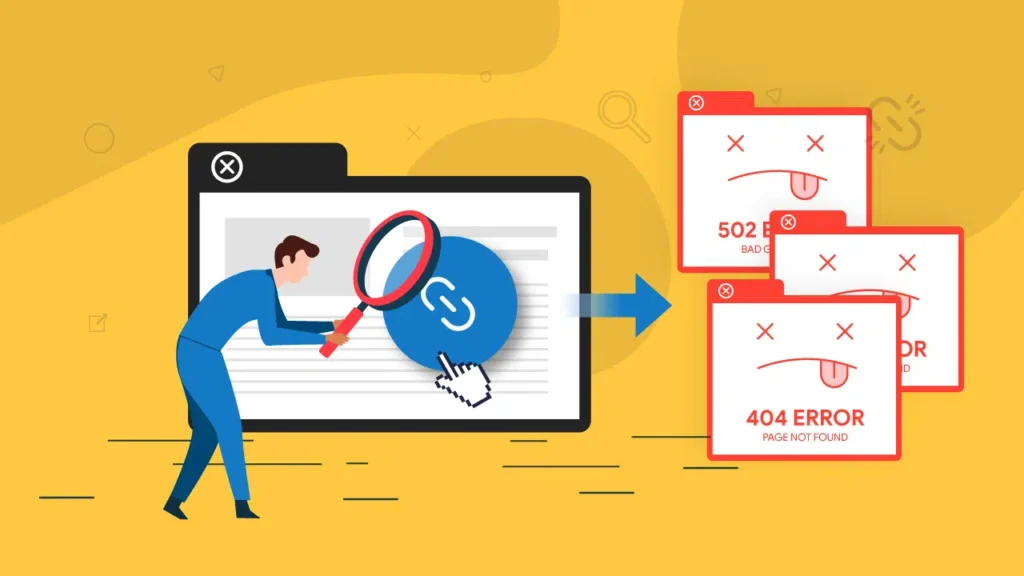
A broken link is any link that fails to open the page it promises. The usual causes are a deleted page, a changed URL, a typo, or a website that shut down. Most tools sort problems by HTTP status code. A 404 means the page was not found. A 410 means it was removed on purpose. Codes in the 500 range point to a server problem.
Do Broken Links Hurt SEO?
Not directly. Google’s Search Console help page says 404 errors generally will not affect your site’s search performance, and that many of them are not worth fixing. An older Google Search Central post makes the same point: a 404 on one URL does not change how your other pages rank.
That does not mean broken links are harmless. Visitors who hit a dead end often leave. Backlinks pointing to a deleted page lose their value unless you redirect them. Broken internal links also make your site harder to move through for readers and crawlers. Fix the ones that sit on real pages or carry real backlinks, and ignore junk URLs that never existed.
Soft 404 warning: Sending every deleted page to your homepage can create soft 404 errors. Google’s guidance names this as a problem. Redirect to a relevant page, or let the URL return a real 404.
Which Broken Link Checker Is Right for Your Website?
Match the tool to your site size, platform, and budget. If your site sits on shared hosting, lean toward cloud based scanners, which run on the vendor’s servers instead of yours.
11 Best Broken Link Checker Tools in 2026
| Tool | Type | Best for | Free option |
| Google Search Console | Free report | Finding 404 URLs Google already knows | Free |
| Screaming Frog SEO Spider | Desktop crawler | Deep technical audits | Free up to 500 URLs |
| Ahrefs Free | Cloud audit | Sites you own, with backlink data | Free for verified sites |
| Semrush Site Audit | Cloud audit | Teams already on Semrush | Free, 100 pages a month |
| Broken Link Checker by WPMU DEV | WordPress plugin | Ongoing WordPress monitoring | Free |
| Dead Link Checker | Online scanner | Quick spot checks | Free to start |
| Dr. Link Check | Online scanner | Scheduled reports | Free Lite plan |
| Check My Links | Chrome extension | Checking one page before publishing | Free |
| W3C Link Checker | Online validator | Small static sites | Free |
| BrokenLinkCheck.com | Online scanner | Mid size sites | Free, about 3,000 pages |
| Rank Math 404 Monitor | WordPress SEO plugin | Logging and redirecting 404s | Free |
1. Google Search Console
Start here because it costs nothing. Once you verify your site, the Page indexing report lists URLs Google could not index, including those marked Not found (404). The limit is scope. Search Console shows what Google tried to crawl, not every dead link on your pages, and it does not check outbound links.
2. Screaming Frog SEO Spider
This desktop crawler is a favourite for technical audits. The free version crawls up to 500 URLs, which covers most small blogs. A licence removes that cap for £199 per year. After a crawl, you can filter by status code and see which pages link to each broken URL.
3. Ahrefs Free
Ahrefs Webmaster Tools is now called Ahrefs Free. For websites you own and verify, it includes Site Audit, which scans for more than 170 technical and on page issues and shows broken link data for internal and external links. It also shows who links to your site, which helps you spot backlinks pointing to dead pages. You can only audit sites you verify.
4. Semrush Site Audit
Site Audit runs over 140 checks, including broken internal and external links. A free account crawls up to 100 pages per month, which suits a new blog but not a store with thousands of URLs. The Pro plan costs $139.95 per month. Choose it if you already use Semrush for keywords or rank tracking, because the audit sits beside your other reports.
5. Broken Link Checker by WPMU DEV
This WordPress plugin scans posts and pages, finds broken links and images, and lets you edit or remove a bad link from the dashboard. Its cloud engine runs the scan on WPMU DEV servers instead of your hosting, which helps on shared plans. You connect a free WPMU DEV account to use it. Keep the plugin updated, since it has received several security patches over the years.
6. Dead Link Checker
Dead Link Checker is a simple web tool. Enter your URL, wait for the report, and install nothing. It handles single pages and whole sites. Free scans have limits, so check the current cap before you scan a big site. Paid plans add scheduled checks and email reports.
7. Dr. Link Check
Dr. Link Check is a cloud scanner that tests links, images, and other assets, then lets you filter results by error type. You can export to CSV or PDF and schedule recurring crawls with email alerts. The free Lite plan is limited. The crawler also cannot run JavaScript, so links created by scripts may be missed.
8. Check My Links
Check My Links is a free Chrome extension that works one page at a time. Open a post, click the extension, and it tests every link on that page, marking working links in green and broken ones in red. It is ideal before you hit Publish. It will not crawl your whole site.
9. W3C Link Checker
Built by the web standards body, the W3C Link Checker is free and tests the links in a page. It can also follow links to a set depth. Use it for small static sites, or when you want a no frills second opinion on a page.
10. BrokenLinkCheck.com
BrokenLinkCheck.com is a free online scanner that checks up to about 3,000 pages without software. It tells you which page each broken link sits on, which makes fixing faster. It is a good middle option for sites that outgrew a browser extension but do not need a paid crawler.
11. Rank Math 404 Monitor
Rank Math is a popular WordPress SEO plugin, and its 404 Monitor logs URLs that visitors and bots request but your site cannot find. From that log you can create a 301 redirect in the Redirections module. It tracks missing pages rather than scanning your content for bad links, so pair it with a crawler. The free Redirection plugin offers similar 404 logging.
How Do You Find Broken Links on Your Website?
A reliable routine takes about an hour for a small site. Follow these steps.
- Check Search Console first. Open the Page indexing report and look for URLs marked Not found (404). These are pages Google already tried to reach.
- Crawl the whole site. Run Screaming Frog, Ahrefs Free, Semrush, or a WordPress plugin. This finds broken links that Search Console does not show.
- Export the source pages. Download the list with two columns: the broken URL and the page that links to it. You fix the link on the source page.
- Review external links by hand. Some websites block automated checkers and return codes such as 403 or 999 even when the page works. Open a few in your browser before you delete anything.
- Schedule the next scan. Monthly works for most sites. Weekly suits large stores and news sites. This is a practical guideline, not a Google rule.
How Do You Fix Broken Links the Right Way?
The fix depends on why the link broke. Use this decision list.
- The page moved: Update the link to the new URL. If other sites also link to the old address, add a 301 redirect.
- The page was deleted but a close replacement exists: Redirect the old URL to that replacement with a 301.
- The page was deleted and nothing replaces it: Remove the link and let the old URL return a 404 or 410.
- An external site died: Swap in a working source on the same topic, or remove the link and adjust the sentence.
- Other sites link to your dead page: Redirect that URL to the most relevant live page. Before you choose a target, look at the anchor text those backlinks use with the free Backlink Anchor Text Checker so the new page matches what linkers meant.
Finish by adding a custom 404 page with a search box and links to your main sections, so visitors who still land on a dead URL have somewhere to go.
What Mistakes Should You Avoid?
- Redirecting everything to the homepage: It confuses visitors and can create soft 404 errors.
- Fixing every 404: Google says many are not worth fixing. Focus on links placed on real pages and URLs with backlinks.
- Skipping external links: Dead outbound links make your content look neglected.
- Trusting one scan: New breaks appear every month as other sites change.
- Deleting pages without checking backlinks: You may throw away link value you already earned.
Frequently Asked Questions
Final Thoughts
Broken links are a normal part of running a website, but they do not have to pile up. Pick one of the broken link checker tools above, run a scan this week, and fix the links on your most visited pages first. Then set a monthly reminder. Before you plan redirects, try the free Backlink Anchor Text Checker from DigiInte, and keep reading the DigiInte blog for more practical SEO guides.

Behind every post at digiinte.com is a team of experienced SEO analysts and digital growth specialists. Our insights are backed by real data, industry research, and hands-on campaign experience — so you get advice that actually moves the needle.