
You can’t fix what you can’t see and most site owners have never actually looked at their anchor text.
An anchor text checker solves that. It pulls back the curtain on one of the most influential — and most overlooked parts of your backlink profile. This guide breaks down exactly what an anchor text checker is, how it works, what it tells you that you can’t get anywhere else, and how to start using one today without needing a paid subscription.
Key Fact : Why Anchor Text Analysis Is Non-Negotiable
Google’s Search Central documentation explicitly states that anchor text can affect how we rank the site that is being linked to. That’s not a secondary signal or a minor ranking factor that’s Google directly confirming that the words inside your backlinks influence your rankings. An anchor text checker is the only tool that lets you see, measure, and manage those words at scale.
Summary
This post answers the questions SEOs most commonly search when they first encounter anchor text analysis: What is an anchor text checker? How does it work? What should you actually do with the data it gives you? And what does a healthy result look like vs. a risky one? Whether you’re doing this for the first time or want a clearer framework for understanding what your tool is showing you, you’ll walk away with a solid mental model and a practical process you can run right now.
- Summary
- Without an anchor text checker:
- With an anchor text checker:
- Using Google Search Console
- Using Ahrefs (Paid )
- 1. Counting Backlinks Instead of Referring Domains
- 2. Assuming All Exact-Match Anchors Are Risky
- 3. Looking at Numbers, Not Percentages
- 4. Ignoring Nofollow Links
- 5. Comparing to the Wrong Benchmark
- Want to Go Deeper? Explore These Related Guides
What Is an Anchor Text Checker?
An anchor text checker is an SEO tool that scans the backlinks pointing to a website and extracts the exact words used as the clickable link text in each one. It compiles those words into a distribution report, showing which anchor text phrases appear most often, how many unique websites use each one, and what proportion of your total backlink profile each anchor type represents. Think of it as a word frequency report for your backlinks.
Here’s the simplest way to understand it. When another website links to yours, they write something like this in their HTML
<a href=”https://digiinte.com/anchor-text-checker”>anchor text checker tool</a> The clickable words anchor text checker tool are the anchor text.
An anchor text checker reads hundreds or thousands of those links at once and answers: what are the words people use when they link to your site? Are those words helping you rank or creating a pattern that looks manipulative to Google?
How Does an Anchor Text Checker Work?
An anchor text checker works by querying a backlink database, retrieving all known links pointing to a specified domain or URL, extracting the anchor text field from each link’s HTML, and then grouping identical or similar anchor phrases to calculate frequency counts and referring domain totals.
The quality of the results depends entirely on the size and freshness of the backlink database the tool uses — which is why tools like Ahrefs and SEMrush, with databases in the tens of trillions of links, return far more complete results than smaller free tools.
Here’s the process under the hood, broken into four steps:
| Step | What Happens | Why It Matters |
| 1. Crawl | The tool’s web crawler continuously discovers and indexes backlinks from across the web | A bigger crawl = more complete anchor text data for your domain |
| 2. Extract | For each discovered link, the HTML <a> tag’s text content is extracted and stored | This is the raw anchor text the exact words, including capitalization and punctuation |
| 3. Aggregate | Identical or near-identical anchors are grouped together and assigned a count | Turns thousands of individual links into a readable distribution breakdown |
| 4. Report | Results are presented as a ranked list by referring domain count or raw backlink count | You see which anchors are most common, not just which links exist |
What Does an Anchor Text Checker Actually Show You?
A good anchor text checker shows you five key data points: the specific anchor text phrases used in your backlinks, the number of referring domains (unique websites) using each phrase, the percentage each anchor type represents of your total profile, a breakdown by anchor type (branded, exact match, partial match, generic, naked URL, LSI), and in paid tools trend data showing how your anchor distribution has changed over time.
| Data Point | What You See | What It Tells You |
| Anchor phrase | ‘anchor text checker’, ‘Digiinte’, ‘click here’ | The actual words used to link to you |
| Referring domains | 42 domains use ‘anchor text checker’ | How many unique sites use that anchor the real risk metric |
| % of profile | 12% of all referring domains | Whether that anchor is dominant, normal, or negligible |
| Anchor type | Exact Match / Branded / Generic / Naked URL etc. | Which category the anchor falls into and its associated risk level |
| Dofollow vs nofollow | 38 dofollow, 4 nofollow | Which links are actively passing anchor text signals to Google |
| Trend data (paid) | New anchors this month, lost anchors | Spot sudden spikes in keyword-rich anchors before they cause problems |
Why Every SEO Needs One ?
You need an anchor text checker because Google’s Penguin algorithm now running in real time as part of Google’s core ranking system evaluates anchor text distribution to detect unnatural link patterns. Without a checker, you have no visibility into whether your profile looks natural or manipulative from Google’s perspective.
Discovering a problem after a ranking drop costs significantly more time and resources to fix than catching it early during a routine audit.
Here’s what’s actually at stake if you skip anchor text analysis:
Without an anchor text checker:
- You don’t know if your exact-match anchors are over 15%
- You can’t see if a recent link-building campaign created a footprint
- A penalty hits with zero warning and recovery takes months
- Competitors with clean profiles outrank you on keywords you built for
- You keep building links that make the problem worse, not better
With an anchor text checker:
- You catch over-optimization before it triggers Penguin
- You can adjust outreach strategy based on real distribution data
- You monitor your profile monthly and fix small problems before they grow
- You know exactly which new links are healthy vs. risky
- You build with confidence because you can see what you’re building
an anchor text checker is not a luxury tool for enterprise SEOs. It’s a baseline requirement for anyone who builds backlinks including guest posting, digital PR, directory submissions, or link exchanges. If links are part of your strategy, anchor text monitoring needs to be too.
Free vs. Paid Anchor Text Checkers: Which Do You Need?
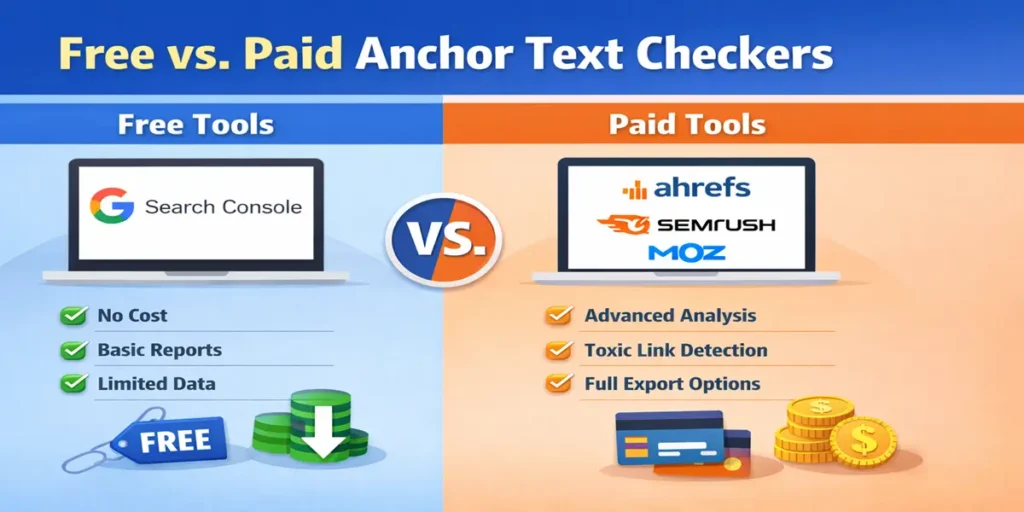
Whether you need a free or paid anchor text checker depends on why you’re checking. For basic monitoring of your own site’s anchor distribution, Google Search Console is free and authoritative . it shows anchor data straight from Google’s index.
For deep audits, penalty recovery, competitive analysis, or active link-building campaigns, a paid tool like Ahrefs or SEMrush gives you the complete picture. Free tools have real value; they just have real limits too.
| Use Case | Free Tool Enough? | Recommended |
| Monthly health check on your own domain | Yes | Google Search Console |
| First anchor text audit, no issues suspected | Yes | GSC + Moz Link Explorer (free tier) |
| Active guest posting or link outreach campaign | No — too limited | Ahrefs or SEMrush |
| Competitor anchor text analysis | No | Ahrefs Site Explorer |
| Penalty recovery / disavow work | No | SEMrush Backlink Audit |
| Agency managing multiple client sites | No | SEMrush or Ahrefs |
| Quick one-off URL check | Yes | Small SEO Tools or Moz |
Start with Google Search Console it’s completely free, requires no signup beyond your existing GSC property, and gives you anchor text data straight from Google. Use it as your monthly check. If you spot a pattern that concerns you, then open Moz or Ahrefs for a deeper look. You don’t need a $130/month subscription just to do basic anchor text monitoring.
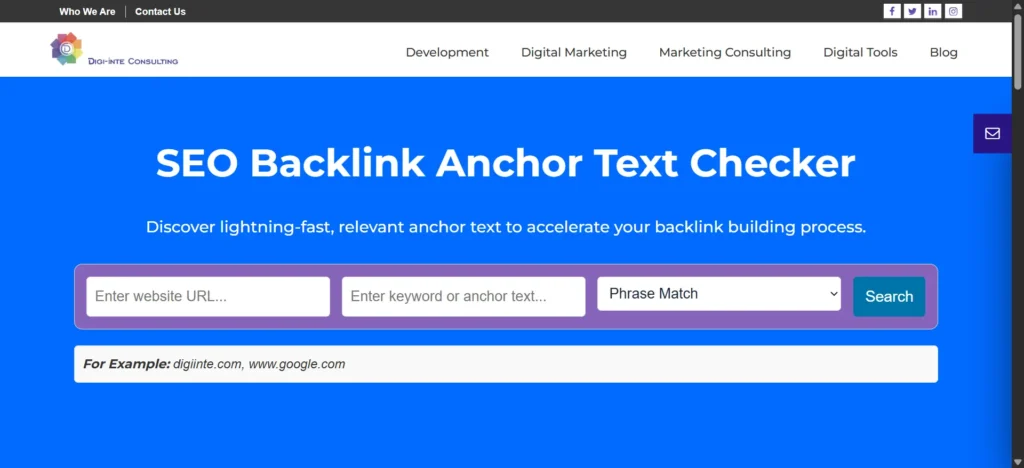
How to Use an Anchor Text Checker: Step-by-Step
To use an anchor text checker effectively: (1) enter your domain, (2) navigate to the anchor text or backlink anchors section, (3) switch to referring domain view not raw link count, (4) filter for dofollow links only, (5) export the full list to a spreadsheet, (6) classify each anchor by type, (7) calculate percentage breakdowns, and (8) compare against the safe distribution benchmarks to identify any categories that need attention.
Using Google Search Console
- Open GSC: search.google.com/search-console → select your property
- Click Links in the left sidebar (near the bottom of the navigation)
- Under ‘External links’, find ‘Top anchor texts’ and click ‘More’ to expand the full list
- Export: click the download icon in the top-right corner, save as CSV
- In the spreadsheet, add a ‘Type’ column and classify each anchor (Branded, Exact, Generic, Naked URL, Partial, LSI)
- Calculate percentages: each type’s count divided by total anchor texts × 100
Using Ahrefs (Paid )
- Site Explorer → enter your root domain (e.g. digiinte.com) → Backlinks → Anchors tab
- Critical: switch sort from ‘Backlinks’ to ‘Referring Domains’ using the column toggle
- Filter: set Link type = Dofollow to focus on links that actively pass signals
- Review: look at your top 20 anchor phrases what’s dominant? Are branded anchors leading?
- Export all rows to a CSV file (not just the currently visible page) to perform a full distribution analysis.
- Classify and benchmark against the safe ratios from the Hub Post guide
How to Read Your Results: Healthy vs. Red Flag
A healthy anchor text result shows your brand name as the dominant anchor (40–50% of referring domains), with a natural mix of naked URLs, generic phrases, partial matches, and a small proportion of keyword-rich anchors.
A red flag result shows one or more keyword-rich phrases dominating the profile, few or no branded anchors, and a suspicious lack of variety, patterns that signal link building was done to manipulate rankings rather than earn them.
| What you see | Status | What it means | What to do |
|---|---|---|---|
| Brand name is the #1 anchor at 40% or more | Healthy | Looks natural and editorial | Keep doing what is working |
| Exact-match keyword is the #1 or #2 anchor | Warning | Over-optimization risk | Stop exact-match outreach immediately and build branded links |
| One anchor makes up 20% or more of referring domains | Red flag | Dangerous concentration | Diversify now; consider disavow if links are low-quality |
| No generic or naked URL anchors at all | Warning | Profile looks engineered | Earn some natural generic links via content and citations |
| Top 5 anchors are all keyword variations | High risk | Penguin footprint detected | Begin profile cleanup; stop all keyword-anchor outreach |
| Mix of branded, generic, naked URL, and 1 to 2 keywords | Healthy | Natural distribution | Maintain and monitor quarterly |
| Foreign-language anchors from irrelevant sites | Toxic | Likely negative SEO or link spam | Disavow those domains immediately |
5 Things People Misread When Using an Anchor Text Checker
The biggest mistakes are measuring backlinks instead of referring domains, assuming all exact-match anchors are dangerous, focusing on counts instead of percentages, ignoring nofollow distribution, and forgetting that industry context matters.
1. Counting Backlinks Instead of Referring Domains
Google values unique websites, not repeated links from the same site. Always analyze referring domains, not raw link counts.
2. Assuming All Exact-Match Anchors Are Risky
A few exact-match anchors are normal. The problem is high concentration — not their existence. Risk increases when exact-match anchors exceed roughly 15% of referring domains.
3. Looking at Numbers, Not Percentages
Raw counts mean nothing without context. What matters is the percentage of your total profile.
4. Ignoring Nofollow Links
Nofollow links carry less weight but still matter. A natural profile includes both dofollow and nofollow links.
5. Comparing to the Wrong Benchmark
Anchor distribution varies by industry. Compare your profile to similar sites — not to massive brands.
Want to Go Deeper? Explore These Related Guides
1. Anchor Text Checker: The Complete Guide to Backlink Anchor Text Analysis
2. 7 Best Free Backlink Anchor Text Checker Tools in 2026. if you’re still choosing a tool, this guide gives you an honest comparison with ratings, free tier limits, and a decision table.