
Last Updated on March 11, 2026 by Digiinte.com Team
Are visitors coming to your website but leaving without contacting you?
You invest time and money to drive traffic, yet most users never fill out your contact form or send an email. Long forms feel boring. Waiting for replies feels slow.
The simple solution? Let visitors message you instantly on WhatsApp.
- Why You Need WhatsApp Plugins for WordPress
- How We Selected the Top WhatsApp Plugins for WordPress
- 1. WP Social Ninja
- 2. Click to Chat
- 3. Join.chat
- 5. WooCommerce WhatsApp Order
- Step-by-Step: How to Add a WhatsApp Plugin in WordPress
- How to Choose the Best WhatsApp Plugin for Your Website
- Does Adding WhatsApp Affect Website Speed?
- Are WhatsApp Plugins Safe?
- Final Thoughts: Best WhatsApp Plugins for WordPress
- Frequently Asked Questions (FAQ)
In this complete guide, we’ll explore the Best WhatsApp Plugins for WordPress that help you:
- Generate more leads
- Offer faster customer support
- Increase conversions
- Connect with visitors in real time
Whether you run a blog, affiliate website, SaaS platform, local business site, or WooCommerce store, this guide will help you choose the right plugin based on your needs and budget.
Here is a stronger, more engaging, and slightly more detailed version:
Why You Need WhatsApp Plugins for WordPress
WhatsApp has over 2 billion active users worldwide, making it one of the most powerful communication platforms today. In countries like India, it’s the #1 messaging app — used daily for personal and business conversations.
Your visitors are already using WhatsApp. So why not let them contact you there?
When you add WhatsApp to your website:
- Visitors can message you instantly
- No login or long form filling required
- Conversations feel natural and personal
- Faster replies build trust
- Higher chances of turning visitors into customers
Compared to traditional contact forms, WhatsApp removes friction. Instead of waiting hours (or days) for an email reply, users can start a real-time conversation immediately. In short, WhatsApp chat makes your website more interactive, responsive, and conversion-focused.
How We Selected the Top WhatsApp Plugins for WordPress
There are dozens of WhatsApp Plugins for WordPress available. But not all of them are reliable, fast, or beginner-friendly.
To make this guide truly helpful, we carefully evaluated each plugin based on real-world use cases and essential performance factors.
Here’s what we looked at:
- Ease of use – Is it beginner-friendly? Can you set it up without coding?
- Customization options – Can you change design, position, text, and styling?
- WooCommerce support – Does it work well with online stores?
- Mobile responsiveness – Is it optimized for mobile users?
- Page speed impact – Does it slow down the website?
- Free vs paid features – Is the free version useful?
- Ratings and active installs – Is it trusted by other users?
Our goal was simple: recommend plugins that are reliable, easy to use, and actually help increase engagement and conversions.
Now, before we dive into detailed reviews, here’s a quick comparison to help you understand the differences at a glance.
| Click to Chat | Simple WhatsApp button | Yes | Limited (Pro) | Basic | $30/year |
| Join.chat | Modern design | Yes | Yes | Yes | $39/year |
| WPForms + Integration | Advanced automation | Lite available | Depends on setup | Yes | $49/year + automation cost |
| WooCommerce WhatsApp Order | Direct WhatsApp ordering | Yes | No | Yes (Primary focus) | Free |
1. WP Social Ninja

Best for: All-in-one social integration
WP Social Ninja is more than just a WhatsApp chat plugin. It combines WhatsApp chat, social reviews, testimonials, and social feeds into one powerful tool.
This makes it perfect for businesses that want to build trust while offering instant customer communication.
With WP Social Ninja, visitors can see your reviews and message you directly on WhatsApp — all from one clean, professional widget.
Key Features
- Floating WhatsApp chat button
- Multiple WhatsApp agents
- Custom greeting and pre-filled messages
- WooCommerce integration
- Google & Facebook reviews integration
- Social media feeds support
- Fully mobile-friendly design
Pros
✅ Easy setup and beginner-friendly dashboard
✅ Attractive and modern design
✅ Supports multiple support agents
✅ Combines social proof + chat in one plugin
✅ Works with popular page builders like Elementor
Cons
❌ Advanced features require the premium version
❌ May feel feature-heavy if you only need a simple chat button
Pricing
Free version available.
Premium plans start at approximately $44 per year.
Best For
Business owners, eCommerce stores, agencies, and service providers who want WhatsApp chat plus social proof in one complete solution.
2. Click to Chat
Best for: Simple WhatsApp chat button
Click to Chat is one of the most popular WhatsApp Plugins for WordPress. It allows visitors to start a WhatsApp conversation with you in just one click — no forms, no delays.
If you want a lightweight and easy solution to add WhatsApp chat to your site, this plugin is a great choice.
It’s especially useful for bloggers, freelancers, and small business owners who need a simple communication tool without complex setup.
Key Features
- Floating WhatsApp chat button
- Pre-filled message option
- Shortcode support for placing chat anywhere
- Custom button styles and positions
- Google Analytics tracking
- Option to show/hide on specific pages
- Fully mobile responsive
Pros
✅ Lightweight and fast-loading
✅ Beginner-friendly interface
✅ No coding required
✅ Quick setup process
✅ Reliable and stable performance
Cons
❌ Limited design customization in the free version
❌ Advanced targeting features require Pro version
Pricing
Free version available in the WordPress plugin directory.
Pro version starts at approximately $30 per year.
Best For
Bloggers, affiliate marketers, freelancers, and small business websites that need a simple and effective WhatsApp chat button.
Here is the improved and professionally structured version in the same consistent format:
3. Join.chat
Best for: Clean and professional design
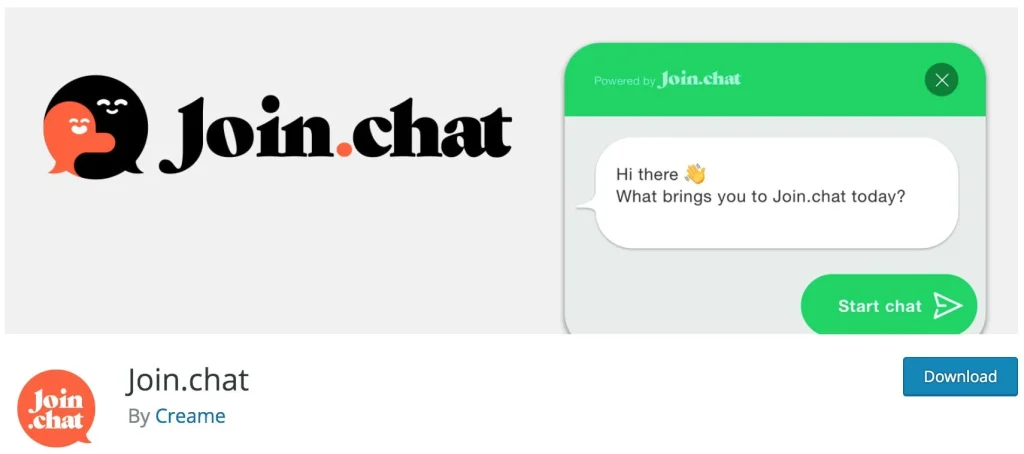
Join.chat is a stylish and user-friendly WhatsApp plugin that lets you add a modern chat widget to your WordPress website.
It focuses on clean design and smooth performance, making it ideal for websites that care about branding and user experience.
The plugin is simple to set up but offers powerful features for businesses that want professional-looking WhatsApp integration.
Key Features
- Floating WhatsApp chat box
- Multi-agent support
- Custom call-to-action text
- WooCommerce compatibility
- Dynamic chat buttons
- Pre-filled messages
- Option to display on specific pages
- Fully mobile responsive
Pros
✅ Clean and modern user interface
✅ Fast loading and lightweight
✅ Easy customization options
✅ Works well with WooCommerce
✅ Beginner-friendly setup
Cons
❌ Advanced targeting and scheduling options are in the paid version
❌ Some customization features require premium plan
Pricing
Free version available.
Premium plans start at approximately $39 per year.
Best For
Website owners and businesses who want a modern-looking, lightweight WhatsApp chat widget with professional design.
4. WPForms + WhatsApp Integration
Best for: Advanced lead generation
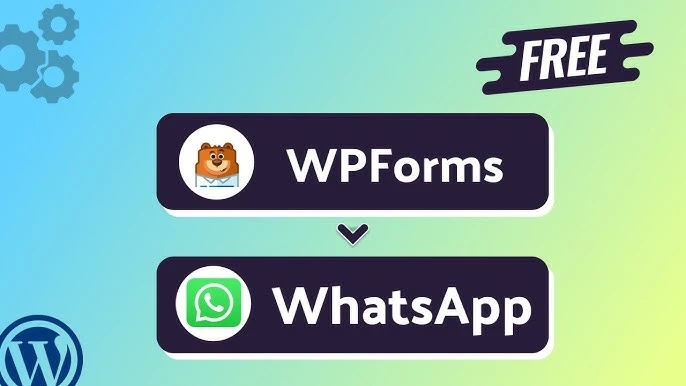
WPForms is not a direct WhatsApp chat plugin, but it becomes a powerful WhatsApp solution when combined with automation tools.
You can connect WPForms to WhatsApp using:
- Zapier
- Uncanny Automator
- Pabbly Connect
This setup allows you to send WhatsApp messages automatically after someone submits a form on your website.
It’s ideal for businesses that want structured lead collection instead of casual chat conversations.
How It Works
- A visitor fills out your contact, quote, or booking form.
- The automation tool detects the submission.
- A WhatsApp message is instantly sent to you (or even to the customer).
This creates a smooth and automated communication flow.
Key Benefits
- Structured and organized lead capture
- Custom workflows and automation rules
- CRM and email marketing integration
- Automated WhatsApp notifications
- Perfect for sales funnels and bookings
Pros
✅ Highly customizable setup
✅ Ideal for serious businesses
✅ Great for marketing funnels
✅ Works with advanced integrations
✅ Scalable for growing companies
Cons
❌ Requires third-party automation tools
❌ Setup takes more time than basic chat plugins
❌ Automation tools may have additional costs
Pricing
WPForms paid plans start at approximately $49 per year.
Automation tools like Zapier or Pabbly may require separate paid plans.
Best For
SaaS companies, agencies, consultants, and high-ticket service websites that need automated lead handling and structured communication through WhatsApp.
5. WooCommerce WhatsApp Order
Best for: Online stores
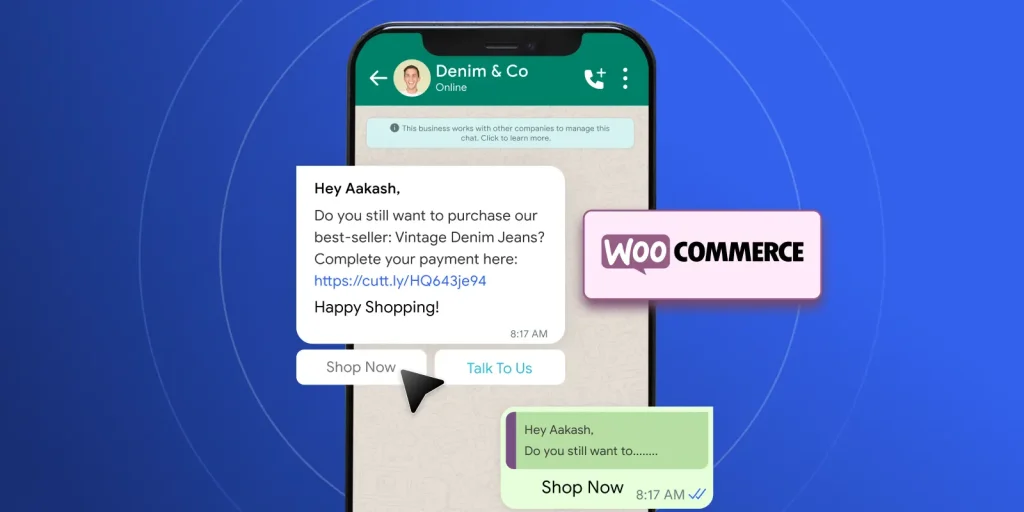
If you run an eCommerce website, WooCommerce WhatsApp Order is one of the Top WhatsApp Plugins for WordPress designed specifically for you.
Instead of using the default checkout process, this plugin adds an “Order via WhatsApp” button directly to your product pages. Customers can click the button and send their order details to you instantly on WhatsApp.
This is especially useful for small businesses, local sellers, and custom product stores.
Key Features
- Order via WhatsApp” button on product pages
- Customizable button text and design
- Works with simple and variable products
- Automatically includes product details in message
- Redirect option after clicking
- Mobile-friendly and responsive
Pros
✅ Helps increase direct sales
✅ Perfect for local and small businesses
✅ Easy and quick setup
✅ Reduces complex checkout steps
✅ Improves pre-sale communication
Cons
❌ Not ideal for digital-only or fully automated stores
❌ Lacks advanced automation features
Pricing
Free version available in the WordPress plugin directory.
Best For
Small online stores, local businesses, wholesalers, and custom product sellers who want customers to confirm or place orders directly through WhatsApp.
Step-by-Step: How to Add a WhatsApp Plugin in WordPress
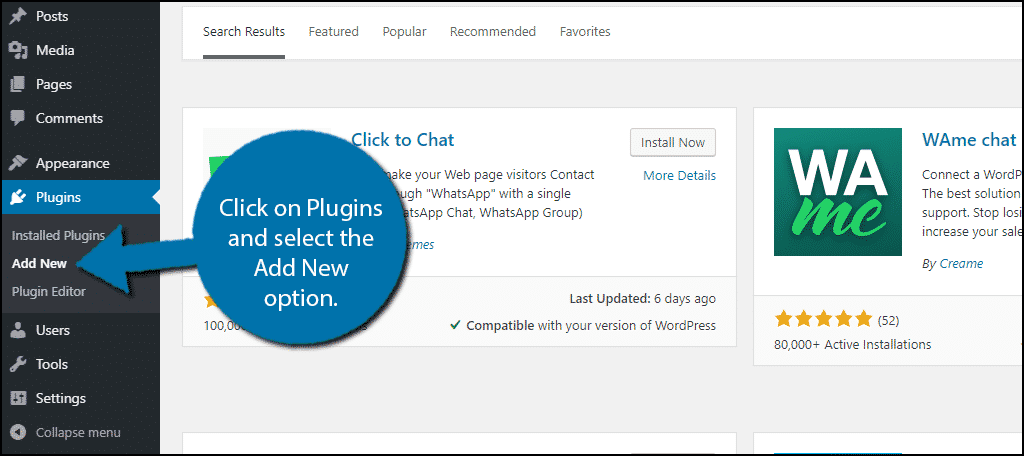
If you are a beginner, follow these simple steps:
Step 1: Install the Plugin
- Go to WordPress Dashboard
- Click Plugins → Add New
- Search for your selected plugin
- Click Install → Activate
Step 2: Add Your WhatsApp Number
- Go to plugin settings
- Enter your WhatsApp number (with country code)
- Add a default greeting message
Step 3: Customize Button Design
- Choose position (left or right)
- Select color and icon style
- Add call-to-action text
Step 4: Test on Mobile
Open your website on mobile and click the button.
Make sure it redirects correctly to WhatsApp.
Done!
How to Choose the Best WhatsApp Plugin for Your Website
Not every website needs the same type of WhatsApp integration. The right plugin depends on your goals, business type, and budget.
Here’s a simple guide to help you decide:
✅ Choose Click to Chat if:
- You want a simple and lightweight solution
- You run a blog, affiliate site, or small business website
- You prefer an easy setup with no technical work
- You need a reliable free option
It’s perfect for basic WhatsApp communication without extra features.
✅ Choose Join.chat if:
- You want a clean and modern design
- Branding and user experience matter to you
- You need multi-agent support
- You want better customization options
Great for professional-looking websites.
✅ Choose WP Social Ninja if:
- You want WhatsApp chat + social proof in one tool
- You want to display Google or Facebook reviews
- You run a service business or eCommerce store
- Building trust is your top priority
It combines communication and credibility.
✅ Choose WPForms + WhatsApp Integration if:
- You want advanced automation
- You collect detailed leads through forms
- You need CRM or email marketing integration
- You run a SaaS or high-ticket service business
This setup is ideal for structured lead generation and sales funnels.
✅ Choose WooCommerce WhatsApp Order if:
- You run an online store
- You sell physical or custom products
- You want customers to place or confirm orders via WhatsApp
- You serve local or regional buyers
It simplifies the buying process and increases direct sales.
In short, choose a plugin based on your business model — simple chat, modern design, social proof, automation, or eCommerce-focused selling.
Does Adding WhatsApp Affect Website Speed?
This is a common concern for website owners.
The good news is that most modern WhatsApp plugins for WordPress are lightweight and optimized for performance. When properly configured, they do not significantly slow down your website.
However, performance can vary depending on the plugin and how many extra features you enable.
To Stay Safe, Follow These Tips:
- Choose well-rated and regularly updated plugins
- Avoid heavy all-in-one tools if you only need a simple chat button
- Disable features you don’t use
- Test your website speed using tools like Google PageSpeed Insights
- Check performance on both mobile and desktop
If speed is your top priority, go with a simple and lightweight plugin rather than a feature-heavy solution.
Remember, user experience and fast loading times always come first.
Are WhatsApp Plugins Safe?
Yes, WhatsApp plugins are safe — as long as you download them from trusted sources.
Always install plugins from:
- WordPress.org (official plugin directory)
- The developer’s official website
These sources follow WordPress security standards and regularly release updates.
To Keep Your Website Secure:
- Keep your plugins updated at all times
- Avoid nulled or pirated versions
- Use strong admin usernames and passwords
- Enable two-factor authentication if possible
- Regularly scan your website for malware
Most security risks don’t come from the plugin itself, but from outdated software or unofficial downloads.
If you follow basic security practices, WhatsApp plugins are completely safe to use on your WordPress website.
Final Thoughts: Best WhatsApp Plugins for WordPress
Choosing the Best WhatsApp Plugins for WordPress depends on your business goals.
If you want simplicity, go with Click to Chat.
If you run WooCommerce, choose WhatsApp Order plugin.
If you want automation, WPForms integration is powerful.
WhatsApp marketing is growing fast. The earlier you implement it, the more leads and sales you can generate.
Start simple. Test what works. Optimize over time.
Frequently Asked Questions (FAQ)
