
Last Updated on November 14, 2026 by Digiinte.com Team
Your analytics show how many people visit a page, but numbers alone do not show why they leave. Did they miss your button? Did they stop scrolling before your offer? A heatmap answers these questions by coloring the parts of a page where people click, move, and scroll. You do not need a big budget to try it. Several free heatmap tools give you click and scroll maps, and some add session recordings too. This guide compares ten of them in 2026, with free plan limits, prices, pros, and cons, so you can pick the right one for your site.
Key Takeaways
- Best free pick: Microsoft Clarity is described by Microsoft as free forever, with no traffic limits and no paid plan.
- Compare limits carefully: Free plans count sessions per day, sessions per month, page views, or recordings, so the numbers are not directly comparable.
- Hotjar has changed: Contentsquare says new accounts can no longer be created on Hotjar, so new users sign up for Contentsquare Free.
- Small plans: Mouseflow, Plerdy, LiveSession, FullSession, and Ptengine suit small sites or short tests.
- Check before you pick: FullStory’s free plan has session replay but no heatmaps, and Lucky Orange is not a permanent free plan in some checks, so neither is on this list.
What Is a Heatmap?
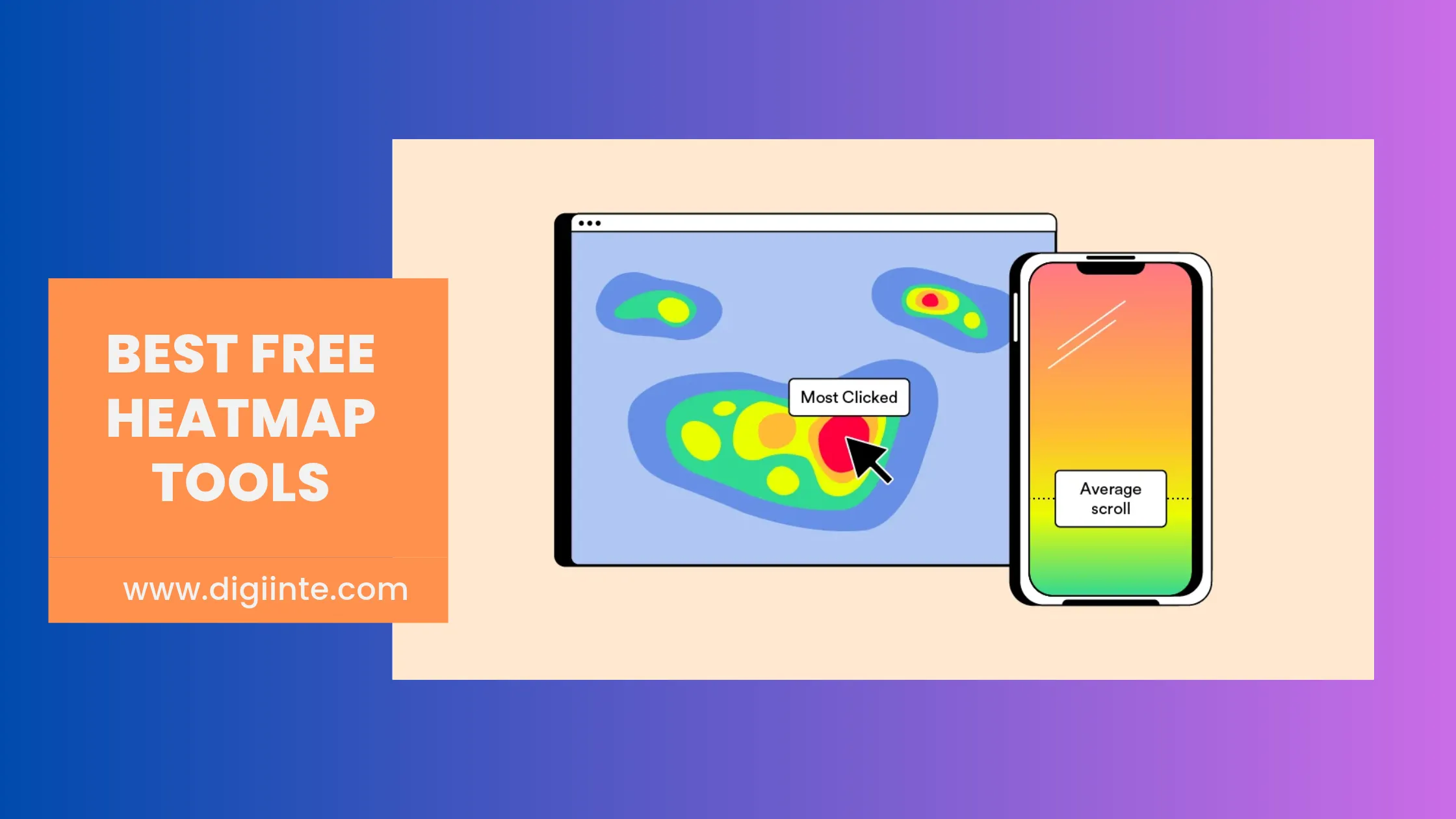
A heatmap is a visual report that colors a web page based on visitor behavior. Warm colors such as red and orange show where people click, move, or scroll the most, and cool colors show areas that get little attention. Click maps show clicks and taps, scroll maps show how far people read, and move maps show where cursors travel.
How to Choose Free Heatmap Tools
Free plans look similar on the surface, but their limits work very differently. Check these four things before you install anything.
- The unit of the limit. Clarity counts recorded sessions per day, Contentsquare counts sessions per month, Plerdy counts heatmap page views per day, and PostHog counts recordings.
- Recordings. Heatmap limits are often higher than recording limits, so check both.
- Data retention. Many free plans keep data for only about 1 month.
- Sites and pages. Some plans allow one website or only a few pages.
| Quick tip: Count your monthly visits first. A blog with 300 visits a day has about 9,000 a month. That fits easily inside Clarity or Contentsquare Free, but it is far above small plans such as Mouseflow (500 sessions) or FullSession (500 sessions). |
Free Heatmap Tools at a Glance
| Tool | Free plan snapshot | Paid plans from |
| Microsoft Clarity | Free forever, up to 100,000 recorded sessions per project per day | No paid plan |
| Contentsquare Free (Hotjar) | 200,000 sessions per month, replays on 5% of sessions | $39 per month billed yearly |
| Inspectlet | 2,500 recorded sessions per month on up to 3 websites | $39 per month |
| Crazy Egg | Instant click heatmaps, up to 1,000 sessions per day | $29 per month billed yearly |
| PostHog | 5,000 recordings and 1 million events per month | Pay as you go |
| Plerdy | 100 heatmap page views per day, 500 video sessions | $21 per month billed yearly |
| Mouseflow | 500 sessions per month on 1 website | $25 per month billed annually |
| LiveSession | 1,000 sessions per month, 2 projects | $54 per month billed annually |
| FullSession | 500 sessions per month, 30 days of data | $23 per month billed annually |
| Ptengine | 3,000 page views and 1 heatmap | $109 per month |
Free plan details were checked against vendor pages and recent plan reviews in November 2026. Limits change often, so confirm on each pricing page before you sign up.
The 10 Best Free Heatmap Tools
1. Microsoft Clarity: Best Overall Free Heatmap Tool
Microsoft Clarity is a behavior analytics tool with heatmaps, session recordings, and funnels. Microsoft calls it a free service forever, with no traffic limits and no limit on the number of sites per account. It can record up to 100,000 sessions per project per day, and its script loads asynchronously, so Microsoft says it does not affect how quickly your pages load. If your site targets visitors in the EEA, UK, or Switzerland, you must pass visitor cookie consent to Clarity, and it should not be used on sites aimed at people under 18.
- Price: Free forever. There is no paid plan.
- Best for: Almost any site, from small blogs to busy stores.
Pros
- Free forever with no traffic limits, according to Microsoft
- No limit on the number of sites per account
- Script loads asynchronously, so page speed is not affected
Cons
- Recordings are kept for 30 days, and only favorites and a small sample last longer
- Consent setup is required for visitors in the EEA, UK, and Switzerland
- Cannot render content inside third party iframe or canvas elements
2. Contentsquare Free (Hotjar): Best for Funnels and Surveys
Hotjar is now part of Contentsquare, and Contentsquare says new accounts can no longer be created on Hotjar. New users sign up for Contentsquare Free instead. It tracks up to 200,000 sessions a month with 100% data capture, so your heatmaps and funnels reflect your real traffic. Session replay is sampled at 5% of sessions, up to 10,000 replays a month. It needs no credit card and covers 1 project.
- Price: Free plan with 200,000 sessions per month. Paid Growth plans start at $39 per month billed yearly.
- Best for: Sites that want heatmaps and funnels on every session, plus basic surveys.
Pros
- Heatmaps and funnels built on up to 200,000 sessions a month
- Replays, funnels, error monitoring, and basic surveys included
- No credit card needed
Cons
- Replays cover only 5% of sessions, with a maximum of 10,000 a month
- Data is kept for 1 month on 1 project
- Zone based heatmaps are not on the free plan
3. Inspectlet: Best for Running Several Small Sites
Inspectlet records visitor sessions and builds heatmaps, and its free plan includes session replay, heatmaps, and A/B testing. According to its plans page, the free plan gives 2,500 recorded sessions a month across up to 3 websites, with no credit card and no time limit. Data is kept for 1 month on the free plan. That makes it handy if you manage a few small sites and want one account for all of them.
- Price: Free plan available. The Micro plan costs $39 per month for 5,000 recorded sessions on 1 website.
- Best for: Owners of two or three small sites who want one login.
Pros
- Free for up to 3 websites, with no card and no time limit
- Heatmaps, session replay, and A/B testing included
- Paid plans scale in clear steps by recorded sessions
Cons
- Capped at 2,500 recorded sessions a month on the free plan
- Free data is kept for only 1 month
- Paid prices climb quickly, such as $149 per month for 50,000 sessions
4. Crazy Egg: Best for Simple Free Click Heatmaps
Crazy Egg’s Instant Heatmaps are free forever and need no credit card. They automatically create click heatmaps for every page of your site, using data from the past 30 days. They sample up to 1,000 sessions per day for each website domain. The free plan also includes web analytics, conversion analytics, and surveys, with unlimited seats and domains. Session recordings and longer data retention need a paid plan.
- Price: Free plan available. Starter costs $29 per month billed annually and adds 50 recordings a month. Paid plans come with a 30 day free trial.
- Best for: Beginners who want click heatmaps on every page without setting up each one.
Pros
- Click heatmaps are created automatically for all pages
- Unlimited seats and unlimited website domains
- Web analytics, conversion analytics, and surveys included free
Cons
- Free heatmaps cover clicks only, with 30 days of data
- Capped at 1,000 sessions a day per domain
- No session recordings on the free plan
5. PostHog: Best for Developers and Product Teams
PostHog is a product analytics platform that includes heatmaps and session replay. Its free tier gives you 5,000 web recordings, 1 million analytics events, and 1,500 survey responses every month, with no credit card. After the free recordings, replay costs $0.005 per recording, and the rate drops at higher volumes. It is also open source and can be self hosted. It is built for product teams, so it does more than a simple heatmap tool.
- Price: Free tier available. After 5,000 recordings, replay costs $0.005 per recording.
- Best for: Developers and product teams that want analytics, replay, and heatmaps in one place.
Pros
- Generous free allowance across analytics, replay, and surveys
- Open source, with a self hosting option
- Usage based pricing with no fixed plan fee
Cons
- More setup and learning than a simple heatmap tool
- Free recordings are capped at 5,000 a month
- A 2026 plan review reports a limit of 3 heatmap pages on the free tier, so check current limits
6. Plerdy: Best for Heatmaps Plus SEO Checks
Plerdy combines heatmaps, session recordings, pop ups, SEO audits, and A/B testing in one platform. Its free plan is forever and includes a daily limit of 100 heatmap page views, 500 video sessions in total, 5,000 SEO audit actions, unlimited A/B testing, and 1 month of storage. If the daily heatmap limit is too small, you can buy extra capacity as an add on.
- Price: Free plan available. Startup costs $21 per month billed yearly, or $32 billed monthly. Extra heatmap views start at $9 per month for 1,000 more a day.
- Best for: Small sites that want heatmaps with SEO and testing tools in one place.
Pros
- Heatmaps, SEO audits, pop ups, and A/B testing in one tool
- Unlimited A/B testing on the free plan
- Extra heatmap capacity can be bought as a small add on
Cons
- Only 100 heatmap page views a day on the free plan
- Only 500 video sessions in total
- Free data is stored for 1 month
7. Mouseflow: Best for Friction Detection
Mouseflow offers heatmaps, session replay, funnels, and friction detection. The Free Forever plan includes 500 sessions a month, 1 website project, 1 conversion funnel, 1 month of data retention, and unlimited users. Paid plans add more sessions, longer retention, and extras such as form analytics and feedback surveys. It works well as a short test on one small site.
- Price: Free plan with 500 sessions per month. Essential costs $25 per month billed annually for 5,000 sessions and 3 months of retention.
- Best for: Very small sites or short tests on a single website.
Pros
- Free plan includes session replay, heatmaps, and friction detection
- Unlimited users on every plan
- Clear upgrade steps, from 5,000 to 100,000 sessions
Cons
- Only 500 sessions a month, 1 website, and 1 funnel
- Reports say tracking pauses once the monthly allowance is used
- Free data is kept for only 1 month
8. LiveSession: Best for Small Teams Sharing a Project
LiveSession pairs session replay with clickmaps and heatmaps. Its free plan includes 1,000 sessions a month, heatmaps and clickmaps, funnels, filters, and segments, with 3 team members, 2 projects, and 1 month of retention. Developer tools such as console and network logs start on the Pro plan. It is a web only tool, so it does not cover mobile apps.
- Price: Free plan with 1,000 sessions per month. Basic starts at $54 per month billed annually, and Pro at $83 per month billed annually for 10,000 sessions.
- Best for: Small teams and agencies with a couple of websites.
Pros
- Heatmaps, clickmaps, and funnels on the free plan
- 3 team members and 2 projects included
- Prices are published openly on its pricing page
Cons
- Free plan is limited to 1,000 sessions a month and 1 month of data
- Developer tools are paid only
- Web only, with no mobile app tracking
9. FullSession: Best for Frustration and Error Signals
FullSession is a behavior analytics tool with session replay, heatmaps, funnels, and error reporting. Its free plan includes 500 sessions a month with 30 days of data retention, and it captures every session inside that limit. It also includes 2 seats and frustration and error signals. The Growth plan starts at about $23 per month billed annually for 5,000 sessions, and adds funnels, feedback, and 4 months of retention.
- Price: Free plan with 500 sessions per month. Growth starts at about $23 per month billed annually.
- Best for: Very small sites that want replay and heatmaps with error signals.
Pros
- Heatmaps and replay with frustration and error signals
- Captures 100% of sessions within the free limit
- Low cost first paid plan
Cons
- Only 500 sessions a month on the free plan
- Free data is kept for 30 days
- Funnels and feedback tools need the paid Growth plan
10. Ptengine: Best for Heatmaps With A/B Testing
Ptengine combines heatmaps with A/B testing and web personalization. Its free plan, as listed on its Shopify app page, includes 3,000 page views, real time analytics, 1 heatmap, and 2 experiences. Ptengine charges by page views, and some reviewers say the free page view limit is small. The first paid Growth plan costs $109 per month.
- Price: Free plan available. Growth Beginner costs $109 per month, or $1,068 per year.
- Best for: Small online stores that want heatmaps with simple testing.
Pros
- Heatmaps with A/B testing and personalization on one platform
- Real time analytics on the free plan
- Available as a Shopify app
Cons
- Free plan allows only 1 heatmap and 3,000 page views
- The first paid plan is $109 a month, which is a big jump
- Reviewers say analytics beyond heatmaps are lighter, so you may need another tool
Tools We Left Out
A few well known names did not make the list because of how their plans work in 2026.
- FullStory: Its free plan gives 30,000 sessions a month and session replay, but a plan comparison lists heatmaps as not included on the free plan.
- Lucky Orange and Heatmap.com: Their pricing pages showed free trials rather than permanent free plans in an October 2026 check. Reports differ, so confirm on their sites.
- Smartlook: It ended new paid sales on 31 May 2026.
- Hotjar: It no longer opens new accounts, so it is covered by Contentsquare Free above.
How to Read a Heatmap and Act on It
A heatmap is only useful when it leads to a change. Here is a simple way to use one.
- Pick one page. Start with a page that matters, such as your homepage, pricing page, or top landing page.
- Check the clicks. Look for clicks on things that are not links, such as images or headings. They show what visitors expected to be clickable.
- Check the scroll depth. If most visitors stop before your main button, move that button higher.
- Compare mobile and desktop. The same page can behave very differently on a phone.
- Change one thing. Make a single change, wait a week or two, and check the map again.
If visitors leave before the page finishes loading, fix speed first. Our guide on converting images to WebP to speed up your website is a good place to start.
Common Heatmap Mistakes
- Judging too early. A few dozen visits is not enough. Wait until a page has a few hundred.
- Skipping privacy. Heatmap tools record behavior, so mention them in your privacy policy, respect cookie consent rules, and mask forms that collect personal data.
- Never reviewing the data. Installing the script is not enough. Set a reminder to review your maps each month.
Frequently Asked Questions
Pick Your Free Heatmap Tool and Start Learning From Visitors
The best free heatmap tools make it easy to see what visitors really do. Start with Microsoft Clarity if you want the most room to grow, try Contentsquare Free if you want funnels and surveys, and use the smaller plans for short tests on a single site. Install one tool, study one page, and make one change at a time.

Behind every post at digiinte.com is a team of experienced SEO analysts and digital growth specialists. Our insights are backed by real data, industry research, and hands-on campaign experience — so you get advice that actually moves the needle.